

Pitch Perfect (Pitch Pipe)
David Poll · Music
Independent analytics for this App Store listing. AppTracker is not affiliated with David Poll.
Chart standing · US
What changed · US
Listing changes AppTracker has observed for this app in this storefront — new versions, price moves, rating shifts, and store copy.
On iOS, fixes a crash when opening sign-in on a Mac and improves stability. On Android and Wear OS, fixes crashes when audio cannot start. Notes that could not sound no longer stay highlighted, so you can press them to try again.
Price & rating history · US
Reconstructed from the listing changes AppTracker has observed in this storefront. A field is charted once it has changed more than once, and each line starts at the value it moved from.
Average rating · ★ 3.66 now · 2 changes on record
Ratings breakdown · US
The star breakdown behind this app's rating in this storefront.
In-app purchases · US
No in-app purchases.
Screenshots



About
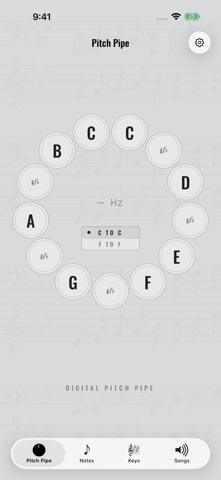
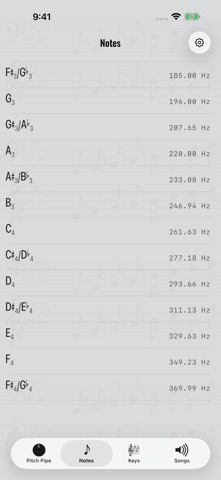
Pitch Perfect is a digital pitch pipe for the musically inclined. Find your starting note before a rehearsal, warm up with your choir, or get a song going with friends. Just press and hold a note to hear it. Not sure which key goes with the sharps or flats on your sheet music? Match the key signature on the page to the one on your screen, then sound its starting pitch. Keep a list of songs and their keys so you're ready for the next one. With Pitch Perfect you can: - Play individual notes or sound several together as a chord. - Switch to Classic Pitch Pipe in Settings for the original grid of big note buttons. - See note names and frequencies as you play. - Set A4 to a reference pitch from 415 to 446 Hz. - Choose the original pitch-pipe tone, four wave sounds, or instruments such as piano, organ, strings, and choir. Preview sounds in Settings. - Find starting pitches from major and minor key signatures. - Add songs, save their keys, and drag to arrange your singing order or sort alphabetically. - Keep set lists for different groups or gigs, copy songs between them, and switch lists with a tap. - Sound a note from a Home Screen widget. - Use light or dark appearance on your phone or tablet. Sound and tuning choices sync with your account. The original Pitch Perfect tone remains the default. Questions, problems, or feature requests? Email support@davidpoll.com.
What's new · 3.2.2
On iOS, fixes a crash when opening sign-in on a Mac and improves stability. On Android and Wear OS, fixes crashes when audio cannot start. Notes that could not sound no longer stay highlighted, so you can press them to try again.
Details