

TripREC Dash Cam
正选 董 · Navigation
Independent analytics for this App Store listing. AppTracker is not affiliated with 正选 董.
Chart standing · US
What changed · US
Listing changes AppTracker has observed for this app in this storefront — new versions, price moves, rating shifts, and store copy.
The recording screen, trip list, route details and settings now adapt to portrait and landscape. Landscape Lock is on by default and can be changed in Settings.
Ratings breakdown · US
The star breakdown behind this app's rating in this storefront.
In-app purchases · US
No in-app purchases.
Screenshots


Keywords this app targets
Search terms AppTracker associates with this app — estimates, not search volume. ❝ = in the app's title; a highlighted number is its current position for that term.
Similar apps
Competitors and close alternatives, as estimated by AppTracker.
 Car Camera DVR. PRO
Oxagile LLC
2 shared topics
Car Camera DVR. PRO
Oxagile LLC
2 shared topics
 Car Camera DVR-Dashcam
APPASPECT TECHNOLOGIES PRIVATE LIMITED
1 shared topic
Car Camera DVR-Dashcam
APPASPECT TECHNOLOGIES PRIVATE LIMITED
1 shared topic
 Guardian Dual Dash Cam Plus
TIMOTHY ALFONSIA DENT
1 shared topic
Guardian Dual Dash Cam Plus
TIMOTHY ALFONSIA DENT
1 shared topic
 DashCam Pro - Car Camera
Matteo Zappia
DashCam Pro - Car Camera
Matteo Zappia
 CamCarDer
OXiGENATOR LLC
CamCarDer
OXiGENATOR LLC
 Driver: Driving & Dash Cam App
Driver Technologies Inc.
1 shared title word
Driver: Driving & Dash Cam App
Driver Technologies Inc.
1 shared title word
 Miracle行车记录仪-开车必备智能安全助手
汇洲 孙
2 shared topics
Miracle行车记录仪-开车必备智能安全助手
汇洲 孙
2 shared topics
 EyesOnYou DashCam Plus
Bongwook Bin
2 shared topics
EyesOnYou DashCam Plus
Bongwook Bin
2 shared topics
About
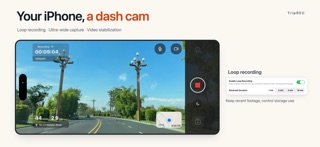
Turn your iPhone into a simple, practical dash cam. TripREC is made for daily drives and road trips. Record the road ahead while saving your route, distance and speed, so every journey has a record. Features · Video stabilization: capture steadier footage on the road · Ultra-wide camera: capture more of the scene · Video quality options: 1080p by default, with 720p, 4K and 1080p at 60 fps available · Loop recording: automatically replace older clips after your chosen retention period to manage storage · Impact detection: automatically save the recording when an impact is detected · Custom video stamps: show the time, speed and location as you choose · Overheating alerts: get a prompt when your phone becomes too hot · Automatic recording recovery: the app attempts to continue after an unexpected interruption · Dimmed-screen recording: keep recording status, elapsed time and the clock visible when the screen dims · Audio control: turn audio on or off while recording · Focus lock and torch: adjust the camera to suit your needs · Trip history: replay recordings and view routes, distance, duration and average speed · Video export: save to Photos or export to another app · Local storage: recordings, audio and trip data stay on your device
What's new · 3.2.0
The recording screen, trip list, route details and settings now adapt to portrait and landscape. Landscape Lock is on by default and can be changed in Settings.
Details