

Quick Fav Dial - Smart Dialer
Klaus Schöffmann · Utilities
Independent analytics for this App Store listing. AppTracker is not affiliated with Klaus Schöffmann.
Chart standing · US
What changed · US
Listing changes AppTracker has observed for this app in this storefront — new versions, price moves, rating shifts, and store copy.
Price & rating history · US
Reconstructed from the listing changes AppTracker has observed in this storefront. A field is charted once it has changed more than once, and each line starts at the value it moved from.
Price · 3.99 USD now · 3 changes on record
Ratings breakdown · US
The star breakdown behind this app's rating in this storefront.
In-app purchases · US
No in-app purchases.
Screenshots





Similar apps
Competitors and close alternatives, as estimated by AppTracker.
 FaceDial PRO Photo Dialer
Tental Software
FaceDial PRO Photo Dialer
Tental Software
 Speed Dial Easy
Hartwig Hopfenzitz
Speed Dial Easy
Hartwig Hopfenzitz
 CallRight Pro - your favorite contacts from the addressbook promptly available for fast calls and messages and sms
Giovanni Turrioni
CallRight Pro - your favorite contacts from the addressbook promptly available for fast calls and messages and sms
Giovanni Turrioni
 Decadial: Rotary Phone Dialer
MUHAMMED MIRAC SENGONUL
Decadial: Rotary Phone Dialer
MUHAMMED MIRAC SENGONUL
 Favorite Contacts Widget Pro
luca calciano
Favorite Contacts Widget Pro
luca calciano
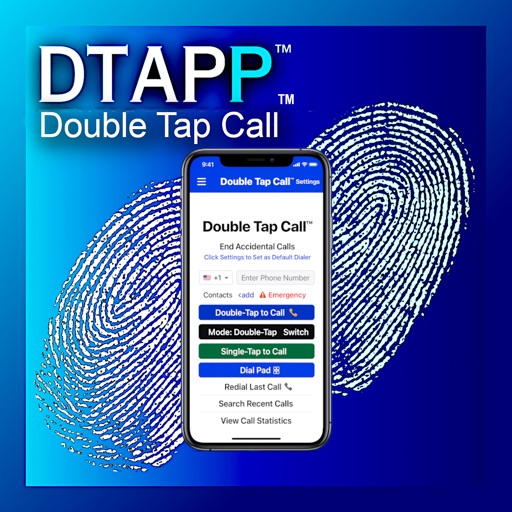 Double Tap Call
Eugene Cartwright
Double Tap Call
Eugene Cartwright
 Contaqs - The Contact Manager
entwicklungsschmiede UG (haftungsbeschraenkt) & Co. KG
Contaqs - The Contact Manager
entwicklungsschmiede UG (haftungsbeschraenkt) & Co. KG
 OneCall - Simple Family Dialer
Michihito Kato
OneCall - Simple Family Dialer
Michihito Kato
About
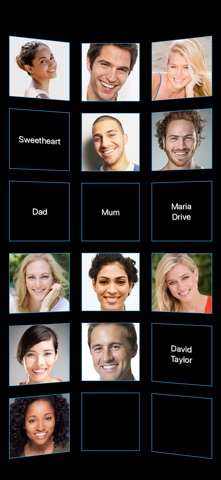
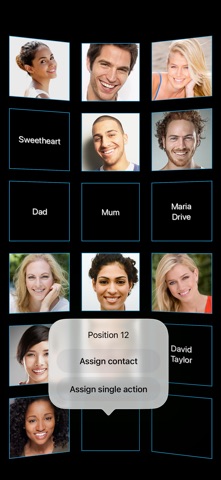
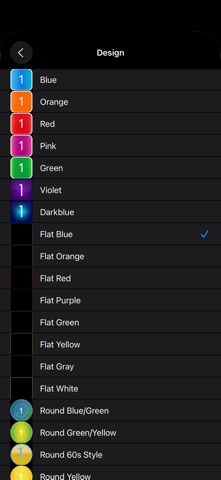
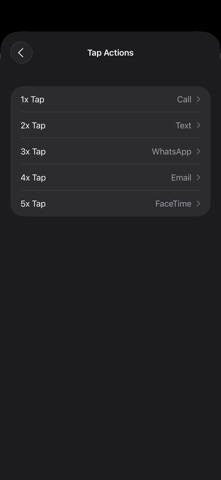
Call the people who matter with one tap on their photo — the beloved speed dial of classic mobile phones, reinvented for your iPhone. Assign your favorite contacts to positions on a rotatable 3D wall and reach them instantly: call, text, WhatsApp, Signal, email or FaceTime. • QUICK AND EASY 1x tap to call. 2x tap to text (SMS/iMessage). 3x tap to WhatsApp. 4x tap to email. 5x tap to FaceTime. You can change what each tap count does in Settings (including Signal), or long-press a contact for a menu with all its actions. You can even make single contacts always use WhatsApp for calls. • NO NUMBERS REQUIRED The app reuses the contacts already stored on your iPhone — no retyping numbers, email addresses or photos. If you change a contact in the Contacts app, the wall updates automatically. IMPORTANT: That is why Quick Fav Dial needs access to your contacts! Without access, the app cannot work and will forget all assignments after a restart (you can fix this later in your iPhone's Privacy settings). • ASSIGN SINGLE ACTION (NEW) Dedicate a position to exactly one action — e.g. "always WhatsApp Grandma" — no matter how often you tap. • UP TO 48 POSITIONS & 3D SCROLLING Enough space to visually group family, friends and colleagues in their own areas. Fast horizontal 3D scrolling — now also in landscape. • MULTIPLE ASSIGNMENTS By default the app stores the first phone number and email address of a contact. Want a different one? Enable "manual field selection" in Settings or assign the same contact to a second position — the app will ask which number or email to use (email texting enables iMessage instead of SMS). • COLOR THEMES & DARK MODE Twenty-one designs to match the display to your style. Prefer extra large photo buttons (e.g. for seniors or visual impairments)? Check out Quick Fav Dial XL.
What's new · 6.50
- Completely rebuilt for current iPhones and iOS (faster, sharper, supports all screen sizes) - Landscape support - Signal support + freely configurable tap actions - NEW: Assign Single Action — one position, exactly one action - NEW: "Call via WhatsApp" per contact - Bugfix: removed the additional call confirmation - Fixed FaceTime, email and WhatsApp actions - Now also available in French, Spanish and Italian
Details