

VO Calendar
Tom van Zummeren · Productivity
Independent analytics for this App Store listing. AppTracker is not affiliated with Tom van Zummeren.
Chart standing · US
What changed · US
Listing changes AppTracker has observed for this app in this storefront — new versions, price moves, rating shifts, and store copy.
In-app purchases · US
No in-app purchases.
Screenshots
Keywords this app targets
Search terms AppTracker associates with this app — estimates, not search volume. ❝ = in the app's title; a highlighted number is its current position for that term.
Similar apps
Competitors and close alternatives, as estimated by AppTracker.
 Month Calendar 2
Procrasty
2 shared topics · 1 shared title word
Month Calendar 2
Procrasty
2 shared topics · 1 shared title word
 Awesome Calendar
YunaSoft Inc.
2 shared topics · 1 shared title word
Awesome Calendar
YunaSoft Inc.
2 shared topics · 1 shared title word
 minical - Planner & Calendar
minical Inc.
2 shared topics · 1 shared title word
minical - Planner & Calendar
minical Inc.
2 shared topics · 1 shared title word
 Simple Calendar: ToDo Planner
Komorebi Inc.
2 shared topics · 1 shared title word
Simple Calendar: ToDo Planner
Komorebi Inc.
2 shared topics · 1 shared title word
 CalenGoo Calendar
Dominique Andr Gunia
2 shared topics · 1 shared title word
CalenGoo Calendar
Dominique Andr Gunia
2 shared topics · 1 shared title word
 MonCal
gggatelier
2 shared topics
MonCal
gggatelier
2 shared topics
 Calendar Jot
Takaaki Onishi
2 shared topics · 1 shared title word
Calendar Jot
Takaaki Onishi
2 shared topics · 1 shared title word
 Extreme Calendar
Birdsoft LLC
2 shared topics · 1 shared title word
Extreme Calendar
Birdsoft LLC
2 shared topics · 1 shared title word
About
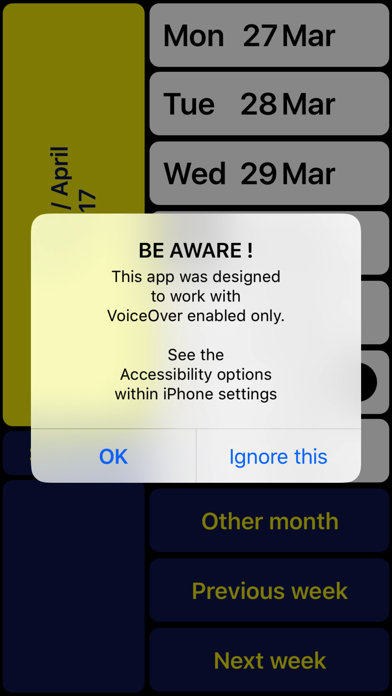
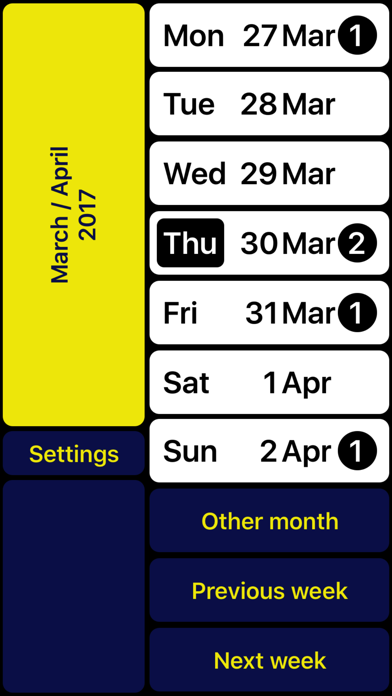
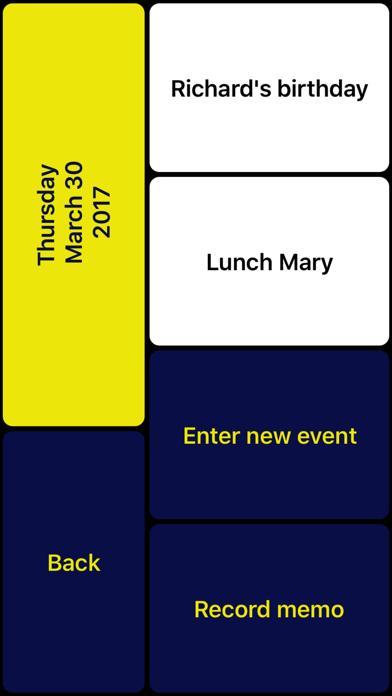
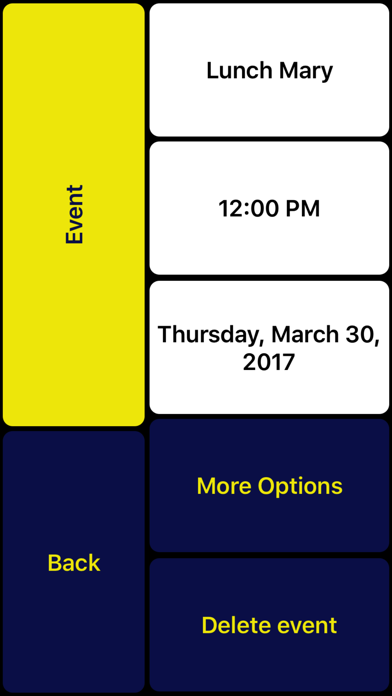
NOTE: Can only be used together with VoiceOver (for blind and partially sighted people). VO Calendar is a weekly calendar specifically designed to be used with VoiceOver. The result of this VoiceOver-only design is not only a smoother navigation through the app. It also makes it possible for the VoiceOver speech to give smart summaries depending on the context. This prevents you from having to go through each event Individually. Existing events are automatically synchronized. If you prefer not to type, you can record voice memos instead. You can use VO Calendar with the VoiceOver gestures you are used to. However, there is an even faster way. With the screen being split into two halves you can scan the right half of the screen with your right thumb. A single tap with your left thumb then is enough to activate the concerning function. After getting used to you will find out this helps you to browse through your calendar even quicker. The left bottom always contains the ‘Return’ button so you can still reach it with your right thumb (being an L-shaped layout). At the top left you can always find a summary of the current screen content. In case you are left-handed you can swap left and right. Note: If you have multiple calendars configured, VO Calendar will show all concerning events. New events will be assigned to your iPhone’s default calendar. Change the default calendar in: Settings > Mail, Contacts, Calendars > Default Calendar. VO Calendar is developed in cooperation with Royal Dutch Visio, Centre of Expertise for blind and partially sighted people (www.visio.org). We appreciate your opinion and are always interested in hearing from you. Feel free to leave your feedback in the form of a review or contact us at: support@vo-calendar.com In case you have problems recording a memo: - Hold one finger on 'Record memo' button - Use other finger to tap on screen (instead of first focussing on the button and then double tap)
What's new · 1.2.5
Updated for iOS 17.
Details