

Letter: just write letters
Ubelacker Solutions GmbH · Productivity
Independent analytics for this App Store listing. AppTracker is not affiliated with Ubelacker Solutions GmbH.
Chart standing · US
What changed · US
Listing changes AppTracker has observed for this app in this storefront — new versions, price moves, rating shifts, and store copy.
• Signatures, your way — Choose the ink and the pen you sign with, pick a signature from your photos, or photograph one on paper with the camera. • Cleaner pasting — Text pasted into a letter now takes on the letter's own formatting instead of bringing its own. • Plus bug fixes and improvements throughout the app.
Price & rating history · US
Reconstructed from the listing changes AppTracker has observed in this storefront. A field is charted once it has changed more than once, and each line starts at the value it moved from.
Average rating · ★ 4.65 now · 6 changes on record
Ratings breakdown · US
The star breakdown behind this app's rating in this storefront.
In-app purchases · US
What this app sells inside itself, grouped by kind and priced for this storefront.
Screenshots



About
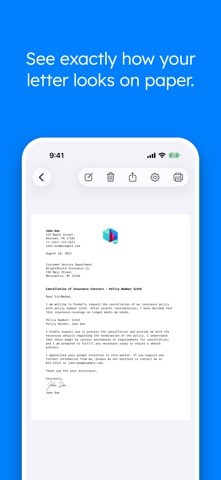
With the Letter app, you can swiftly create and print letters that are professionally formatted. Core Features: • Professional formatting: Design letters that exude excellence. The Letter app imparts a professional appearance to your correspondence. • Convenient printing: Easily print your letters directly from within the app. • Sharing & Exporting: Share your letters digitally or export them as PDFs for distribution across various platforms. • Device synchronization: Seamless iCloud synchronization ensures your letters are accessible and well-organized on all your devices. • Rapid search: Effortlessly locate previously drafted letters through a user-friendly search function. Unlock Pro Features: Upgrade to the Pro version to access additional functionalities: • AI-Powered Letter Assistant: Enhance clarity, structure, and tone effortlessly. Whether refining a draft, generating a complete letter from a subject, or seeking inspiration, the AI Assistant ensures professional, well-structured results in multiple languages. • Personalized signatures: Infuse your letters with a personal flair by directly signing them within the app. • Contact addresses: Effortlessly integrate addresses from your contacts, meticulously formatted to suit the style of the destination country. • Diverse array of templates: Utilize a wide selection of templates suitable for various occasions. • Stationery: Store your own stationery as a PDF, e.g., to add a logo to your letters. • Tailorable settings: Customize the formatting of your letters to align with your requirements. Streamline your communication with the Letter app. Effortlessly generate, refine, share, and print letters that strike a harmonious balance between simplicity and elegance. Privacy Policy: https://letter-app.com/en/privacy Terms & Conditions: https://letter-app.com/en/eula
What's new · 27.4.0
• Signatures, your way — Choose the ink and the pen you sign with, pick a signature from your photos, or photograph one on paper with the camera. • Cleaner pasting — Text pasted into a letter now takes on the letter's own formatting instead of bringing its own. • Plus bug fixes and improvements throughout the app.
Details