

iCertifi
iCertifi · Productivity
Independent analytics for this App Store listing. AppTracker is not affiliated with iCertifi.
Chart standing · US
What changed · US
Listing changes AppTracker has observed for this app in this storefront — new versions, price moves, rating shifts, and store copy.
iPhone held sideways • The Distribution Boards list and each board page have a sidebar, so circuits, search and Board Vision are all to hand • Observations show their buttons on the left and the full list on the right • Observation Details show the codes and their meanings beside the description and photos • Pressing Done on the circuit page now keeps your place instead of jumping back to the top • Board Vision opens full screen and upright • Circuit Designer keeps the box you are typing in above the keyboard • Mint Books sign in, Certificate Colours and the template list all fit and scroll properly Zombie Mode • Zombie Mode is back and improved for October, with a night home screen, lightning, a zombie horde when you shake the phone, and an evil laugh Settings • Settings redesigned and is now in clear sections with a search bar, so any option is quick to find Certificates • Minor Works and Domestic EIC: a name saved as N/A or left blank now uses the name in Contractor Details • Minor Works and EICR page 1 print the BS 7671 amendment in full, inside its sentence • Circuit Designer: fuse 5 second Zs limits and 3 core T&E ratings updated to BS 7671 A4 • Copies and backup restores keep each certificate's due date and Client Hub link Fixes • Enterprise unlocks straight away after upgrading from a single user plan • Faster launch with no freeze at start up • Lux calc reference no longer closes the app when Domestic is chosen • On iPad held sideways, one card pages and Observations use the full width
Ratings breakdown · US
The star breakdown behind this app's rating in this storefront.
In-app purchases · US
What this app sells inside itself, grouped by kind and priced for this storefront.
Screenshots




Keywords this app targets
Search terms AppTracker associates with this app — estimates, not search volume. ❝ = in the app's title; a highlighted number is its current position for that term.
Similar apps
Competitors and close alternatives, as estimated by AppTracker.
 Electrical Tools and Reference
Pro Certs Software Ltd
1 shared topic
Electrical Tools and Reference
Pro Certs Software Ltd
1 shared topic
 Electrical Layout Designer
Yuhsiu Lai
1 shared topic
Electrical Layout Designer
Yuhsiu Lai
1 shared topic
 UK PCV Theory Test
Eknath Kadam
UK PCV Theory Test
Eknath Kadam
 UK Car Driving Theory Test
Eknath Kadam
UK Car Driving Theory Test
Eknath Kadam
 iPassPro: Electrical Wiring
Wise Technology Ltd
iPassPro: Electrical Wiring
Wise Technology Ltd
 iCircuit
Krueger Systems, Inc.
1 shared topic
iCircuit
Krueger Systems, Inc.
1 shared topic
 Powered Now Job Software & App
Powered Now LTD
Powered Now Job Software & App
Powered Now LTD
 Circuit Planner
Axel Hauschild
1 shared topic
Circuit Planner
Axel Hauschild
1 shared topic
About
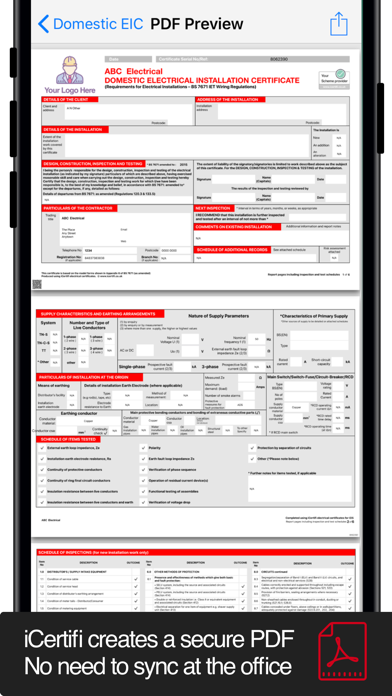
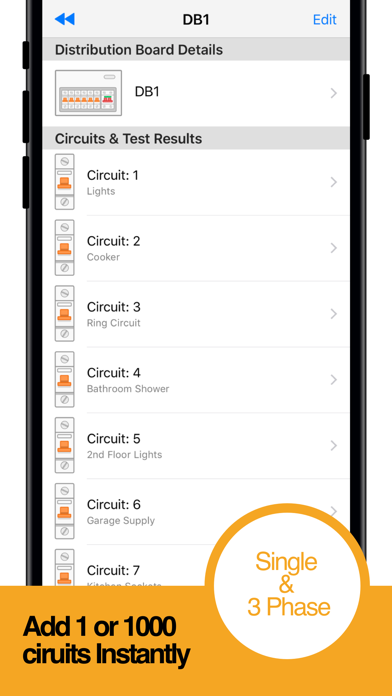
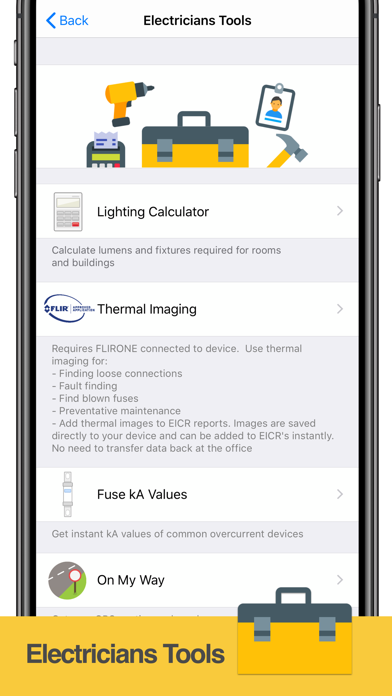
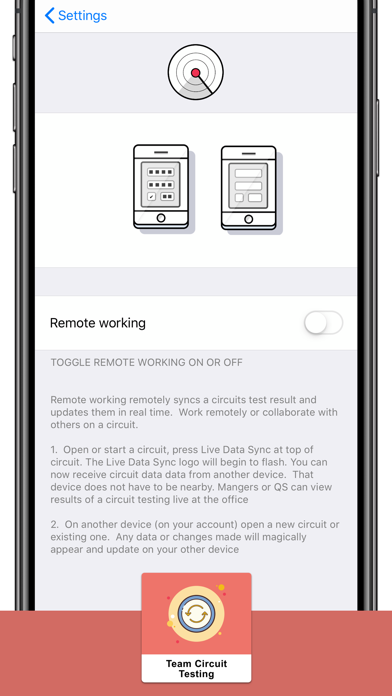
Create professional BS 7671 electrical certificates on your iPhone or iPad — on site, offline, in minutes. Updated for Amendment 4 (A4:2026). iCertifi covers 15 certificate types and is trusted by thousands of UK electricians. CERTIFICATE TYPES: • Electrical Installation Certificate (EIC) • Domestic EIC • Electrical Installation Condition Report (EICR) • Minor Works Certificate • 3 Circuit Minor Works • EV Charger Certificate (Full EIC) • Solar PV Certificate (8-part, BS EN 62446-1) • Electrical Danger Notice • Earthing & Bonding Certificate • Electrical Isolation Certificate • Landlord's Interim Check • Ventilation Certificate • Risk Assessment • Visual Inspection • EV Charging Risk Assessment All certificates fully comply with BS 7671:2018 18th Edition + Amendment 4 (A4:2026). AI-POWERED FEATURES: • BoardVision AI — photograph a distribution board and auto-populate every circuit, device type, and rating. Supports MCB, RCBO, and AFDD identification • MFT Scanner — photograph your multifunction tester display and readings are extracted automatically. Supports Megger, Fluke, Kewtech, Metrel, and more • Circuit Schedule Scanner — scan a paper schedule and import all circuits instantly • Spark AI Assistant — ask BS 7671 questions while you work CIRCUIT DESIGNER: Built-in BS 7671:2018+A4 cable sizing calculator with a guided 5-step wizard: • Current-carrying capacity with full derating factors (Ca, Cg, Ci, Cc) • Voltage drop calculations (3% lighting, 5% power) • Earth fault loop impedance (Zs) validation • Protective device selection • 20+ circuit types including EV chargers, solar PV, ring finals, three-phase • TT system support with 50V/IΔn formula • Exportable PDF calculation sheet PROFESSIONAL PDF OUTPUT: • 10+ EICR presentation templates (Grid, Minimal, Blocks, Classical, and more) • Custom company branding — your logo, colours, and trading name on every certificate • Photo-rich observation reports with captions • Email PDFs directly to clients from the app QUALIFYING SUPERVISOR (QS) REMOTE SIGNING: • Send certificates to your QS for review and approval • Digital signatures applied remotely via iCloud • Real-time push notifications when approved • No more chasing paper signatures OBSERVATIONS & PHOTOS: • Full observation system with C1, C2, C3, and FI codes • Attach multiple photos per observation with captions • Photo gallery embedded in final PDF report WORKS OFFLINE: • Create and complete certificates without mobile signal • All BS 7671 reference tables stored locally • Syncs automatically when back online BACKUP & SYNC: • iCloud sync across iPhone, iPad, and iPad on Mac • One-tap backup and restore • Never lose a certificate again SAVE TIME WITH TEMPLATES: • Pre-fill distribution board layouts • Reusable circuit templates • Clone previous certificates • Alternative contractor profile for multiple trading names BUILT FOR UK ELECTRICIANS: iCertifi is designed exclusively for qualified UK electricians. Every certificate, calculation, and reference is based on BS 7671:2018 (18th Edition Wiring Regulations) with Amendment 4 (A4:2026). Join thousands of electricians who have made iCertifi their go-to certification tool. No additional device licences needed. Use on all your iOS devices under one subscription. iCertifi is free to use in trial mode. To send, save, print, or export certificates, a subscription is required. Subscriptions auto-renew unless cancelled in your Apple Account settings. Other Paid Upgrades Include: • Built-in backup and restore • BS7671 AI Assistant • Zs Calculator • Top up AI credits as needed (10, 50, or 250 packs) Terms of Use (EULA): https://www.apple.com/legal/internet-services/itunes/dev/stdeula/ Privacy Policy: https://icertifi.zendesk.com/hc/en-us/articles/201659279-iCertifi-s-Privacy-Policy-all-apps-
What's new · 12.12.82
iPhone held sideways • The Distribution Boards list and each board page have a sidebar, so circuits, search and Board Vision are all to hand • Observations show their buttons on the left and the full list on the right • Observation Details show the codes and their meanings beside the description and photos • Pressing Done on the circuit page now keeps your place instead of jumping back to the top • Board Vision opens full screen and upright • Circuit Designer keeps the box you are typing in above the keyboard • Mint Books sign in, Certificate Colours and the template list all fit and scroll properly Zombie Mode • Zombie Mode is back and improved for October, with a night home screen, lightning, a zombie horde when you shake the phone, and an evil laugh Settings • Settings redesigned and is now in clear sections with a search bar, so any option is quick to find Certificates • Minor Works and Domestic EIC: a name saved as N/A or left blank now uses the name in Contractor Details • Minor Works and EICR page 1 print the BS 7671 amendment in full, inside its sentence • Circuit Designer: fuse 5 second Zs limits and 3 core T&E ratings updated to BS 7671 A4 • Copies and backup restores keep each certificate's due date and Client Hub link Fixes • Enterprise unlocks straight away after upgrading from a single user plan • Faster launch with no freeze at start up • Lux calc reference no longer closes the app when Domestic is chosen • On iPad held sideways, one card pages and Observations use the full width
Details