

PixiTracker
Alexander Zolotov · Music
Independent analytics for this App Store listing. AppTracker is not affiliated with Alexander Zolotov.
Chart standing · US
What changed · US
Listing changes AppTracker has observed for this app in this storefront — new versions, price moves, rating shifts, and store copy.
Price & rating history · US
Reconstructed from the listing changes AppTracker has observed in this storefront. A field is charted once it has changed more than once, and each line starts at the value it moved from.
Price · 2.99 USD now · 2 changes on record
Average rating · ★ 4.88 now · 2 changes on record
Ratings breakdown · US
The star breakdown behind this app's rating in this storefront.
In-app purchases · US
No in-app purchases.
Screenshots
Keywords this app targets
Search terms AppTracker associates with this app — estimates, not search volume. ❝ = in the app's title; a highlighted number is its current position for that term.
Similar apps
Competitors and close alternatives, as estimated by AppTracker.
 Minimic
Leonardo Demartino
2 shared topics
Minimic
Leonardo Demartino
2 shared topics
 naive tracker
Oliver Wittchow
1 shared topic
naive tracker
Oliver Wittchow
1 shared topic
 Polaris - Pocket Music Maker
Baptiste Le Goff
1 shared topic
Polaris - Pocket Music Maker
Baptiste Le Goff
1 shared topic
 8-bit Music Master
宁 徐
8-bit Music Master
宁 徐
 WBTRK
LASZLO DOBROVOLSZKI
1 shared topic
WBTRK
LASZLO DOBROVOLSZKI
1 shared topic
 Pixelboop: Make Music Visually
de Bastion, Inc
Pixelboop: Make Music Visually
de Bastion, Inc
 Pixel Music
Andrei Antonescu
Pixel Music
Andrei Antonescu
 zpunk
Shanna Ragavan
1 shared topic
zpunk
Shanna Ragavan
1 shared topic
About
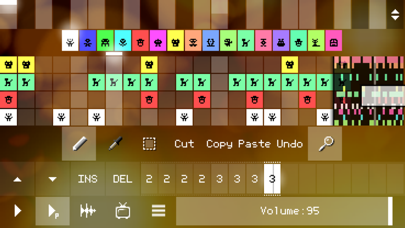
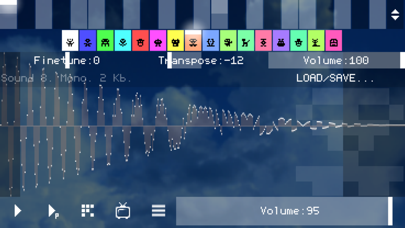
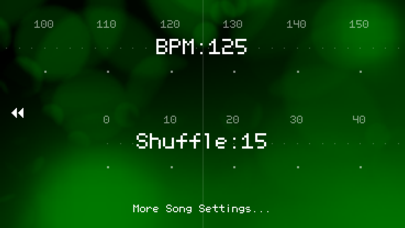
No time to delve into the big and serious music apps? PixiTracker is what you need! It is a simple and fun tool to quickly create musical sketches, chiptunes and sound experiments. Without requiring a lot of musical knowledge! [ Key features ] • true warm pixel interface; • pattern-based sequencer (tracker) with high quality sampler; • several packs with unique sounds; • sound recorder (from microphone or line-in); • MIDI keyboard support; • WAV export/import; • export to XM - this file can be loaded by any modern music tracker/player (for example, SunVox); • Wi-Fi export/import, iTunes File Sharing, audio copy/paste; • Audiobus and IAA support; • PixiTracker is also available for other systems (see the site); • PixiTracker player is open source, so you can freely use it in your own Pixilang applications.
What's new · 1.6.8
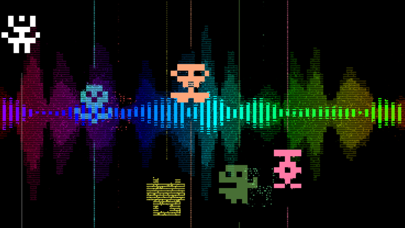
* new shortcuts: CTRL+Z - undo; CTRL+X/C/V - cut/copy/paste; CTRL+O - load; CTRL+S - save; CTRL+N - new song; * new shortcuts: SHIFT+F3 - previous sound (silent); SHIFT+F4 - next sound (silent); * additional visualization modes: Menu -> App Settings -> Visualizer; * new song - Example14; * bug fixes.
Details