

VAT Calculator %
Claudio Valgimigli · Finance
Independent analytics for this App Store listing. AppTracker is not affiliated with Claudio Valgimigli.
Chart standing · US
What changed · US
Listing changes AppTracker has observed for this app in this storefront — new versions, price moves, rating shifts, and store copy.
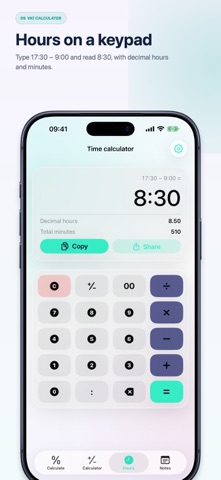
The Hours tab is now a calculator: the same one as the other tab, but with hours. • A keypad and a display instead of forms to fill in • The colon sits where the decimal point does: type 17:30 − 9:00, read 8:30 • The break is simply the next subtraction: − 0:30 • × and ÷ take a count: one shift times five days, a total split over the days • A shift running past midnight reads without switching modes • Decimal hours and total minutes stay under the result
In-app purchases · US
No in-app purchases.
Screenshots




About
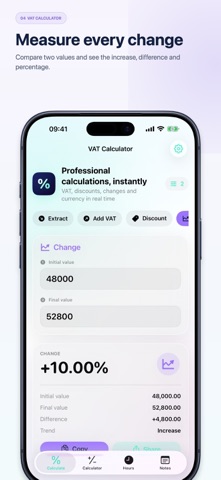
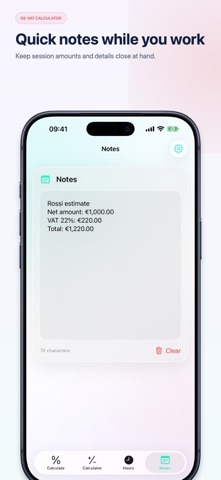
VAT Calculator is the professional calculator for retailers, freelancers, small businesses and anyone who works with amounts and percentages every day. Enter a value and get the result instantly, with the number of decimal places you prefer. VAT CALCULATIONS • Extract VAT from a gross amount • Add VAT to a net amount • See net amount, tax and gross total • Use any rate and customize four persistent quick rates PERCENTAGES AND CURRENCY • Calculate discounts and savings • Measure percentage increases and decreases between two values • Convert amounts using an exchange rate you enter manually TIME AND CALCULATOR • Calculate a time interval and subtract a break • Add or subtract hours and minutes • Switch to the standard calculator for quick operations BUILT FOR DAILY WORK • Copy or share every result • Keep temporary notes during a session • Dismiss the keyboard easily from every field • Universal interface optimized for iPhone and iPad VAT Calculator works offline. Quick rates are stored locally on the device; amounts and notes are not retained. Currency conversion only uses the rate entered by the user.
What's new · 4.2
The Hours tab is now a calculator: the same one as the other tab, but with hours. • A keypad and a display instead of forms to fill in • The colon sits where the decimal point does: type 17:30 − 9:00, read 8:30 • The break is simply the next subtraction: − 0:30 • × and ÷ take a count: one shift times five days, a total split over the days • A shift running past midnight reads without switching modes • Decimal hours and total minutes stay under the result
Details