

SpeakLine – Text to Speech
Alexander Kaessner · Music
Independent analytics for this App Store listing. AppTracker is not affiliated with Alexander Kaessner.
Chart standing · US
What changed · US
Listing changes AppTracker has observed for this app in this storefront — new versions, price moves, rating shifts, and store copy.
• Updated for iOS 27 • Using the delete text action can now be undone • Added a main menu action to reset voice settings • Added a main menu action to copy the text as an URL schema • Added a main menu action to toggle the SSML mode • Copy voice ID’s by long pressing the voice selection (or using the main menu on iPad) • Improved using SSML with multiple voices in one reading
Price & rating history · US
Reconstructed from the listing changes AppTracker has observed in this storefront. A field is charted once it has changed more than once, and each line starts at the value it moved from.
Average rating · ★ 4.42 now · 4 changes on record
Ratings breakdown · US
The star breakdown behind this app's rating in this storefront.
In-app purchases · US
What this app sells inside itself, grouped by kind and priced for this storefront.
Screenshots
About
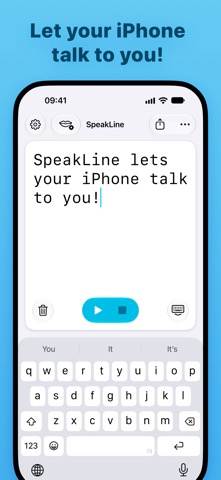
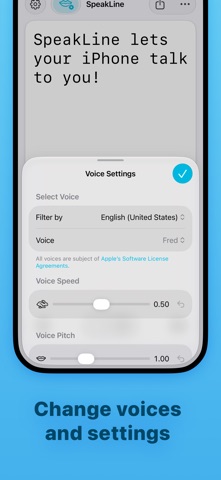
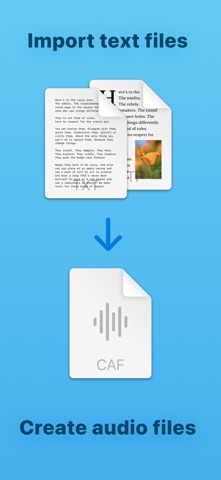
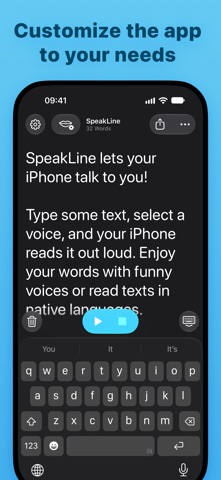
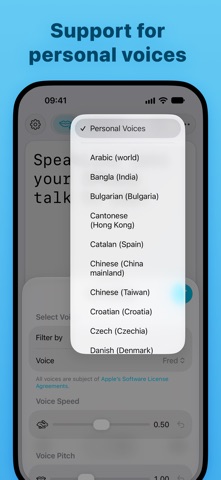
SpeakLine lets your iPhone or iPad talk to you! Type some text, select a voice, and your iPhone or iPad reads it out loud. Enjoy your words with funny voices or read texts in native languages. FEATURES: • Import TXT or RTF files • Export your texts as an CAF audio file • Select between multiple system voices in different languages • Use your personal voices (only works on some devices) • Change the speed and pitch of the reading voice • Customize the UI with different appearance settings • Install more system voices via the system settings • Support for SSML markup to control voice properties All In-App Purchases are entirely optional. You can use SpeakLine completely free without any ads or limitations! Your tips will support the ongoing development over the last decade. *SpeakLine only uses the preinstalled system voices. They are all licensed under the Apple Software License Agreements (SLA).
What's new · 5.4
• Updated for iOS 27 • Using the delete text action can now be undone • Added a main menu action to reset voice settings • Added a main menu action to copy the text as an URL schema • Added a main menu action to toggle the SSML mode • Copy voice ID’s by long pressing the voice selection (or using the main menu on iPad) • Improved using SSML with multiple voices in one reading
Details