

Phonto - Text on Photos
Yusuke Horie · Photo & Video
Independent analytics for this App Store listing. AppTracker is not affiliated with Yusuke Horie.
Chart standing · US
What changed · US
Listing changes AppTracker has observed for this app in this storefront — new versions, price moves, rating shifts, and store copy.
ug fixes and performance improvements.
Ratings breakdown · US
The star breakdown behind this app's rating in this storefront.
In-app purchases · US
What this app sells inside itself, grouped by kind and priced for this storefront.
Screenshots





Keywords this app targets
Search terms AppTracker associates with this app — estimates, not search volume. ❝ = in the app's title; a highlighted number is its current position for that term.
Similar apps
Competitors and close alternatives, as estimated by AppTracker.
 Typic - Text on Photos
Steve Urrego
2 shared topics · 3 shared title words
Typic - Text on Photos
Steve Urrego
2 shared topics · 3 shared title words
 Add Text on photos
Grey Desk SA
2 shared topics · 3 shared title words
Add Text on photos
Grey Desk SA
2 shared topics · 3 shared title words
 Art Word: Add Text to Photos
Fitness Labs SRL
2 shared topics · 2 shared title words
Art Word: Add Text to Photos
Fitness Labs SRL
2 shared topics · 2 shared title words
 Text on Photo
handyCloset Inc.
1 shared topic · 1 shared title word
Text on Photo
handyCloset Inc.
1 shared topic · 1 shared title word
 Text Art: Typography & Word
Appostrophe AB
2 shared topics · 1 shared title word
Text Art: Typography & Word
Appostrophe AB
2 shared topics · 1 shared title word
 TextOn: Text On Photo
DayMore Corp.
TextOn: Text On Photo
DayMore Corp.
 Fontastic - Install Fonts
Harf Labs
1 shared topic
Fontastic - Install Fonts
Harf Labs
1 shared topic
 Add text on photos
Yoshinobu Ikeda
Add text on photos
Yoshinobu Ikeda
About
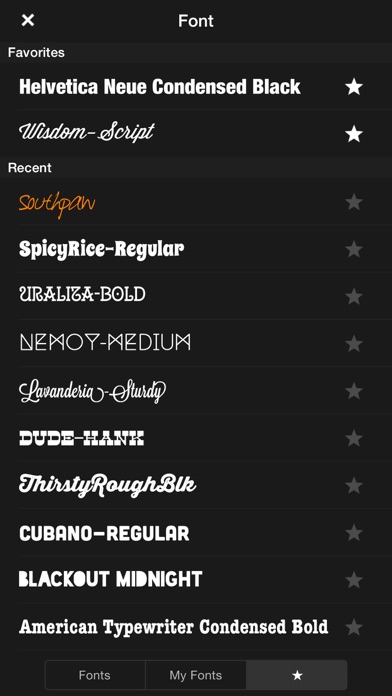
Phonto is a simple app that allows you to add text to pictures. ・ More than 400 fonts are available. ・ You can install other fonts. ・ Text size is changeable. ・ Text color is changeable. ・ Text gradient is changeable. ・ Text's stroke color is changeable. ・ Text's shadow color is changeable. ・ Text's background color is changeable. ・ Text is rotatable. ・ Text kerning is changeable. ・ Line spacing is changeable. ・ Curved text. ・ Perspective text. ・ Parts of text are erasable. ・ Image theme is changeable. ・ Items (Balloon, Rectangle, Star, Heart) are available. ・ Background image is changeable. ・ You can use not only pictures, but also plain images to write text. ・ You can share photos on Facebook, Twitter, and Instagram. ・ URL scheme: phonto:// Try Vont app, if you want to add text to videos. Vont is a free app that is available on the App Store. -------------------------------- LANGUAGE -------------------------------- Phonto supports only English (US), Chinese and Japanese, so when the priority of Chinese (or Japanese) in your setting was higher than English, Phonto would be launched as Chinese (or Japanese) mode. To solve this problem… 1. Open the Settings app. 2. Choose 'English' in 'General' > 'Language & Region' > 'iPhone Language'. 3. Turn back your 'iPhone Language' to your favorite language. -------------------------------- HOW TO INSTALL FONTS -------------------------------- Using iTunes, you can copy font files between your computer and Phonto on your iOS device. 1. Select your iOS device from the Devices section of iTunes. 2. Click the Apps tab and scroll down to the bottom of the page. 3. Select "Phonto" in the "File Sharing" section. 4. Drag and drop .ttf or .otf font files into "Documents". 5. Restart Phonto. More detail about how to install fonts. https://phon.to/install_fonts Twitter: @phontograph Tumblr: http://phontogra.ph https://phon.to We obtained new URL which links to Phonto on the App Store. We appreciate if you introduce Phonto to your friends.
What's new · 4.9.58
ug fixes and performance improvements.
Details