

A+ Signature Lite
Pixtolab Technologies Inc. · Photo & Video
Independent analytics for this App Store listing. AppTracker is not affiliated with Pixtolab Technologies Inc.
Chart standing · US
Ratings breakdown · US
The star breakdown behind this app's rating in this storefront.
In-app purchases · US
What this app sells inside itself, grouped by kind and priced for this storefront.
Screenshots



About
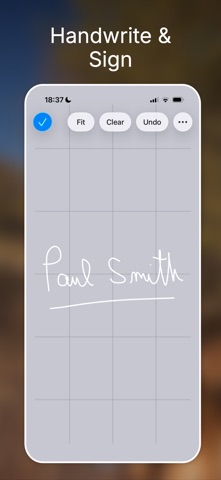
A+ Signature Lite lets you add beautiful text, handwriting, drawings, watermarks, captions, and signatures to any photo. Use it to annotate images for work, protect your photos with elegant watermarks, create photocard-style designs, add autographs, or make fun captioned images. A+ Signature combines flexible text tools with smooth freehand drawing so it is easy to personalize and share your pictures. What’s inside: • Add multiple text annotations to a photo • Draw smooth handwriting, sketches, and signatures • Move, rotate, and resize annotations with ease • Adjust color, opacity, and shadow for text and drawings • Choose fonts from your device plus 10 included fonts for many style variations • Add text outlines for stronger contrast on photos • Save and reuse favorite text and drawing elements with the Catalog • Use customizable Stock Items for faster editing • Share annotated photos by email, AirDrop, or with other compatible apps • Open photos from other compatible apps • Works great with your fingers or a stylus A+ Signature Lite is ideal for photo annotation, watermarking, signatures, captions, photocards, and creative image sharing. Looking for more advanced creative editing tools and additional flexibility? Try our other iOS app, Mix on Pix.
What's new · 5.0
- Refreshed User Interface. - Dark mode support. - Improved accessibility - New font search functionality. - Easy font favorites. - Resize an annotation with 1 finger. - Other tweaks, bug fixes and improvements.
Details