

Symphony Pro - Music Notation
Xenon Labs, LLC · Music
Independent analytics for this App Store listing. AppTracker is not affiliated with Xenon Labs, LLC.
Chart standing · US
What changed · US
Listing changes AppTracker has observed for this app in this storefront — new versions, price moves, rating shifts, and store copy.
Ratings breakdown · US
The star breakdown behind this app's rating in this storefront.
In-app purchases · US
What this app sells inside itself, grouped by kind and priced for this storefront.
Screenshots
Keywords this app targets
Search terms AppTracker associates with this app — estimates, not search volume. ❝ = in the app's title; a highlighted number is its current position for that term.
Similar apps
Competitors and close alternatives, as estimated by AppTracker.
 Score Creator Pro
Sharp Notes Company Limited
1 shared topic · 1 shared title word
Score Creator Pro
Sharp Notes Company Limited
1 shared topic · 1 shared title word
 Piano+ - Sheet Music Composer
嵩 张
1 shared topic · 1 shared title word
Piano+ - Sheet Music Composer
嵩 张
1 shared topic · 1 shared title word
 NotateMe
Neuratron Limited
NotateMe
Neuratron Limited
 SongSheet Pro: Setlist helper
Ghostdust Pty Ltd
1 shared topic · 1 shared title word
SongSheet Pro: Setlist helper
Ghostdust Pty Ltd
1 shared topic · 1 shared title word
 Touch Notation
Kawai Musical Instruments Manufacturing Co., Ltd.
2 shared topics · 1 shared title word
Touch Notation
Kawai Musical Instruments Manufacturing Co., Ltd.
2 shared topics · 1 shared title word
 iSymphonic Orchestra
Christian Schoenebeck d/b/a Crudebyte
iSymphonic Orchestra
Christian Schoenebeck d/b/a Crudebyte
 forScore
 LLC
1 shared topic
forScore
forScore LLC
1 shared topic
 Music Studio
Steinberg Media Technologies GmbH
1 shared title word
Music Studio
Steinberg Media Technologies GmbH
1 shared title word
About
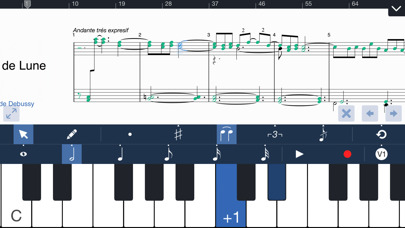
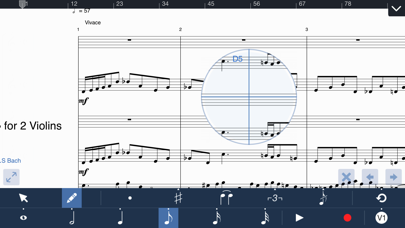
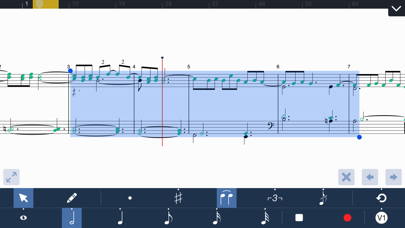
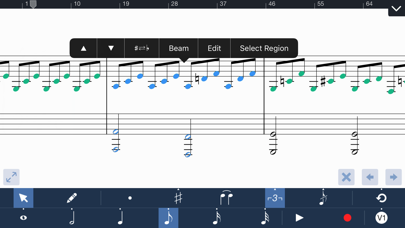
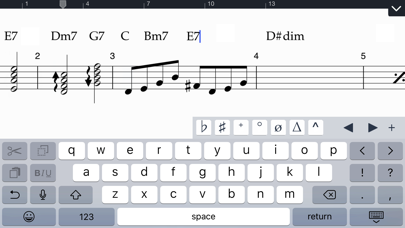
Symphony Pro 6 is a complete and intuitive app for writing music notation on iPad. It allows you to compose music for just about any size ensemble, from piano, symphonies, band, lead sheets, chord charts, guitar tabs, and more. Starting Version 5, Symphony Pro now offers handwriting recognition as the only in-app purchase: Perfect with Apple Pencil, and works great with touch or capacitive stylus GETTING STARTED SP provides all of the key options to begin your work. Import a score via MusicXML, MXL, MIDI, or SP file from your computer, or from apps like Dropbox, Mail, iCloud Drive, or Safari. You can base your project on a template, or start a blank score and add additional parts later. EDITING To add notes, choose Pencil mode, and tap anywhere on a bar to begin editing right away. You can quickly specify note properties before or after placing notes. By switching to Select mode with one touch, you can also transpose, erase, cut, and paste multiple notes/tracks. With an on-screen instrument, a QWERTY keyboard, or Core MIDI compatible keyboard, you can quickly enter notes & chords in step entry mode. Record a part in real-time with on-screen instruments to transcribe into notation. Versions 4 & 5 take greater advantage of the iPad touchscreen. With shortcuts and contextual menus to edit note & bar properties, many of the commonly used editing commands are right at your fingertips. SP supports a wide range of notational elements for your composition. Including dynamics & articulations, time & key signature changes, clef changes, pedals, and repeat conventions. Edit chord symbols, lyrics, and annotations using the iPad’s standard keyboard. EXPORT & SHARE When you’re finished, print out your score with AirPrint, or export it as a PDF, MusicXML, AAC, MIDI, or Symphony file. Share files via email or directly to another computer or iPad via Dropbox/iCloud Drive. KEY FEATURES • Introducing Handwriting Recognition for Apple Pencil & touch • Starting Version 5, Handwriting is the only In-App Purchase to enable the complete app • Now download SP on your iPhone • 24+ professionally recorded and sound-designed acoustic instruments, free out of the box Earlier features offered free, to existing & new owners • 114 built-in instruments for playback, and auditioning the notes you entered • Create in standard music notation or tablature • Edit with an on-screen piano, QWERTY keyboard, or a MIDI input device • Dozens of shortcuts & gestures to edit & navigate • Reduce your score size, range, or combination of parts for viewing & editing* • Print directly to AirPrint • Up to 48 instruments, 100 staves, 4 voices/layers per score • Record a part in real-time with clicks at the beat with optional emphasis • Backup & sync your scores with iCloud* • Import MusicXML, MIDI, MXL, or Symphony files • Export as a PDF, MusicXML, MIDI, AAC, or Symphony file • Large selection of articulations & dynamics • Multi-measure rests, including automatic rests • Grace notes • Customizable noteheads & note colors • Chord symbol, lyric, and annotation tools • Edit the properties of multiple notes and rests simultaneously by multi-note select • Copy/Paste function supports partial & multi-bar/staff select • Unlimited undo/redo • Customizable stem directions & note beaming • Transposing & concert pitch score option • Change tempo or clef anywhere in score or bar • Stream audio or share your screen wirelessly with AirPlay • Advanced document management • Create your own custom project template or use a built-in one • Customizable part groupings for SATB and instrument families • Customizable chord symbol, lyric, and annotation font • Loop playback feature • Auto-save support * Previously paid, but now free upgrade in Version 5 For More information, please visit: • http://www.symphonypro.net • http://forums.symphonypro.net • Facebook page at www.facebook.com/symphonyapp • Learn about the iPhone-only app: bit.ly/symphonyiphone
What's new · 6.7.7
- Fixes blank score issue after zooming and scrolling - Fixes rendering issues while scrolling - More updates for iOS and iPadOS 26 reliability
Details