

MailShot- Group Email
Peter Johnson · Productivity
Independent analytics for this App Store listing. AppTracker is not affiliated with Peter Johnson.
Chart standing · US
What changed · US
Listing changes AppTracker has observed for this app in this storefront — new versions, price moves, rating shifts, and store copy.
Workaround for Cancel button in iOS26 (tap outside the email window to save to drafts in ios26, in iOS27 pull it down) Optimisations for iOS27 and Liquid Glass Email Composer window more robust when app is in the background. Improved memory management in share extension for sharing many more images. Improved domain checking for Https-only domains.
Ratings breakdown · US
The star breakdown behind this app's rating in this storefront.
In-app purchases · US
What this app sells inside itself, grouped by kind and priced for this storefront.
Screenshots



About
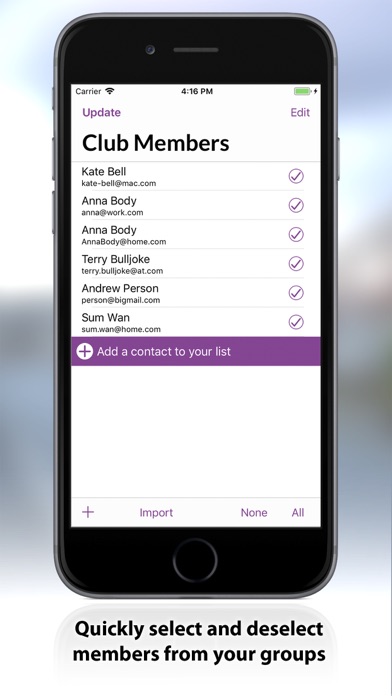
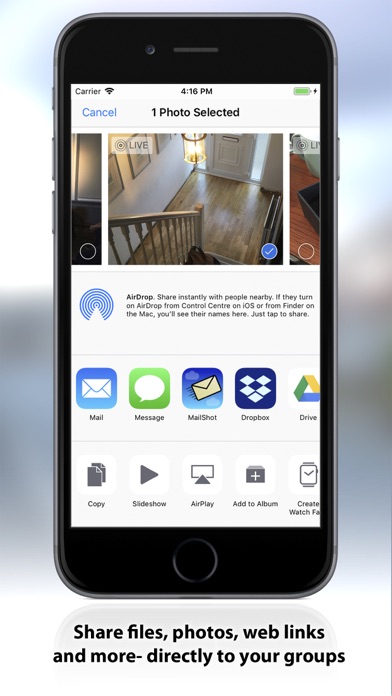
Easily manage and send email to groups from the app, share documents to groups directly from other apps, or forward email to a group. Try MailShot for free with up to three groups, of up to five people in each. A simple in-app upgrade unlocks the ability to create up to 100 different groups of 100 or more contacts (Limits depend on your email provider.) Create groups in many ways: add from Contacts, import an address book group, enter addresses directly, or paste strings of names and addresses. MailShot creates its own groups, which can do several things which regular address book groups cannot... • Contacts can use different email addresses for each group. (Add work address to a work-related group, and home address to a sports group etc.) • Contacts do not need to be present in your address book. TIPS • Protect privacy by placing addresses in the Bcc: line. • To forward an email (with attachments), “Copy to clipboard" then paste to the address line in your Mail app. SUPPORT We pride ourselves on our quality of support and are always happy to hear from you. Please use the "Support" button in the app, as it will include useful diagnostic information. You can also find a full User Guide, support information and tips at http://solubleapps.com/Mailshot-support.
What's new · 11.2
Workaround for Cancel button in iOS26 (tap outside the email window to save to drafts in ios26, in iOS27 pull it down) Optimisations for iOS27 and Liquid Glass Email Composer window more robust when app is in the background. Improved memory management in share extension for sharing many more images. Improved domain checking for Https-only domains.
Details