

Private DB
Portable Databases · Business
Independent analytics for this App Store listing. AppTracker is not affiliated with Portable Databases.
Chart standing · US
What changed · US
Listing changes AppTracker has observed for this app in this storefront — new versions, price moves, rating shifts, and store copy.
Corrected issue with bottom toolbar buttons requiring multiple taps Added ability to display all the files and made it the default If a filter is applied on the Files List then the icon to the right of the search bar is highlighted. Bug fixes
Price & rating history · US
Reconstructed from the listing changes AppTracker has observed in this storefront. A field is charted once it has changed more than once, and each line starts at the value it moved from.
Average rating · ★ 4.57 now · 6 changes on record
Ratings breakdown · US
The star breakdown behind this app's rating in this storefront.
In-app purchases · US
No in-app purchases.
Screenshots




About
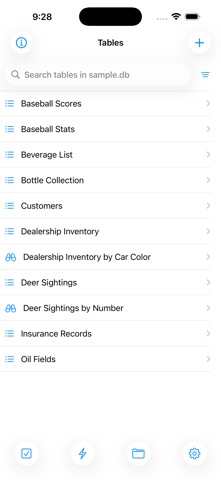
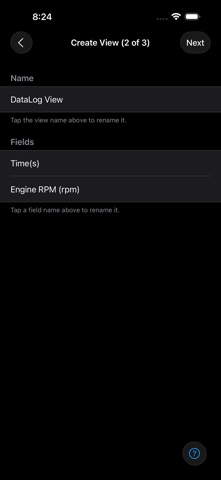
Private DB lets you load and view databases and CSV files on your mobile devices. NOTE: You can view and sort and search tables with this app, but cannot add, edit or delete rows. To do that, please use General DB. With Private DB, your rows are: * Searchable * Sortable * Selectable This app is great for IT managers who want to distribute company data in table form, and don't want to worry about their users modifying the data. It is also ideal for publishers of reference data tables, who do not want their users tampering with the data. Some capabilities: - Download and switch SQLite databases - Download and import CSV text files - Download and execute SQL files - Sort on up to three fields - Search on any field - Execute SQL commands in the SQL Console - Create views on tables to reorder or select a subset of fields - Create virtual tables from CSV files for easier interoperability with your databases.
What's new · 6.1.2
Corrected issue with bottom toolbar buttons requiring multiple taps Added ability to display all the files and made it the default If a filter is applied on the Files List then the icon to the right of the search bar is highlighted. Bug fixes
Details