

Handwritten email
Fapps World et Cie S.E.C.S. · Social Networking
Independent analytics for this App Store listing. AppTracker is not affiliated with Fapps World et Cie S.E.C.S.
Chart standing · US
What changed · US
Listing changes AppTracker has observed for this app in this storefront — new versions, price moves, rating shifts, and store copy.
Ratings breakdown · US
The star breakdown behind this app's rating in this storefront.
In-app purchases · US
What this app sells inside itself, grouped by kind and priced for this storefront.
Screenshots
Keywords this app targets
Search terms AppTracker associates with this app — estimates, not search volume. ❝ = in the app's title; a highlighted number is its current position for that term.
Similar apps
Competitors and close alternatives, as estimated by AppTracker.
 Handwritten Quick Notes
Digital Hole Pvt. Ltd.
1 shared title word
Handwritten Quick Notes
Digital Hole Pvt. Ltd.
1 shared title word
 Curved Text
Dongwook Cho
Curved Text
Dongwook Cho
 TextCrafter 2 ~ Craft & Share
Mysk Inc.
TextCrafter 2 ~ Craft & Share
Mysk Inc.
 Text to Handwriting: Hand Note
Digital Hole Pvt. Ltd.
Text to Handwriting: Hand Note
Digital Hole Pvt. Ltd.
 Blackboard for iPhone and iPod - write, draw and take notes - colored chalk - wallpaper green, white, black or photo
SCM PUBLISHING
Blackboard for iPhone and iPod - write, draw and take notes - colored chalk - wallpaper green, white, black or photo
SCM PUBLISHING
 Say it Mail it Plus
Carnation Software
Say it Mail it Plus
Carnation Software
 mazec
MetaMoJi Corporation
mazec
MetaMoJi Corporation
 miTypewriter
Teruaki Onoda
miTypewriter
Teruaki Onoda
About
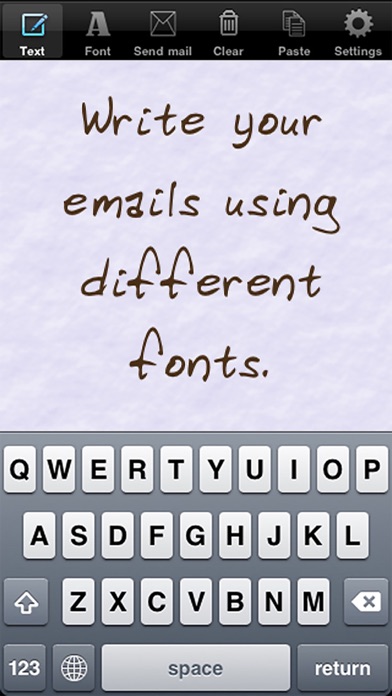
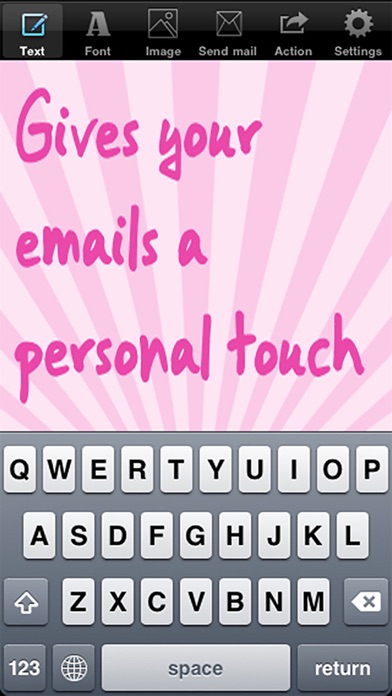
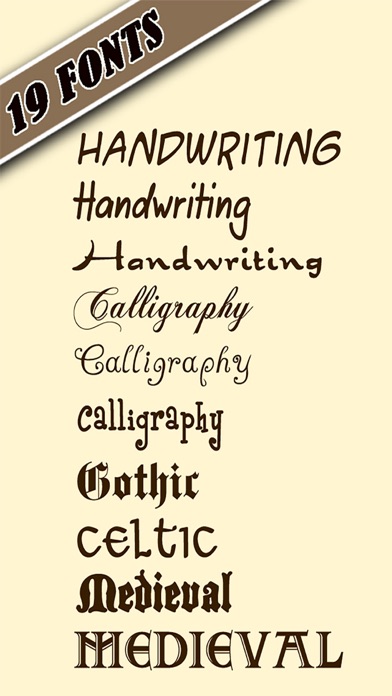
Send your email and MMS texting with handwritten text. This will give your emails a nice personal touch. Type on a conventional onscreen keyboard and the app will convert the text into handwritten text. What users say: - This is a lovely little app that is a pleasure to use and receive according to my fellow iPhone friends. 5 stars from me. - It is a must have. All my friends are like "How did you do that?" - Such a wonderful compliment to an email. The reviews I've received back are tremendous. - Love fancy fonts and pretty colors! - So cool, fun and neat Features: - Choose between several handwritten and calligraphy styles and other cool styles, like gothic, medieval, celtic, ... - Change the color and size of the text. - Choose between 20 background patterns and pictures. - Change background color. - Copy the handwritten text and paste it into an MMS or into other apps. (available through the action button) - Switch between preview mode and editing mode (offers cursor positioning for easier text editing, select, copy, cut and paste). - Change text alignment. - Copy and paste (activate editing mode in the settings screen). - Get additional style packs containing additional text fonts and background images (accessible in the settings screen) Follow us on twitter @PlanetBlueArt
What's new · 1.9
The app supports now the display of the iPhones X, XS and XR.
Details