

Drawing Pad
Murtha Design LLC · Graphics & Design
Independent analytics for this App Store listing. AppTracker is not affiliated with Murtha Design LLC.
Chart standing · US
What changed · US
Listing changes AppTracker has observed for this app in this storefront — new versions, price moves, rating shifts, and store copy.
Price & rating history · US
Reconstructed from the listing changes AppTracker has observed in this storefront. A field is charted once it has changed more than once, and each line starts at the value it moved from.
Average rating · ★ 4.19 now · 2 changes on record
In-app purchases · US
What this app sells inside itself, grouped by kind and priced for this storefront.
Screenshots

Keywords this app targets
Search terms AppTracker associates with this app — estimates, not search volume. ❝ = in the app's title; a highlighted number is its current position for that term.
Similar apps
Competitors and close alternatives, as estimated by AppTracker.
 Drawing Desk: Sketch Paint Art
Farida Afrose
2 shared topics · 1 shared title word
Drawing Desk: Sketch Paint Art
Farida Afrose
2 shared topics · 1 shared title word
 ArtStudio - Draw and Paint
Lucky Clan
2 shared topics
ArtStudio - Draw and Paint
Lucky Clan
2 shared topics
 Drawing with Carl
yann le coroller
1 shared topic · 1 shared title word
Drawing with Carl
yann le coroller
1 shared topic · 1 shared title word
 DRAWING FOR KIDS Learning Apps
TEACH & DRAW LTD
1 shared topic · 1 shared title word
DRAWING FOR KIDS Learning Apps
TEACH & DRAW LTD
1 shared topic · 1 shared title word
 Whiteboard: just draw together
James Schultz
1 shared topic
Whiteboard: just draw together
James Schultz
1 shared topic
 Animation Creator
miSoft
1 shared topic
Animation Creator
miSoft
1 shared topic
 ibis Paint
ibis inc.
2 shared topics
ibis Paint
ibis inc.
2 shared topics
 iArtbook
Alexander Kondrashov
2 shared topics
iArtbook
Alexander Kondrashov
2 shared topics
About
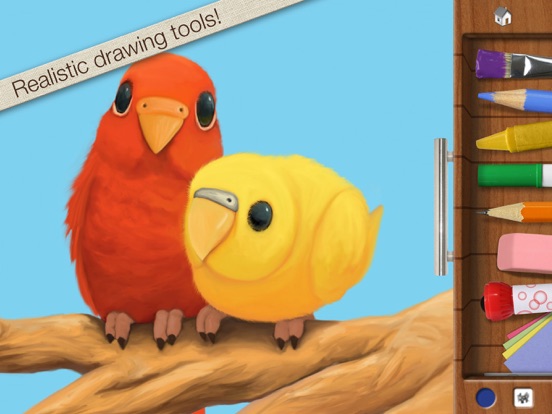
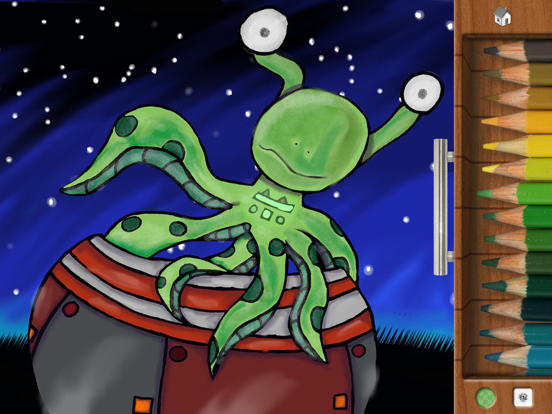
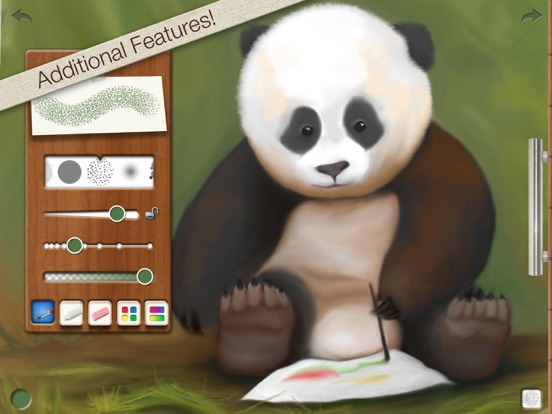
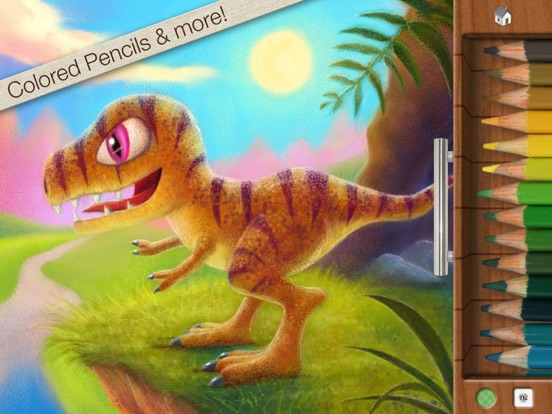
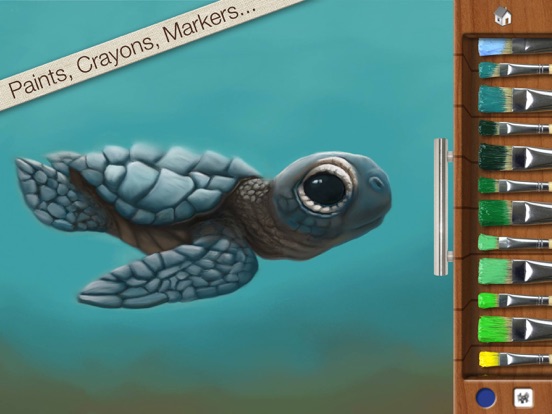
Get the app that was mentioned on TV ABC 7 CHICAGO as a top school app! Watch http://abc7chicago.com/education/back-to-school-tech-shopping-tips/952242/ short link: abc7.ws/1h5RDj9 Previously iPad App of the Week in 12 countries! (http://drawingpadapp.com/apple-features-drawing-pad-as-ipad-app-of-the-week) Drawing Pad is a mobile art studio for all ages! Create your own art using photo-realistic crayons, markers, paint brushes, colored pencils, stickers, roller pens and more! ■ ACCOLADES Winner of a Parents’ Choice Gold Award (bit.ly/parents-choice) Featured on nytimes.com (bit.ly/nytimes-drawingpad) Featured on usatoday.com (usat.ly/2x5xrKx) Featured on the iLounge 2011 Buyer's Guide 100 Essential Apps of 2010! Featured by iLounge as First runner up to kids' iPad App of the Year! Featured on Gizmodo's 2010 Gift Guide (bit.ly/gizmodo-drawingpad) Featured in November 2010 MacWorld Magazine in the UK 4 out of 5 stars Awarded Editor's Choice Award from Children's Technology Review ■ IN BOOKS Featured in the book “iPad Apps for Kids for Dummies” - by Jinny Gudmundsen Featured in the O’Reilly book “Best iPad Apps” - by Peter Meyers ■ IN MUSEUMS As seen in the Star Studio Exhibit at the Indianapolis Museum of Art! (bit.ly/ima-museum) ■ QUOTES "Drawing Pad is a fantastic drawing app!" 9to5mac.com “Wonderful chalk tools! You can almost taste the dust!” Mickey Paraskevas, Illustrator and Creator of the Maggie and the Ferocious Beast TV show. "Drawing Pad is a fun and easy to use iPad art app for kids and adults alike. It has very visual menus giving you instant access to a broad range of useful art tools. There are amazing features for kids including downloadable colouring books and additional advanced features for more ambitious artists." Kyle Lambert - Artist - www.kylelambert.com ■ HOW TO USE DRAWING PAD Watch the video inside the App! (or drawingpadapp.com/tutorial) Tap a tool, choose a color, and start drawing. It’s really that simple. Your artwork is automatically saved in the Drawing Pad album. For brush options like size and spacing, tap the brush thumbnail at the bottom of the drawer. Import photo backgrounds by first tapping the stationary icon in the drawer, then the filmstrip. Import photo stickers by first tapping the sticker icon, then the stack of photos. Use one finger to move your photo and two fingers to rotate and resize. Blender tool allows you to soften and blend colors! ■ SHARING OPTIONS Export to the Device Camera Roll, print via AirPrint, share via Email, and other favorite apps like Instagram & Facebook. Even assign your artwork to a contact in your address book! ■ ALL THESE TOOLS ARE INCLUDED! Crayons Markers Paint Brushes Colored Pencils Sketch Pencils Roller Stamp Pens Erasures Stickers Construction Paper Blenders Text Sticker Tool Photo Background Import Photo Stickers Gradient Brushes & Crayons Advanced Brush Control Color wheel and Gradient Panel Pinch Zoom Autosave Two Coloring Books ■ EXTRA FUN Download extra coloring books via in app purchase! Restore prior "Coloring Book in app purchases" by tapping the "Redeem prior purchase" button on the Coloring Book store details page. See drawingpadapp.com/restore ■ DEMONSTRATION Video at http://drawingpadapp.com ■ CONTACT Email us at "support" -at- "drawingpadapp.com" BUY NOW! Don't have an iPad yet? Don't let it stop you! Great price today! Buy now and tell your friends. CREDITS: "Birds," "Panda Bear," and "Turtle" by Igor Cheban instagram.com/icheban "Dinosaur," and "Kitten" by Kyle Lambert www.kylelambert.com
What's new · 2.7.1
We fixed a big bug! Previously on iPadOS 16, Drawing Pad's multitouch zoom/rotate stopped working. Added Privacy Policy to Settings Screen
Details