

Geometry Stash
Anson Liu · Education
Independent analytics for this App Store listing. AppTracker is not affiliated with Anson Liu.
Chart standing · US
What changed · US
Listing changes AppTracker has observed for this app in this storefront — new versions, price moves, rating shifts, and store copy.
Price & rating history · US
Reconstructed from the listing changes AppTracker has observed in this storefront. A field is charted once it has changed more than once, and each line starts at the value it moved from.
Average rating · ★ 4.73 now · 18 changes on record
Ratings breakdown · US
The star breakdown behind this app's rating in this storefront.
In-app purchases · US
No in-app purchases.
Screenshots


About
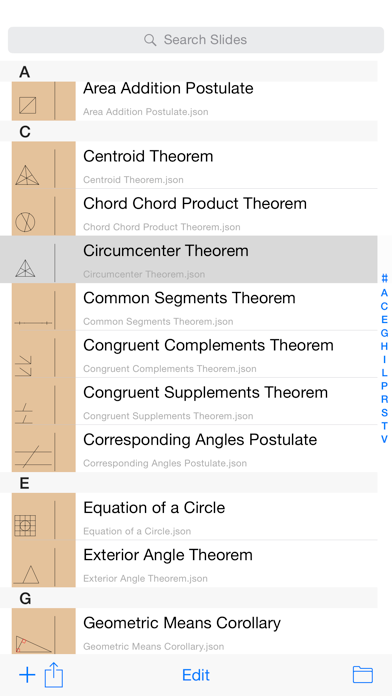
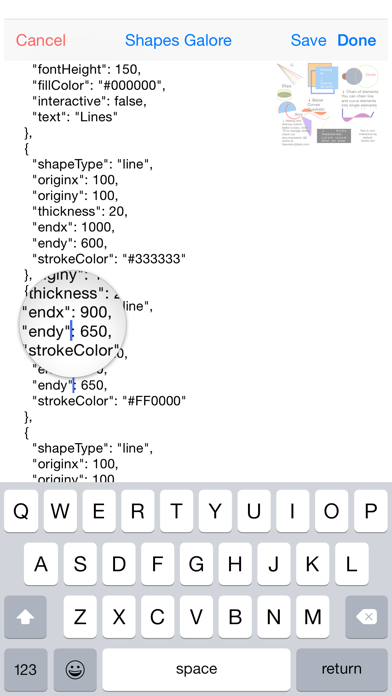
Reviewing geometry on the go has never been easier. Just swipe to a term to view its description and diagram! "Instead of paging through their textbook for the theorems, now students can use this app" -Wired "Geometry Stash is truly ideal for anyone needing a quick reference guide for geometric theories" -SlapApp Which theorem completes the proof? Refresh your knowledge of the most commonly used theorems, postulates, and corollaries with Geometry Stash. Swipe to a term to check it out! Make your own slides to share with others using a built in editor. Write custom slides with drawing commands with instant preview. Share slides in a snap — Airdrop, iCloud, Message, Mail, and more! Your creations will be rendered as vector graphics that retain their crisp and sharp edges no matter what device others and you use! Additional Features: • Custom slide creation: Write your own slides through drawing commands in JSON, a lightweight data-interchange format. Edit on your device, computer, anywhere. • iOS Spotlight Search: Find your slides using iOS Search. • Slide Over and Split View: View slides alongside other study material. • iCloud Drive: Access created slides on all your devices. Write on the computer and view on the go. • Portability: Export slides as JSON, Image file, or Text. • Guided Access: Limit editing slide functionality to keep learners on track. • Bulk Import: Distribute multiple custom slides using a single bulk import file. Ideal for educators and administrators! What others have said about Geometry Stash: "Geometry Stash Offers Comprehensive Mathematical Guide" - The iPhone App Review "My pick for Geometry Stash in terms of what to use it for is actually studying for exams. It certainly beats the flash card system I used for my SATs" - AppBite "Don't let your Math assignments get you down when you have Geometry Stash to help you through" - CooliPhoneApps.com "[Mirroring] would be great in a classroom or for a group study session" - EDUInReview
What's new · 2.0.7
Move the bottom toolbar above the Home Screen indicator swipe zone.
Details