

MathU RPN Calc
Creative Creek, LLC · Finance
Independent analytics for this App Store listing. AppTracker is not affiliated with Creative Creek, LLC.
Chart standing · US
What changed · US
Listing changes AppTracker has observed for this app in this storefront — new versions, price moves, rating shifts, and store copy.
Price & rating history · US
Reconstructed from the listing changes AppTracker has observed in this storefront. A field is charted once it has changed more than once, and each line starts at the value it moved from.
Average rating · ★ 4.96 now · 3 changes on record
Ratings breakdown · US
The star breakdown behind this app's rating in this storefront.
In-app purchases · US
No in-app purchases.
Screenshots

Keywords this app targets
Search terms AppTracker associates with this app — estimates, not search volume. ❝ = in the app's title; a highlighted number is its current position for that term.
Similar apps
Competitors and close alternatives, as estimated by AppTracker.
 Calc-12E RPN Financial
Stone Meadow Development LLC
2 shared topics · 2 shared title words
Calc-12E RPN Financial
Stone Meadow Development LLC
2 shared topics · 2 shared title words
 Calculator RPN
Benjamin Pisano
1 shared topic · 1 shared title word
Calculator RPN
Benjamin Pisano
1 shared topic · 1 shared title word
 RPN 28x Calc
Eric Roller
RPN 28x Calc
Eric Roller
 RPN-34 CE
Willy Kunz
1 shared topic · 1 shared title word
RPN-34 CE
Willy Kunz
1 shared topic · 1 shared title word
 RPN-67 SD
Willy Kunz
1 shared topic · 1 shared title word
RPN-67 SD
Willy Kunz
1 shared topic · 1 shared title word
 RPN-Calc
Steven Davies
1 shared topic · 2 shared title words
RPN-Calc
Steven Davies
1 shared topic · 2 shared title words
 RPN-45 SD
Willy Kunz
1 shared topic · 1 shared title word
RPN-45 SD
Willy Kunz
1 shared topic · 1 shared title word
 RPN-55 SD
CuVee Software
1 shared topic · 1 shared title word
RPN-55 SD
CuVee Software
1 shared topic · 1 shared title word
About
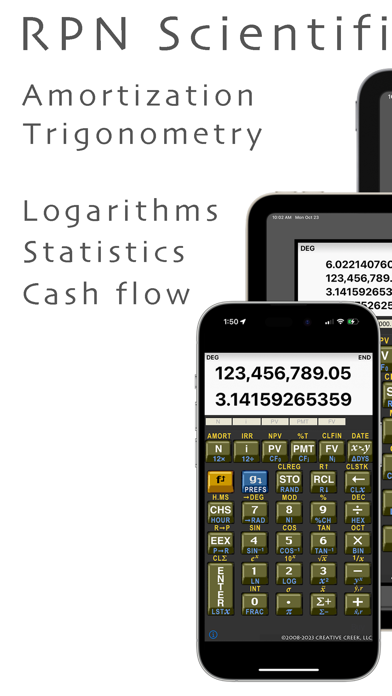
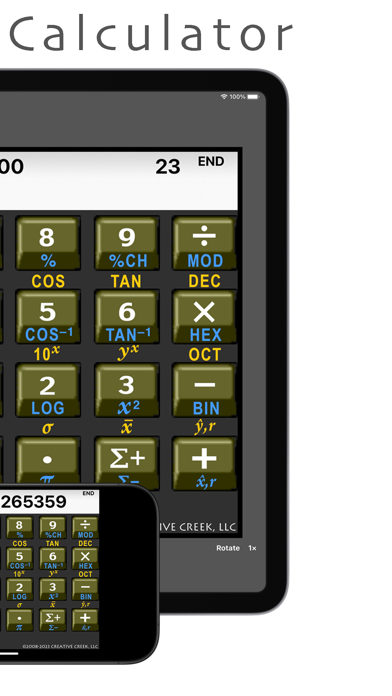
MathU RPN is an advanced scientific and financial calculator designed in the spirit of classic HP calculators. MathU RPN is based on the Reverse Polish Notation (RPN) entry system and combines more than 96 functions to create a calculator that meets the needs of professionals who use a calculator every day. First released in 2008, the calculator continues to be updated with new features as iOS improves. MathU RPN works on the iPhone, iPad and macOS. On the iPad, MathU RPN maintains its orientation as the iPad is turned and you can rotate it from portrait to landscape keypad layout via the Rotate button. When the iPad has a hardware keyboard attached, you can type of the names of the buttons the keyboard to execute them -- thus avoiding having to press the calculator keys with your finger. On the iPhone, you can lock it to always use the portrait or landscape keypad or let it switch orientations automatically when you rotate your phone. MathU RPN is an excellent financial calculator. There are functions for computing mortgage amortization and cash flow computations like IRR and NPV, as well as functions for working with dates. Many of the existing financial functions have been extended to handle odd periods (conforming to the same conventions as the HP-12C). In addition, on tall devices (like most iPhones), the financial registers are displayed on the keypad. MathU RPN is also a programmer's calculator. The A-F keys are available right up front for easy entry in HEX mode and there are many functions for working with integers. Dr. Clay M. Thompson of Creative Creek has harnessed the computational power of the iPhone to produce an accurate and high performance calculator. General Features - IEEE double precision accuracy (16 digits) - High performance fast computations - 20 storage registers - 5 financial registers - 16 high stack (switchable to 4) - Supports international number separators - Switch between portrait and landscape keypads - Quick access to the preference and on-line manual - Stack and Register view (accessible via [RCL][RCL] Scientific Features - Full set of trigonometric functions - Full set of logarithmic and power functions - Statistics functions - Polar and rectangular conversions - Repeated computations Mortgage and Loan Features - Time value of Money functions - Compute mortgage and loan terms - Solve for payments and interest rates - Solve for IRR and NPV - Date functions Computer Science Features - Number bases (HEX, OCT, DEC, BIN) - Bitwise logical operations - Masking and shifting functions - Support for a wordsizes up to 48 bits - Modular arithmetic MathU 4.1 supports iOS 16.6 or higher as well as macOS. For more info (including the users manual) go to http://www.creativecreek.com or use the built-in quick reference.
What's new · 4.1.4
We are excited to announce that MathU RPN now runs on macOS as well as iOS! Both Intel and Apple Silicon is supported for macOS. The 4.1.4 release fixes a minor layout bug I found after the previous release. Keyboard support: An attached external keyboard can be used with the calculator to access the functions (type of name on the top if a button). Tap the Key Help button to see what strings will work to "press" a button on the keypad.
Details