

Nautik for Kubernetes
DWRPD Software UG haftungsbeschraenkt · Developer Tools
Independent analytics for this App Store listing. AppTracker is not affiliated with DWRPD Software UG haftungsbeschraenkt.
Chart standing · US
What changed · US
Listing changes AppTracker has observed for this app in this storefront — new versions, price moves, rating shifts, and store copy.
Apple Intelligence & file provider support! - You can now leverage Apple Intelligence to explain specific resources, summarize resource lists, summarize logs, and summarize the overall state of your cluster. - You can now browse the file system contents of pods, nodes, and PVCs through the Finder and Files app. - All resources can now be indexed by Siri AI on supported platforms. - We've improved the performance of Shortcuts and Spotlight indexing. - You can now customize the order and visibility of table columns. A future update will extend the selection with more table column options. - The dashboard now includes events. - The app now supports the iPhone Duo. - We've significantly improved the performance of the Helm release list view.
Ratings breakdown · US
The star breakdown behind this app's rating in this storefront.
In-app purchases · US
What this app sells inside itself, grouped by kind and priced for this storefront.
Screenshots




Keywords this app targets
Search terms AppTracker associates with this app — estimates, not search volume. ❝ = in the app's title; a highlighted number is its current position for that term.
Similar apps
Competitors and close alternatives, as estimated by AppTracker.
 kubenav - Kubernetes Dashboard
Rico Berger
1 shared topic · 1 shared title word
kubenav - Kubernetes Dashboard
Rico Berger
1 shared topic · 1 shared title word
 Kuber - Kubernetes Dashboard
Surge Networks Inc.
1 shared topic · 1 shared title word
Kuber - Kubernetes Dashboard
Surge Networks Inc.
1 shared topic · 1 shared title word
 Kubeterm - Kubernetes Manager
明 戴
1 shared title word
Kubeterm - Kubernetes Manager
明 戴
1 shared title word
 Rune Kubernetes Client
Viktor Nyberg
Rune Kubernetes Client
Viktor Nyberg
 Sextant
The IT Dept Pty Ltd
Sextant
The IT Dept Pty Ltd
 neightn remote
Enrico Becker
1 shared topic
neightn remote
Enrico Becker
1 shared topic
 HeC - Unofficial Hetzner Cloud
Dorian Borovina
2 shared topics
HeC - Unofficial Hetzner Cloud
Dorian Borovina
2 shared topics
 Nodera
Tobias Siedersleben
1 shared topic
Nodera
Tobias Siedersleben
1 shared topic
About
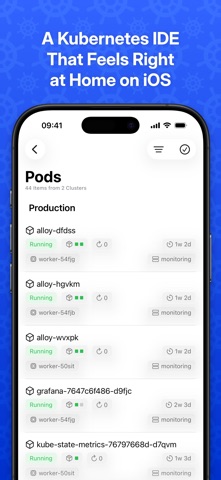
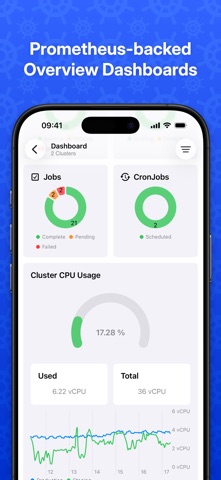
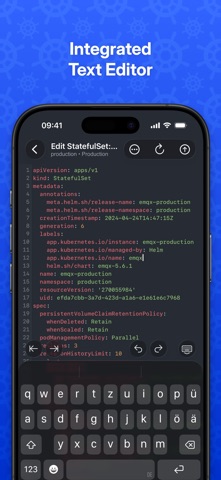
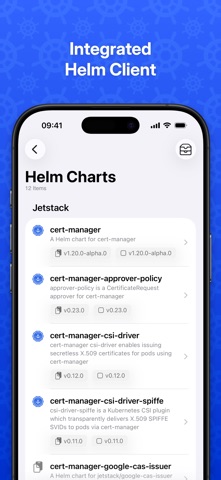
Nautik is the premier full-featured Kubernetes IDE designed exclusively for the Apple ecosystem. Its features include: - Multi-cluster mode: Viewing the resources of multiple clusters at once. - Multi-namespace mode: Viewing the resources of multiple namespaces of multiple clusters at once. - Rendering built-in resources and custom resources in beautifully designed native detail views. - Automatic resource watching with real-time updates. - Log viewer: Watching and searching logs of multiple pods and containers in one combined stream, including ANSI colors and font styles. - Integrated terminal: Attaching shells to both pods and nodes. - Port forwarding: Forwarding ports of pods and services to the device's localhost, including multiplexing and robust reconnection behavior—even over app restarts. - Apple Intelligence: Explain resources, summarize resource lists, summarize logs, and summarize the overall state of your cluster. - File provider support: Browse the file system contents of pods, nodes, and PVCs through the Finder and Files app. - Integrated Helm client to view, install, uninstall, upgrade and rollback Helm releases, pull charts from custom Helm repositories, and edit the configuration values of installed charts. - Editing resources as YAML source with the integrated, customizable text editor. - Creating new resources. - Deleting resources, cordoning and uncordoning nodes, evicting pods, restarting deployments, daemonsets, statefulsets and replicasets. - Scaling workload replicas up and down. - Manually triggering, suspending and resuming cron jobs - Convenient secret editing with automatic base64 decoding and encoding. - Accessing clusters stored on a local kubeconfig file, on the local system keychain, and optionally syncing stored clusters between devices via iCloud Keychain. - Multiple overview dashboards with time series charts powered by an internal Prometheus client. - Widgets for home screen, lock screen and desktop with workload statuses and Prometheus time series charts. - Rendering related events for resources and related pods for workloads. - Multi-window support. - Tabbing support (on macOS). - Handoff support. - Focus filter support. - Integration with Siri and Shortcuts. - Authentication via OpenID Connect. - Easy integration with Google Cloud Platform, Amazon Web Services, Microsoft Azure, DigitalOcean and Talos Omni to automatically import and authorize clusters. - File provider support allowing you to browse node, pod and PVC filesystems through the Finder and Files app. - Many customization options like optional request gzipping, proxy URL support, or custom list sorting. The terms of service can be found here: https://nautik.io/tos
What's new · 1.10
Apple Intelligence & file provider support! - You can now leverage Apple Intelligence to explain specific resources, summarize resource lists, summarize logs, and summarize the overall state of your cluster. - You can now browse the file system contents of pods, nodes, and PVCs through the Finder and Files app. - All resources can now be indexed by Siri AI on supported platforms. - We've improved the performance of Shortcuts and Spotlight indexing. - You can now customize the order and visibility of table columns. A future update will extend the selection with more table column options. - The dashboard now includes events. - The app now supports the iPhone Duo. - We've significantly improved the performance of the Helm release list view.
Details