

Split View Screen Multiple App
ANNA KOSHEL · Social Networking
Independent analytics for this App Store listing. AppTracker is not affiliated with ANNA KOSHEL.
Chart standing · US
What changed · US
Listing changes AppTracker has observed for this app in this storefront — new versions, price moves, rating shifts, and store copy.
Phantom vibrations — 68% of users have at least once felt a vibration from a phone that wasn't there. This is linked to anxiety and the habit of constantly checking the device. In this version: - Bug fixes - Performance improvements
Price & rating history · US
Reconstructed from the listing changes AppTracker has observed in this storefront. A field is charted once it has changed more than once, and each line starts at the value it moved from.
Average rating · ★ 4.20 now · 5 changes on record
In-app purchases · US
What this app sells inside itself, grouped by kind and priced for this storefront.
Screenshots



About
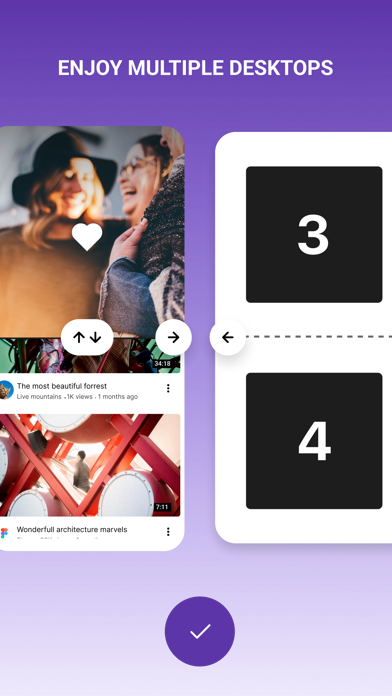
We know how to use the big screen of your smartphone, just split it to use several apps at the same time. Watch videos or chat with friends? Watch a sport or a movie? Check mail or news? Now you do not have to choose, just split your screen to as many windows as you need. - Favorites to add your favorite pages - Unlimited number of screens - Gesture-based control - Quick transition to full screen mode and back to the split one ================ • Subscription Split View Screen Multiple App get access to all functions of the application. • You can turn off the auto-renewal at any time: you'll find the option to do this change to a different payment plan in the settings of your iTunes and App Store account. • The first time you can try the free trial for 3 days. After that, your account will be automatically charged for the subscription if you will not stop it before the end of the free trial. • The length of the subscription is 1 month, this subscription is auto-renewing and costs %@ per 1 month. You can stop the subscription at any moment; • Account will be charged for renewal within 24-hours prior to the end of the current period, and is identical to the cost of the renewal. • Removing the app doesn’t automatically cancel the subscription. • You may opt out of the subscription by clicking in the settings of your iTunes and App Store account the “Opt out” button (menu “Settings” > “Accounts” > “Manage Subscriptions ATTENTION: before you subscribe please read: Privacy Policy(https://ifsome.ru/privacy) Terms Of Use(https://ifsome.ru/tos/multi)
What's new · 0.2.35
Phantom vibrations — 68% of users have at least once felt a vibration from a phone that wasn't there. This is linked to anxiety and the habit of constantly checking the device. In this version: - Bug fixes - Performance improvements
Details