

ASUS ExpertWiFi
ASUSTek COMPUTER INC. · Productivity
Independent analytics for this App Store listing. AppTracker is not affiliated with ASUSTek COMPUTER INC.
Chart standing · US
What changed · US
Listing changes AppTracker has observed for this app in this storefront — new versions, price moves, rating shifts, and store copy.
[Improvements] - App theme now automatically follows your system settings. - Fixed offline router device removal. - WISP Mode: Supports QR code scanning to fill in the WiFi password. - Fixed keyboard vanish while setup the router login password. - QIS supports landscape mode. - Supports manual setups for IPTV(ISP Profile). - Security and stability improvements. [Important Notice] Please obtain iOS 15 or above version to keep your ASUS Router App always up to date, and remain an optimal using experience.
Price & rating history · US
Reconstructed from the listing changes AppTracker has observed in this storefront. A field is charted once it has changed more than once, and each line starts at the value it moved from.
Average rating · ★ 4.22 now · 4 changes on record
Screenshots



About
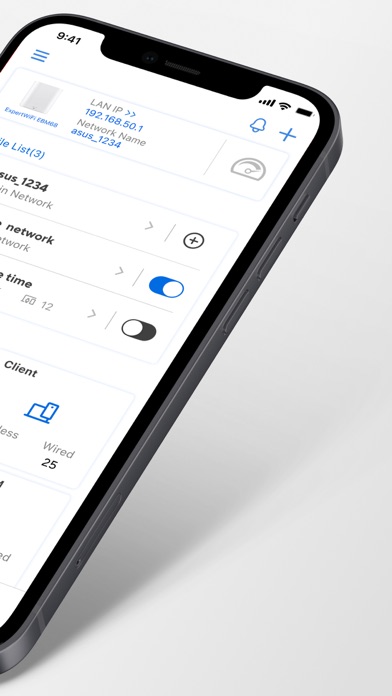
The ExpertWiFi App is a comprehensive network solution for businesses of all sizes. It makes business network easy to set up without an IT team and provides full-function management to a complete product line with the mesh system, router, access point, and switch as your business expands. And control your business network whenever you want, wherever you go. KEY FEATURES: *Router Monitoring and Remote Management *SDN ….….Create Self Defined Network ….….Default Employee, Guest Portal, Scheduled Network, IoT Network ….….Customized Network ….….Scenario Explorer *AiMesh ….….Add AiMesh node ….….AiMesh Network Topology ….….Network management and optimization ….….AiMesh node monitoring and customized settings ….….Full backhaul options *Dashboard ….….System Monitor ….….Network Data analysis ….….Traffic History *Client Device Management ….….Block Internet access ….….Time scheduling ….….Customizable device icon and nickname *AiProtection ….….Security Scan ….….Malicious Sites Blocking ….….Infected Device Prevention and Blocking *More Features… ….….4G / 5G Auto Mobile Tethering ….….Device Access Control ….….QoS ….….Port Status ….….Account binding ….….Firmware Update ….….DNS settings ….….Wireless settings ….….Router setting backup ….….IP Binding ….….WOL (Wake-on-LAN) ….….Port forwarding ….….Schedule Reboot ….….Notification ----- SUPPORTED MODELS - All ExpertWiFi line up
What's new · 1.0.0.2.85
[Improvements] - App theme now automatically follows your system settings. - Fixed offline router device removal. - WISP Mode: Supports QR code scanning to fill in the WiFi password. - Fixed keyboard vanish while setup the router login password. - QIS supports landscape mode. - Supports manual setups for IPTV(ISP Profile). - Security and stability improvements. [Important Notice] Please obtain iOS 15 or above version to keep your ASUS Router App always up to date, and remain an optimal using experience.
Details