

Daily Planner, Reminder: Ticka
Maxym Naryzhniy · Productivity
Independent analytics for this App Store listing. AppTracker is not affiliated with Maxym Naryzhniy.
Chart standing · US
What changed · US
Listing changes AppTracker has observed for this app in this storefront — new versions, price moves, rating shifts, and store copy.
- Notifications open exactly what they're about - Cleaner habit list - Balance wheel counts tasks and includes habits - Faster app launch - Native delete dialogs
Ratings breakdown · US
The star breakdown behind this app's rating in this storefront.
In-app purchases · US
What this app sells inside itself, grouped by kind and priced for this storefront.
Screenshots



About
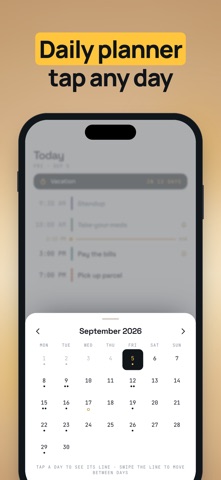
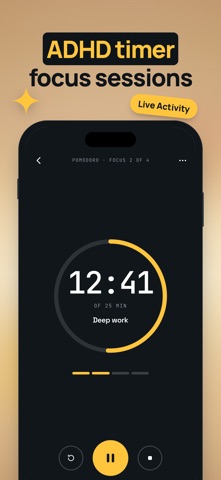
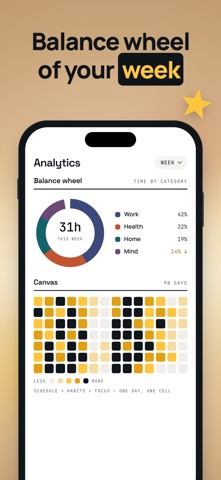
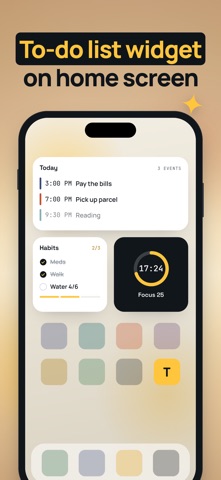
Ticka keeps the whole day in one line: events, tasks, habits and medication — one screen, one glance. REMINDERS THAT ACTUALLY RING Critical reminders sound even when the phone is on silent. Pills, calls, the thing you always forget — Ticka gets through. YOUR DAY AS ONE TIMELINE Events, to-dos and habits sit on the same line. Done is crossed out, next is right under the "now" marker. Tap any date to jump to it. HABITS AND STREAKS Take a habit from the library or build your own: water, walking, reading, meditation. Ticka counts the streak and brings you back after a miss — one skipped day breaks nothing. FOCUS TIMER Pomodoro with Live Activity: the countdown stays on the Lock Screen and in the Dynamic Island. CHECKLISTS Pharmacy run, packing, the weekly shop — lists with progress you can tick off. WIDGETS Today's schedule, habit progress and the running timer, right on the Home Screen. BALANCE WHEEL See where the week actually went — work, health, home, mind — and the whole month as one grid. Plan the day, keep the streak, and let Ticka do the remembering. PREMIUM • Unlimited tasks and habits — no daily limits • Habit stacking: a new habit attaches to one you already keep • Full analytics history and balance wheel • Data backup • 7 days free, cancel anytime The subscription renews automatically unless it is turned off at least 24 hours before the end of the period. Manage or cancel it in your Apple Account settings. Privacy Policy: https://ticka.day/privacy/ Terms of Service: https://ticka.day/terms/ Apple Terms of Use: https://www.apple.com/legal/internet-services/itunes/dev/stdeula/ Questions? support@ticka.day
What's new · 1.1.18
- Notifications open exactly what they're about - Cleaner habit list - Balance wheel counts tasks and includes habits - Faster app launch - Native delete dialogs
Details