

pipistrelle
Phil Atkin · Utilities
Independent analytics for this App Store listing. AppTracker is not affiliated with Phil Atkin.
Chart standing · US
What changed · US
Listing changes AppTracker has observed for this app in this storefront — new versions, price moves, rating shifts, and store copy.
Tripled-up chirp to improve reliability when used with new firmware pippyg_v10-27-08-26.uf2. Internally corrected "NUMSTARTBYTES" in the "payload.h" header to work with old and new firmware.
Screenshots
About
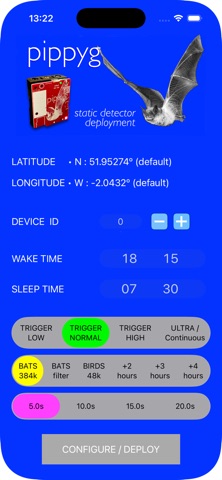
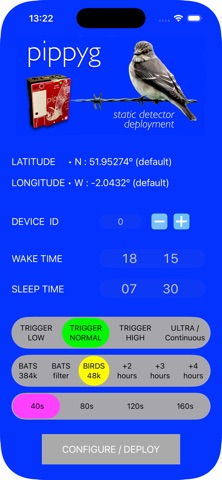
This tool gives you a convenient and reliable method to set the real-time clock, device ID, deployment latitude and longitude, and wake and sleep times for the PIPPYG bat recorder bat detector, in the field, using just your phone and the PIPPYG's onboard microphone. To use the app, set up the configuration you want in terms of Device ID and sleep/wake times, turn your phone volume up to between 1/4 and 1/3 full volume and place your phone's speaker about 4 - 6 inches your PIPPYG's microphone. Now press the Configure / Deploy. SInce the PIPPYG red LED responds to sound after power-up, it flash when your phone makes the "triple chirp" sound. If the LED flashes just when it is responding to the sound, the PIPPYG did not successfully decode the data packete encoded into the chirp, so you need to try again - try changing the phone volume (typically quieter is better), adjust and the distance from the microphone, or positioning the phone more carefully relaive to the PIPPYG - it helps if you point the phone's bottom speakers right at the microphone hole, from a few inches away. If the PIPPYG's red LED flashes 8 times in rapid succession, you have successfully programmed your device, and it will enter a wake/sleep cycle, recording bats (or birds) when it is awake. Note that this app works with both self-build PIPPYG units and with commercially-produced Apodemus PIPPYG and PIPPYG2 devices.
What's new · 2.1
Tripled-up chirp to improve reliability when used with new firmware pippyg_v10-27-08-26.uf2. Internally corrected "NUMSTARTBYTES" in the "payload.h" header to work with old and new firmware.
Details