

IceVault - Encrypted Database
Kouichi Abe · Productivity
Independent analytics for this App Store listing. AppTracker is not affiliated with Kouichi Abe.
Chart standing · US
What changed · US
Listing changes AppTracker has observed for this app in this storefront — new versions, price moves, rating shifts, and store copy.
- Save from other apps: choose IceVault in the share sheet to keep a link, text, photo or file in an inbox, then file it into a folder when you next open the app. No network needed. - Link items to each other with the new Link field, and see what points back to an item under "Referenced By". - Reminders for date fields: get a notification a set number of days before a date, such as a renewal or an expiry. Scheduled on your device. - Attach any file (up to 50 MB) with the new File field, and preview it in place. - Folder search remembers what you searched for and lets you reuse it. - Draft a template with AI: describe what you want to keep and get a starting point to edit. Runs on-device with Apple Intelligence. - Paste a photo from the clipboard into a photo field, and copy an item's title and summary values. - Formula fields: calculate a value from other fields, such as quantity times unit price. In the spreadsheet layout, number columns get sum, average and count rows. - 51 field types.
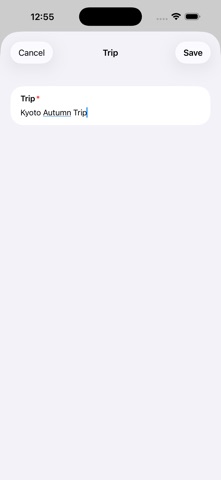
Screenshots




About
Design the structure. Build your database. IceVault is an encrypted, local-only database that lets you design the structure yourself. Create databases for bank accounts, reading logs, business cards, warranties, Wi-Fi and more. Password managers are built around logins. Notes apps offer freedom but can be hard to organize and search. IceVault sits in between. Define fields and types in a “template” — text, dates, money, photos, ratings, choices and more. The template becomes your form and data structure. Pin a template to a folder, and that folder becomes a purpose-built workspace with its own list and detail views. BUILD YOUR OWN STRUCTURE * 51 field types: text, number, date, money, rating, photo, choices, address, email, phone, URL, MAC / IP address, social handles, links, files, formulas and more * 12 field attributes: required, encrypted, searchable, auto-tag, show in list, unique, Markdown and more * Layout presets: cards, timelines, spec sheets, photo galleries and spreadsheet grid * Formula fields calculate values from number and money fields, such as quantity × unit price. Results are calculated on-device and never stored * Link items with the Link field and see incoming links under “Referenced By” * Draft templates with AI, then edit the result. Runs on-device with Apple Intelligence * Edit templates at any time — existing records update to match KEEP THINGS SAFE * Master password with Face ID / Touch ID unlock * Per-field AES-GCM encryption for passwords, PINs, card numbers and other sensitive data * Encryption keys are derived from your master password and never stored * iOS Data Protection on every database PUT THINGS IN * Rich input controls: date pickers, ratings, choice lists and more * Camera capture and document scanning with automatic edge correction * Attach files up to 50 MB and preview them in place * QR code scanning, live or from a photo * TOTP two-factor authentication from otpauth:// links * CSV import that builds a template from the header row * On-device writing assistance powered by Apple Intelligence — your text never leaves the device FIND IT AGAIN * Full-text search across every folder * Manual and automatic tags * Combined filters for keywords and choices USE YOUR DATA * Save links, text, photos and files from the iOS share sheet into an inbox, then file them later — no network needed * Schedule on-device reminders before renewals or expiries * Sum, average and count rows in spreadsheet folders * Tap fields to call, email, open Maps or Safari, or launch supported social apps * Render Markdown with headings, lists, tables and emphasis * Money fields support per-item currency codes, so USD and JPY can coexist HAND IT OVER * Each folder is a single document — copy it and its images come along * Encrypted .icevaultarchive files for complete backups * Share a folder with family, friends or groups using a one-time password * Share templates independently — fields only, with no stored values * Export spreadsheet folders to CSV for Excel or Numbers PRIVATE BY DESIGN * No account, sign-up, or email address required * No cloud. IceVault makes no network connections * No ads, analytics, or advertising SDKs. No usage data is collected * Works fully offline IMPORTANT If you forget your master password, encrypted fields cannot be recovered — not by anyone, including the developer. Keep your master password safe. FREE, WITH A ONE-TIME PRO UNLOCK Every feature is available in the free version: all field types, encryption, search, writing assistance, Markdown, import and export. The free version supports up to 3 folders. A one-time purchase of IceVault Pro removes that limit. No subscription. No account. COMES WITH 21 TEMPLATES Bank Account, Credit Card, Insurance Policy, Online Account, Wi-Fi, Router, Business Card, Customer, Contact, Book, Reading Log, Film, Photo Note, Vehicle, Purchase & Warranty, Trip Booking and so on. Use them as-is, customize them, or start from scratch.
What's new · 1.1
- Save from other apps: choose IceVault in the share sheet to keep a link, text, photo or file in an inbox, then file it into a folder when you next open the app. No network needed. - Link items to each other with the new Link field, and see what points back to an item under "Referenced By". - Reminders for date fields: get a notification a set number of days before a date, such as a renewal or an expiry. Scheduled on your device. - Attach any file (up to 50 MB) with the new File field, and preview it in place. - Folder search remembers what you searched for and lets you reuse it. - Draft a template with AI: describe what you want to keep and get a starting point to edit. Runs on-device with Apple Intelligence. - Paste a photo from the clipboard into a photo field, and copy an item's title and summary values. - Formula fields: calculate a value from other fields, such as quantity times unit price. In the spreadsheet layout, number columns get sum, average and count rows. - 51 field types.
Details