

Up Tempo: Pitch, Speed Changer
Stonekick Limited · Music
Independent analytics for this App Store listing. AppTracker is not affiliated with Stonekick Limited.
Chart standing · US
What changed · US
Listing changes AppTracker has observed for this app in this storefront — new versions, price moves, rating shifts, and store copy.
This release includes new stereo width, tremolo, vibrato, flanger, and 8d effects. We have also added automation to all of the effects parameters, and made Playlists easier to navigate. We hope that you like these changes. If you have any questions please get in contact at support@stonekick.com.
Price & rating history · US
Reconstructed from the listing changes AppTracker has observed in this storefront. A field is charted once it has changed more than once, and each line starts at the value it moved from.
Average rating · ★ 4.71 now · 7 changes on record
Ratings breakdown · US
The star breakdown behind this app's rating in this storefront.
In-app purchases · US
What this app sells inside itself, grouped by kind and priced for this storefront.
Screenshots




About
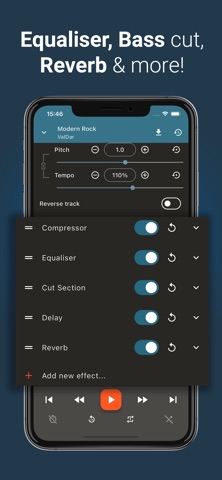
Remove vocals, split any song into stems, and change pitch or speed — all on your device, with no account and no upload. Up Tempo is a music practice tool and audio editor for singers, instrumentalists, transcribers, and producers. Slow down a solo to learn it. Drop a track's key to match your voice. Isolate the drums to practice along. Loop the hard bar until it clicks. PRACTICE ANY SONG • Slow down or speed up music in real time without changing pitch • Transpose up or down by several octaves, with a preserve-formant option that keeps vocals natural • Reverse playback for ear training and transcription • Precise AB loop points on a pinch-to-zoom waveform • Save loop points, effects, and settings per track and pick up where you left off VOCAL REMOVER & STEM SEPARATION (Pro) • Runs on your device — no account, no upload, works offline once models are installed • Choose a fast 2-stem model (vocals / instrumental) or a higher-quality 4-stem model (vocals, drums, bass, other) • Solo or mute individual stems in the mixer to build instant karaoke tracks or backing tracks • Great for singers, guitarists, bassists, and drummers who want to play along with just the rhythm section EDIT & MIX • Trim music with millisecond precision; add fade in and fade out • Multi-track editor: layer, align, and mix your own tracks into new arrangements • Record vocals or instruments directly in the app (Pro) • Waveform visualisation with pinch-to-zoom for accurate edits STUDIO EFFECTS (Pro) • Equaliser, reverb, delay, compressor, noise gate • High-pass filter, low-pass filter, bass cut, panning, centre/sides isolation • Creative effects: distortion (clip, saturate, crunch, overdrive), bit crusher, ring modulator • Chain effects and toggle them on or off in real time EXPORT & SHARE • Export to MP3, M4A (AAC) at 128, 256 or 320 kbps, or FLAC lossless • Edit title, artist, album, and album artist metadata before export • Share exported tracks to any app • Backup and restore your settings, markers, loop points FREE vs PRO Free includes pitch and tempo adjustment, looping (up to 6 markers), trim, fade, 2-track mixing, and export. Pro unlocks stem separation, vocal removal, recording, all studio effects, unlimited markers, and unlimited multi-track. One-time purchase, no subscription. Up Tempo supports most common audio formats including MP3, M4A, AAC, WAV, FLAC and OGG. Questions or feedback? Contact us at support@stonekick.com. This software uses code of FFmpeg licensed under the LGPLv2.1 and its source can be downloaded below. https://stonekick.com/uptempo_ffmpeg.html http://ffmpeg.org http://www.gnu.org/licenses/old-licenses/lgpl-2.1.html
What's new · 2.7.1
This release includes new stereo width, tremolo, vibrato, flanger, and 8d effects. We have also added automation to all of the effects parameters, and made Playlists easier to navigate. We hope that you like these changes. If you have any questions please get in contact at support@stonekick.com.
Details