

Accounts 3 Lite - Checkbook
Steve Tran · Finance
Independent analytics for this App Store listing. AppTracker is not affiliated with Steve Tran.
Chart standing · US
What changed · US
Listing changes AppTracker has observed for this app in this storefront — new versions, price moves, rating shifts, and store copy.
UI Enhancements
Price & rating history · US
Reconstructed from the listing changes AppTracker has observed in this storefront. A field is charted once it has changed more than once, and each line starts at the value it moved from.
Average rating · ★ 4.71 now · 2 changes on record
Ratings breakdown · US
The star breakdown behind this app's rating in this storefront.
In-app purchases · US
No in-app purchases.
Screenshots


About
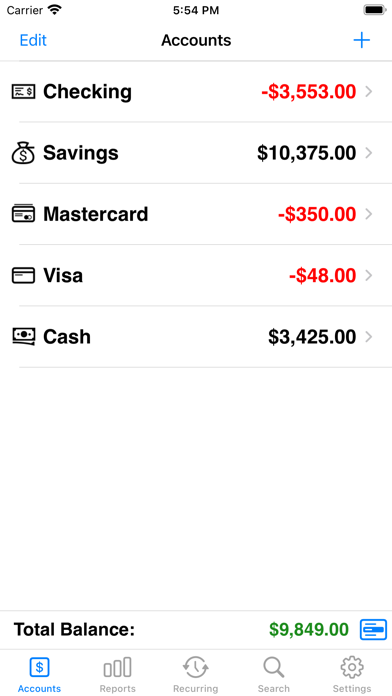
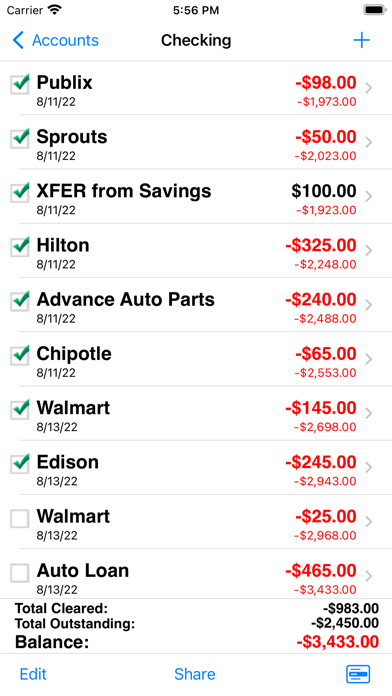
Accounts 3 Lite is an easy to use application to replace your paper checkbook. With the Accounts 3 Lite application, you will have a quicker and more convenient way to track your daily finances. You can schedule transactions, transfer funds, capture photo receipts, reconcile, export data, view reports, graphs, and much more. * If you like this app, then please support us with a positive rating. Thank you! FEATURES * Touch and Face ID Support Use Touch ID to authenticate and launch the app quicker and more conveniently. * Optimized for Multitasking and Retina Display Supports fast app switching and higher resolution Retina display. * Universal Binary Designed for iPhone, iPod Touch, and iPad devices. No need to buy separate apps for each device. * Graphs and Reports Review your monthly income vs. expense, spending by category, or income by category summaries with beautiful graphs and reports. * AirPrint Support Print reports directly from your iPhone or iPad (that have multitasking capability) to any AirPrint-enabled printer. * Photo Receipts Capture and store photo receipt as part of a transaction. * Search Quickly search for transactions and edit them from the same screen. * Recurring Transactions Schedule transactions to repeat weekly, biweekly, monthly, semimonthly, quarterly, biannually, or yearly on a start date that you choose. * Reconcile Transactions Reconcile by checking off cleared transactions and comparing the actual and outstanding balances against a bank statement. Accounts 3 now includes a running total for even easier reconciliation. * Split Transactions Split a transaction among several categories for more precise tracking. * Transfers Make a one-time transfer between accounts or set up recurring transfers to automatically repeat. * Multiple Accounts Track as many accounts as you need. * Export in CSV, QIF & HTML Formats Export transactions via email attachments for used with desktop applications such Numbers, Excel, or MS Money. * Description, Category, Memo, and Check # Fields All the necessary fields to track your transactions. * Smart Autocomplete As you type, a list will show you your previously entered descriptions and corresponding category. Selecting an entry from the list will fill both fields of the transaction. * Auto-increment Check # Field Accounts 3 will suggest the next check number for you based on the previously entered number. If you replace your checkbook, just enter the new starting number and Accounts 3 will auto-increment from there. * Customization Settings & Themes Configurable settings and themes to customize the Accounts 3 application based on your preferences. * Transaction Sorting/Hiding Sort transactions by date in either ascending or descending order. You can also hide reconciled transactions to keep your current list from being cluttered. * Accounts Reordering Reorder the accounts from the account list in any order you choose. * Accounts Delete Lock Prevents accidental deletion of all the transactions under an account. * Backup / Restore Backup your data to your computer for safekeeping. Then restore it to your device when you need to via email or iTunes file sharing interface. * Passcode Security Keep your accounts information private. * Sync Data via iCloud Sync your data across iPhone, iPad, and iPod Touch devices (available when upgraded to full version) * Accounts 3 Lite is limited to 100 transactions. At anytime, you can transfer all your data to the Full version by touching on the 'Export to Full Version' button from the Settings screen.
What's new · 3.14
UI Enhancements
Details