
Chart standing · US
What changed · US
Listing changes AppTracker has observed for this app in this storefront — new versions, price moves, rating shifts, and store copy.
Price & rating history · US
Reconstructed from the listing changes AppTracker has observed in this storefront, so each line starts at the first change on record.
Average rating
Ratings breakdown · US
The star breakdown behind this app's rating in this storefront.
Screenshots




About
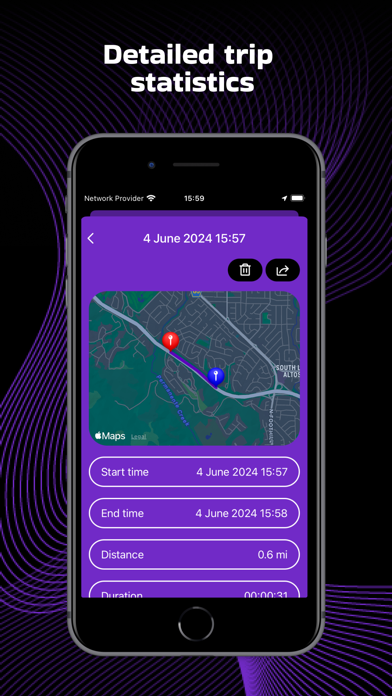
This is application that uses your phone's GPS to track your speed and other information in real time. Main Features: GPS Speedometer: Get your speed, location information and other useful data in real time. Our application supports various units of measurement. Apple Watch: Track your speed, travel time, distance and other useful info in real time ; Information about the trip is transmitted to your device to create a trip report and view the route on the route map; Using the map, track your location in real time, as well as choose the right direction; Choose the units of measurement that are convenient for you. Map: With the help of the map, you will be able to track your location at the moment, as well as see the path you have traveled and choose the right direction. Trip history: After the end of the trip, you can view the detailed information of your route: - Start and end time of the trip; - The distance of the entire route; - Maximum speed; - The average speed of your trip; - Travel time; - Time spent in motion; - Parking time; The application will also create a pdf file of your route, which you can share with your friends. Speed Limits: Set a speed limit that you don't want to exceed. As soon as your speed is higher than the one you set, the app will warn you about it. HUD: For your convenience, in order not to be distracted by the speedometer, use HUD mode at night, which will create a projection on the windshield. Themes: Possibility to choose the theme of the speedometer. Note: - Secure your phone so that it does not get hurt while driving and braking. - Active use of location services may affect battery consumption. Your subscription automatically renews unless auto-renew is turned off at least 24 hours before the end of the current subscription period. Your iTunes will automatically be charged at the same price for renewal, as stated above, within 24 hours prior to the end of the current subscription period. You can manage your subscription and/or turn off auto-renewal by visiting your iTunes Account Settings after purchase. Privacy Policy: https://sites.google.com/view/chizhov-privacy-policy/privacy-policy Terms of use: https://sites.google.com/view/chizhov-terms-of-use/terms-of-use
What's new · 1.1.6
Bugs fixed;
Details