

Cursive: Learn Cursive
enoiu · Education
Independent analytics for this App Store listing. AppTracker is not affiliated with enoiu.
Chart standing · US
What changed · US
Listing changes AppTracker has observed for this app in this storefront — new versions, price moves, rating shifts, and store copy.
Price & rating history · US
Reconstructed from the listing changes AppTracker has observed in this storefront. A field is charted once it has changed more than once, and each line starts at the value it moved from.
Average rating · ★ 4.56 now · 6 changes on record
Ratings breakdown · US
The star breakdown behind this app's rating in this storefront.
In-app purchases · US
What this app sells inside itself, grouped by kind and priced for this storefront.
Screenshots




About
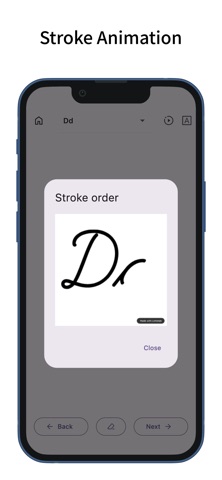
This app lets you practice cursive by tracing. It includes uppercase and lowercase letters, as well as words in multiple languages. You can also add your own words for custom practice. Practice Cursive - Trace to practice cursive writing. - Practice both uppercase and lowercase letters. - View animated stroke order for each letter. - Supports special characters in German and Spanish (ä, ö, ß, ü, ñ). - Practice words in multiple languages. - Includes over 100 words per language. - Supports words with accent marks. Cursive Languages - Switch between different cursive languages. - Supports English, German, Spanish, French, Italian, and Portuguese. - The app’s display language can be linked to the selected cursive language. - Use the search button to look up word meanings (opens in external browser). - You can also switch the search button to a share button. Custom Words - In “Custom,” you can display typed text in cursive. - Add typed text to "Custom Words" for practice. - Custom Words can be sorted and deleted. - Custom Words are shared across all cursive languages. Cursive Settings - Change the font of the example text. - Adjust the font size of the example text. - Switch example styles (with line, without line, or none). - Toggle between pen and eraser. - Change the pen’s thickness and color. - Enable or disable zooming. Customization - Supports dark mode. - You can also change the theme color. - Features a simple design based on Material Design.
What's new · 7.3.0
Fixed an issue where word and group management did not work properly.
Details