

Document Expiry
SPARC SOLUTIONS LLC · Productivity
Independent analytics for this App Store listing. AppTracker is not affiliated with SPARC SOLUTIONS LLC.
Chart standing · US
What changed · US
Listing changes AppTracker has observed for this app in this storefront — new versions, price moves, rating shifts, and store copy.
Fixes an issue in split view where selecting a different person, category, or attachment did not update the detail view on the right.
Price & rating history · US
Reconstructed from the listing changes AppTracker has observed in this storefront. A field is charted once it has changed more than once, and each line starts at the value it moved from.
Average rating · ★ 4.36 now · 3 changes on record
Ratings breakdown · US
The star breakdown behind this app's rating in this storefront.
In-app purchases · US
What this app sells inside itself, grouped by kind and priced for this storefront.
Screenshots


About
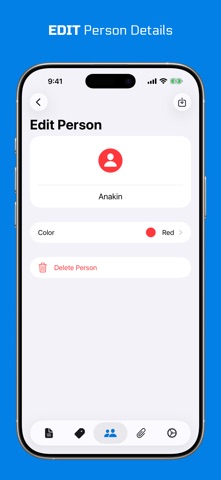
Keep important dates organized with Document Expiry. Track passports, licenses, insurance policies, memberships, subscriptions, certificates, and other documents in one convenient place. KEY FEATURES • Expiry tracking Save each document's expiry date and quickly see what is valid, approaching expiry, or already expired. • Custom reminders Choose how far in advance you want to be notified and set your preferred notification time. • Flexible organization Assign documents to people and categories, then search, sort, or group them by expiry, person, or category. • Useful attachments Add files, photos, or scanned multi-page PDFs to keep supporting information with each document. • iCloud sync Keep your document records available across your iPhone and iPad using your private iCloud account. • System search Find and open saved documents from Spotlight. Document Expiry helps you stay prepared for renewals without relying on scattered notes, calendars, or files.
What's new · 26.2
Fixes an issue in split view where selecting a different person, category, or attachment did not update the detail view on the right.
Details