

Calendar: To Do List & Notes
PLANNING TECHNOLOGIES LLC · Productivity
Independent analytics for this App Store listing. AppTracker is not affiliated with PLANNING TECHNOLOGIES LLC.
Chart standing · US
What changed · US
Listing changes AppTracker has observed for this app in this storefront — new versions, price moves, rating shifts, and store copy.
Improved performance and app stability Fixed minor bugs Improved overall app performance
Price & rating history · US
Reconstructed from the listing changes AppTracker has observed in this storefront. A field is charted once it has changed more than once, and each line starts at the value it moved from.
Average rating · ★ 4.57 now · 2 changes on record
Ratings breakdown · US
The star breakdown behind this app's rating in this storefront.
In-app purchases · US
What this app sells inside itself, grouped by kind and priced for this storefront.
Screenshots


Keywords this app targets
Search terms AppTracker associates with this app — estimates, not search volume. ❝ = in the app's title; a highlighted number is its current position for that term.
Similar apps
Competitors and close alternatives, as estimated by AppTracker.
 Calendars: Schedule Planner
Readdle Technologies Limited
Calendars: Schedule Planner
Readdle Technologies Limited
 Smart Planner: Calendar, Tasks
Komorebi Inc.
Smart Planner: Calendar, Tasks
Komorebi Inc.
 Bullet Journal
Satoshi Sato
Bullet Journal
Satoshi Sato
 Parchment: Agenda & Daily Note
Chris Lawley
Parchment: Agenda & Daily Note
Chris Lawley
 miCal - The missing Calendar
entwicklungsschmiede UG & Co KG
miCal - The missing Calendar
entwicklungsschmiede UG & Co KG
 iCalendar
Symfonies, Inc.
iCalendar
Symfonies, Inc.
 Structured: Daily Planner Todo
unorderly GmbH
Structured: Daily Planner Todo
unorderly GmbH
 Cal2Todo
Yasuko Shikiuchi
Cal2Todo
Yasuko Shikiuchi
About
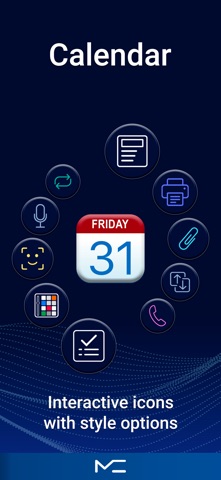
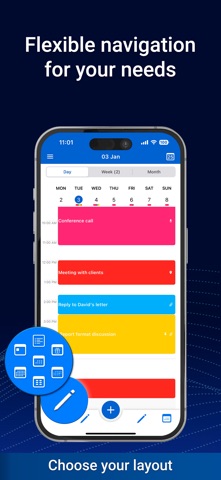
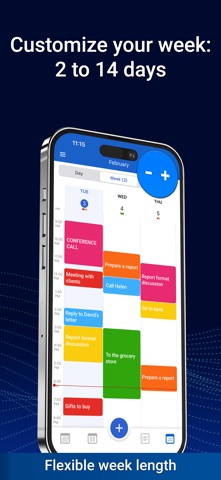
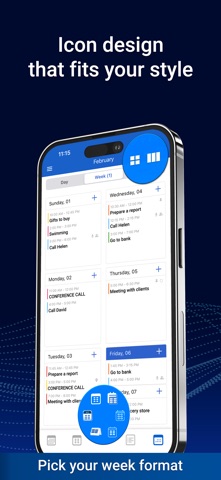
CALENDAR, TASKS, AND NOTES Calendar at the center. Tasks and notes right beside it. This is a simple, easy-to-use calendar that helps you stay in control of your day. Tasks and notes are built in, so you can plan everything in one place. No clutter. Just what you really need every day. Plan faster and more clearly • Create events in seconds • Day, week, month, and year views in one place • Easily adjust event times with drag and drop • Clear visual overview of your schedule • Works online and offline • Full sync with iCloud, Google, Outlook, Office365, and other calendars Flexibility that makes planning easier • Customizable bottom navigation — keep only the features you use most • Two week layouts: classic and agenda style • Flexible multi-day view (2 to 14 days) and three month view formats • Widgets, themes, and interface personalization • Clear structure without feeling overloaded Everything in one place • Tasks — simple lists and clear structure • Subtasks and category-based organization • Notes — list view or board view • Quick creation and editing • Seamless connection between events, tasks, and notes Free features • Core calendar features • Sync with Reminders • Widgets and interface customization • Recurring events and tasks • Custom week formats • Backup • Unlimited notes PRO features • Voice input for events, tasks, and notes • File attachments • Convert between events, tasks, and notes • Sharing and forwarding • Unlimited data and advanced features • App lock For everyday planning This calendar helps you organize events, tasks, and notes without extra complexity or unnecessary steps. Support planner@plantech.app Terms of Use https://mccalendar.app/terms_of_use.html Privacy Policy https://mccalendar.app/privacy_policy.html
What's new · 1.2.2
Improved performance and app stability Fixed minor bugs Improved overall app performance
Details