

Mandal-Act : goal management
seung won park · Productivity
Independent analytics for this App Store listing. AppTracker is not affiliated with seung won park.
Chart standing · US
What changed · US
Listing changes AppTracker has observed for this app in this storefront — new versions, price moves, rating shifts, and store copy.
- Added unique fonts for more personalized Mandalart creation - Delete sub-goals and actions at once for quick restructuring - Freely rearrange cells with drag and drop for optimal layout To check these updates, select a Mandalart on the Mandalart screen and tap the settings button at the bottom center.
In-app purchases · US
No in-app purchases.
Screenshots





Keywords this app targets
Search terms AppTracker associates with this app — estimates, not search volume. ❝ = in the app's title; a highlighted number is its current position for that term.
Similar apps
Competitors and close alternatives, as estimated by AppTracker.
 Unlimited Goals
The Virtually Unlimited Corp
1 shared topic
Unlimited Goals
The Virtually Unlimited Corp
1 shared topic
 Goal Streak: Habit Tracker
Emily Cheroske
1 shared topic · 1 shared title word
Goal Streak: Habit Tracker
Emily Cheroske
1 shared topic · 1 shared title word
 Aim: Goals & Progress Counter
times twelve OU
Aim: Goals & Progress Counter
times twelve OU
 Simple Tracker: Goals
Michael Neal
1 shared topic
Simple Tracker: Goals
Michael Neal
1 shared topic
 Leap Goals
Risaki Kawachi
1 shared topic
Leap Goals
Risaki Kawachi
1 shared topic
 Shared shopping list : basket
familiar Incorporated
1 shared topic
Shared shopping list : basket
familiar Incorporated
1 shared topic
 4ToDo
Robert Poetzsch
1 shared topic
4ToDo
Robert Poetzsch
1 shared topic
 Habit: Daily routine tracker
bondavi Inc.
1 shared topic
Habit: Daily routine tracker
bondavi Inc.
1 shared topic
About
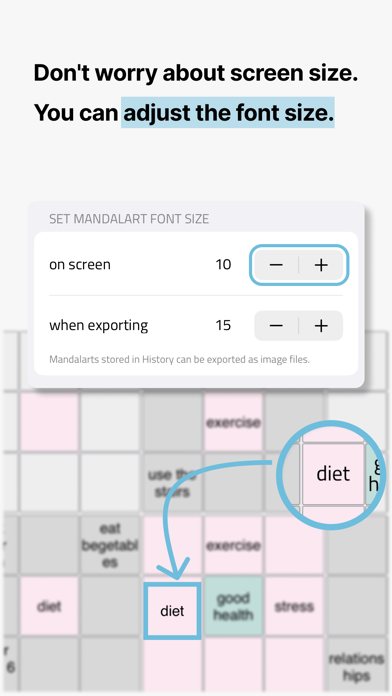
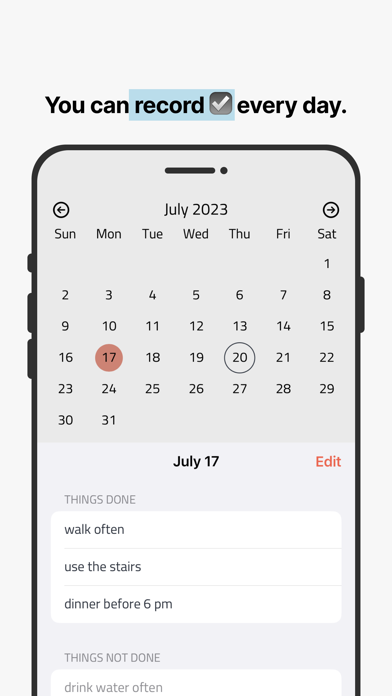
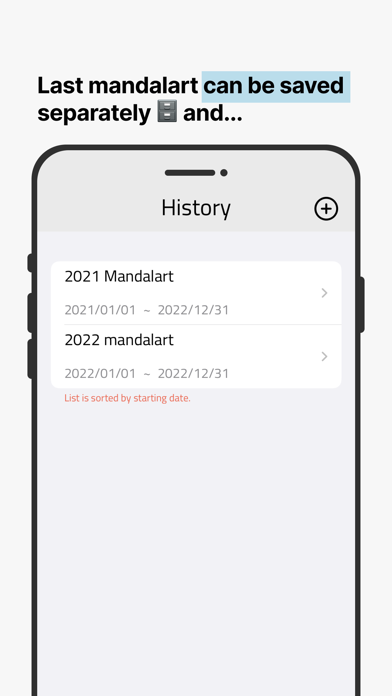
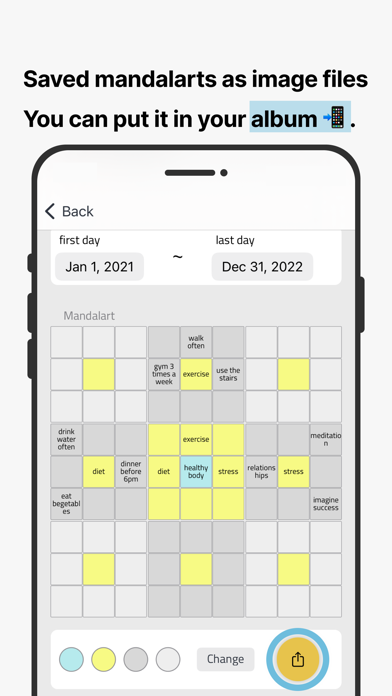
[Read Before Purchase] Since this is a paid app, please read the description thoroughly before deciding whether to purchase. [What is Mandalart?] Mandalart is a framework that visually organizes related keywords around a core keyword, allowing you to see everything at a glance. Users set a core goal as the central keyword, define detailed objectives to achieve that goal, and specify concrete action plans or mindsets for each objective. All of these elements are organized within the mandalart framework for clarity. [Purchase Policy] This app does not require registration and does not use a subscription model. It is a one-time purchase, and no additional features are locked behind in-app purchases. All updates are provided equally to all users. [Mandalart] The app begins with creating a mandalart. A mandalart consists of a 9x9 grid, totaling 81 squares. - The core goal is placed in the center square. - Surrounding the core are detailed objectives that make up the core goal. - The outer squares hold specific action plans or mindsets for each detailed objective. With this app, you can create multiple mandalarts simultaneously. Each mandalart can have its own independent theme, and text size can also be customized for each one. [Recording] You can tap on a date in the in-app calendar to check off what you’ve done that day and add notes for further details. Dates with records will be marked on the calendar. You can also review weekly and monthly logs of completed actions. [History] Mandalarts that are completed or no longer in use can be saved in the **History** section before being deleted. This allows you to store completed mandalarts, add reflections, and revisit your past progress. [Data Sync] The app supports data synchronization across devices logged into the same Apple account.
What's new · 2.0.3
- Added unique fonts for more personalized Mandalart creation - Delete sub-goals and actions at once for quick restructuring - Freely rearrange cells with drag and drop for optimal layout To check these updates, select a Mandalart on the Mandalart screen and tap the settings button at the bottom center.
Details