

Agerpoint Capture
AGERPOINT, INC · Utilities
Independent analytics for this App Store listing. AppTracker is not affiliated with AGERPOINT, INC.
Chart standing · US
What changed · US
Listing changes AppTracker has observed for this app in this storefront — new versions, price moves, rating shifts, and store copy.
- Adds integration with Meta AI Glasses. Use the new glasses icon to learn more. - Adds Shortcuts to easily start a Field Note. - Adds support for barcodes in ID steps of Workflows. - Bug fixes and other improvements throughout the app.
Ratings breakdown · US
The star breakdown behind this app's rating in this storefront.
In-app purchases · US
No in-app purchases.
Screenshots


About
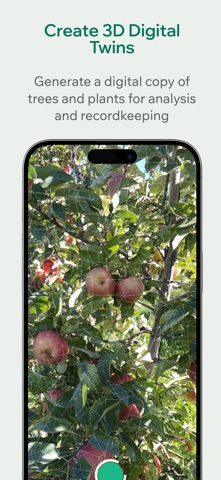
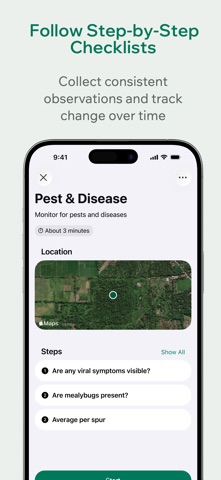
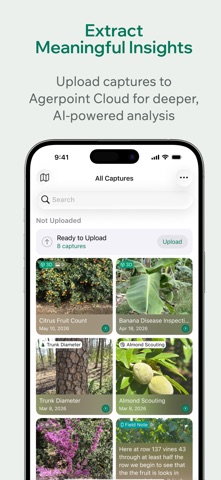
Bring your field observations together with Agerpoint Capture. Use Agerpoint Fieldwork to record location-tagged Field Notes and follow guided Workflows, or capture 3D scans of crops, trees, and plants from your iPhone or iPad. Now, connect compatible Meta AI Glasses to capture hands-free Field Notes while you work. FIELD NOTES THAT KEEP UP WITH YOU Document what you see with text, photos, video, and voice notes. Keep observations organized with location and time information for field scouting, inspections, and everyday operations. HANDS-FREE CAPTURE WITH AI GLASSES Record voice observations through compatible Meta AI Glasses and transcribe them into Field Notes in Agerpoint Capture. Document field conditions while keeping your hands available for the task at hand. GUIDED FIELDWORK Follow step-by-step Workflows to collect consistent observations across your team. Use repeatable checklists for crop health assessments, inspections, and routine field tasks. CAPTURE IN THE FIELD Collect field observations offline and upload when connectivity is available. Keep documenting your work in remote fields, orchards, greenhouses, and forests. CREATE DIGITAL TWINS Capture 3D scans of individual plants and planted areas using supported devices. Camera, GPS, and LiDAR where available help record visual and spatial data, while augmented reality feedback guides your capture. Inspect captures and 3D models on your device. CONNECT TO AGERPOINT CLOUD Upload captures to Agerpoint Cloud for deeper modeling, measurements, and AI-powered analysis. Combine mobile captures with drone, satellite, and other sensor data to build a more complete view of your crops and natural assets. Cloud uploads require an Agerpoint account subscription and Wi-Fi or cellular connectivity. Meta AI Glasses features require compatible glasses and setup. Feature availability depends on device capabilities and account access; connected services may require internet access. Use Agerpoint Capture only in safe, authorized environments. Stay aware of your surroundings while capturing data.
What's new · 1.7.1
- Adds integration with Meta AI Glasses. Use the new glasses icon to learn more. - Adds Shortcuts to easily start a Field Note. - Adds support for barcodes in ID steps of Workflows. - Bug fixes and other improvements throughout the app.
Details