

Image Converter: HEIC/JPG/PDF
佳伟 薛 · Utilities
Independent analytics for this App Store listing. AppTracker is not affiliated with 佳伟 薛.
Chart standing · US
What changed · US
Listing changes AppTracker has observed for this app in this storefront — new versions, price moves, rating shifts, and store copy.
Ratings breakdown · US
The star breakdown behind this app's rating in this storefront.
Screenshots


About
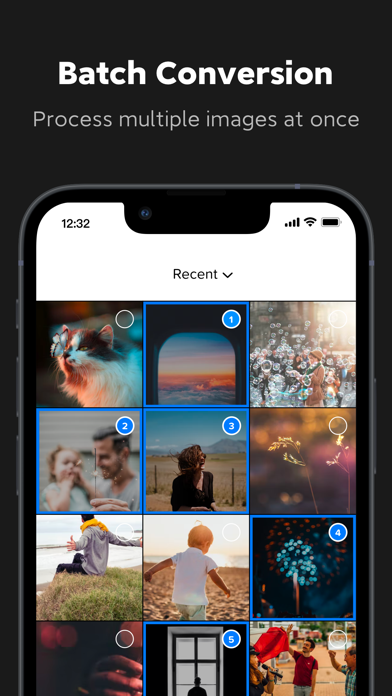
Easily convert the format of multiple image files. Help you convert image files between the most common formats. Easily and quickly convert image formats anytime on your iPhone, anywhere, and no longer have to worry about limited image formats. You can choose the output formats from the below step: 1. Import images from your file or camera. 2. Edit or crop your images. 3. Choose output format from available ones. 4. Rename the converted images. 5. Reduce image size and select image compression level. After conversion, you can immediately AirDrop your photos right to your Mac or another device. Easily convert the format of multiple image files. The Main Function: *Multiple conversion formats: support JPG, PNG, HEIC, PDF, SVG, EPS, WEBP, GIF, TIF, DOCX, AI, PAGES, and other mainstream formats for mutual conversion. *Multiple import Methods: You can import images from different sources in different ways, including album import, folder import, network link import, etc. *Easily export and share: After the format conversion is completed, export and share directly with one click. *Keep conversion history: You can find the conversion history at any time, choose to share again, or delete unnecessary files. Conversion is done on a secure cloud server, which makes conversion easier, faster and much more battery-friendly. You must have an internet connection to use this app. Files are immediately deleted from the server after conversion. While the files are immediately deleted after conversion or cancellation, you should be aware that by using this app, you agree that your files will be sent over to the internet from the app to the conversion server. Information about the auto-renewal of subscription: Monthly for $7.99/month The purchase will be charged to your iTunes account. An account will be charged for renewal within 24 hours prior to the end of the current period, and identify the cost of the renewal. Manage your subscription from User Settings in iTunes after purchase. Cancel the auto-renewing subscription from there at any time. Any unused portion of a free trial period, if offered, will be forfeited when the user purchases a subscription to that publication, where applicable. Privacy Policy: https://sites.google.com/view/image-converter-privacy-policy/homeland Terms of Use: https://sites.google.com/view/image-converter-terms-of-use/homeland
What's new · 1.3.2
- Improved User Experience - Miscellaneous improvements
Details