

Bluetooth: Headphones Finder
MELIORAPPS INTERACTIVE, SRL · Productivity
Independent analytics for this App Store listing. AppTracker is not affiliated with MELIORAPPS INTERACTIVE, SRL.
Chart standing · US
What changed · US
Listing changes AppTracker has observed for this app in this storefront — new versions, price moves, rating shifts, and store copy.
A fresh start for finding things nearby. • Redesigned screens and a refreshed app icon. • A free Map tab with spotting times, satellite view and walking directions. • Optional foreground location recording and local map history. • Improved Bluetooth scanning and a remembered Show unnamed devices option. • Finder Plus signal guidance, optional haptic cues and saved favorites. • Updated Settings and secure subscription purchases with Restore purchases.
Ratings breakdown · US
The star breakdown behind this app's rating in this storefront.
Screenshots



About
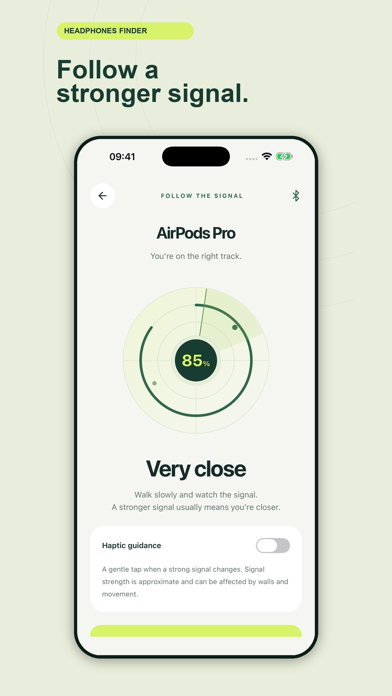
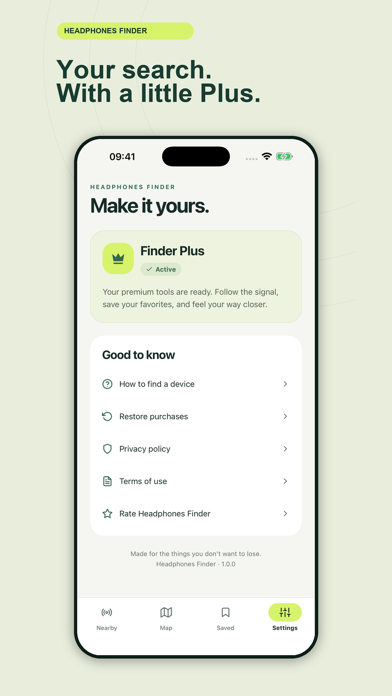
Lost nearby. Found together. Headphones Finder helps you look for headphones, earbuds, speakers and other nearby devices broadcasting a compatible Bluetooth Low Energy (BLE) signal. Scan for free, then revisit where your phone spotted them on the map. FREE SCANNING AND MAPS • Discover nearby devices, search by name and filter for headphones. • Choose whether to show unnamed Bluetooth devices. • View phone-observed places and their spotting times on the in-app map. • Use standard or satellite maps and open walking directions to a spotted place. • Enable optional foreground location recording while scanning or viewing the map. • Keep up to 200 automatic sightings locally on your device. FINDER PLUS • Follow live signal strength as you move. • Turn on optional haptic guidance. • Save familiar devices as favorites for your next search. • Keep saved favorite places alongside your map history. Saving a device can capture a location without enabling automatic recording. KNOW BEFORE YOU SEARCH Devices must be powered on, nearby and broadcasting a compatible BLE signal. Not every Bluetooth device can be discovered. Some devices stop broadcasting when asleep, inside a closed case or connected elsewhere. Signal strength is approximate and can change with walls, people and furniture; it is not an exact distance or direction. The app cannot find powered-off or remote devices. A map pin shows where your phone spotted a device, not the device's current location. Directions lead to that observed place. Location access is optional, and device scanning still works without it. Map history and saved favorites stay on this device. Opening directions shares the chosen destination with your maps app. This app is independent of Apple and does not use the Find My network. SUBSCRIPTIONS Finder Plus offers auto-renewing weekly and monthly subscriptions. The current price is shown before purchase. Payment is charged to your Apple Account at confirmation. Subscriptions renew unless canceled at least 24 hours before the end of the current period. Manage or cancel in your App Store account settings. Existing subscribers can use Restore purchases. The app interface is in English. Privacy Policy: https://www.meliorapps.org/privacy-policy Terms of Use: https://www.meliorapps.org/terms-of-service
What's new · 1.0.0
A fresh start for finding things nearby. • Redesigned screens and a refreshed app icon. • A free Map tab with spotting times, satellite view and walking directions. • Optional foreground location recording and local map history. • Improved Bluetooth scanning and a remembered Show unnamed devices option. • Finder Plus signal guidance, optional haptic cues and saved favorites. • Updated Settings and secure subscription purchases with Restore purchases.
Details