

Search-it
Sylvain Lafrance · Utilities
Independent analytics for this App Store listing. AppTracker is not affiliated with Sylvain Lafrance.
Chart standing · US
What changed · US
Listing changes AppTracker has observed for this app in this storefront — new versions, price moves, rating shifts, and store copy.
Search history is here — your recent searches appear as quick-tap chips below the search field. Long-press any chip to remove it, or clear them all with one tap. New All Categories mode lets you search every website at once, no matter which category it belongs to. Per-site toggle — tap the checkmark next to any site to include or exclude it from a search. Your choices are saved and synced across all your devices via iCloud. You can now drag categories and websites into any order. Tap the reorder button (↑↓) in the toolbar to rearrange them your way. Search-it is now available as a Home Screen widget and Lock Screen widget. Add one to jump straight to search without opening the app. Also in this update: haptic feedback when a search runs, improved URL encoding for more reliable results, and various bug fixes.
Ratings breakdown · US
The star breakdown behind this app's rating in this storefront.
In-app purchases · US
What this app sells inside itself, grouped by kind and priced for this storefront.
Screenshots



About
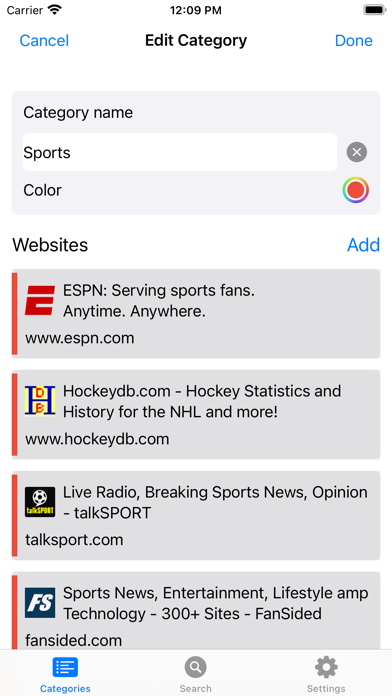
Searches for any keyword among different websites. Search-it can be used to search news, articles, social media, blog posts, best prices, part numbers, SKUs, or whatever you want! Search-it doesn’t use any search engine. It uses the search feature built-in in websites, so you get the most relevant, accurate, and recent results. Why use search engines when you can pinpoint your searches on your favorite websites. Features: -Works directly with the search feature of any website. -No search history or cookies recorded. -Export / Import search URLs -Browse results from the embedded web browser or from your default web browser. -Add URLs directly from your browser. -Share your results with anyone. -Sync across your iOS and iPadOS devices. -Dark and light themes. -Frequently updated. -Search from barcodes and QR Codes. How it works: -First, you need to create a category to which you add websites you want to search. -From the search page, add any keywords you want to search for, and Search-it will bring all the results from your favorite websites into a single screen. -You can then navigate through all results and find the correct information you are looking for. Privacy page: https://www.myrcbox.com/search-it/#PrivacyPolicy End user agreement: https://www.myrcbox.com/search-it/#EndUser
What's new · 2.2
Search history is here — your recent searches appear as quick-tap chips below the search field. Long-press any chip to remove it, or clear them all with one tap. New All Categories mode lets you search every website at once, no matter which category it belongs to. Per-site toggle — tap the checkmark next to any site to include or exclude it from a search. Your choices are saved and synced across all your devices via iCloud. You can now drag categories and websites into any order. Tap the reorder button (↑↓) in the toolbar to rearrange them your way. Search-it is now available as a Home Screen widget and Lock Screen widget. Add one to jump straight to search without opening the app. Also in this update: haptic feedback when a search runs, improved URL encoding for more reliable results, and various bug fixes.
Details