

Transkriptor Voice To Text
Alexey Beschetnikov · Medical
Independent analytics for this App Store listing. AppTracker is not affiliated with Alexey Beschetnikov.
Chart standing · US
What changed · US
Listing changes AppTracker has observed for this app in this storefront — new versions, price moves, rating shifts, and store copy.
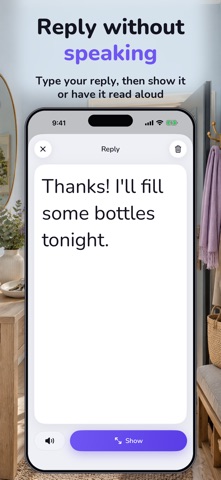
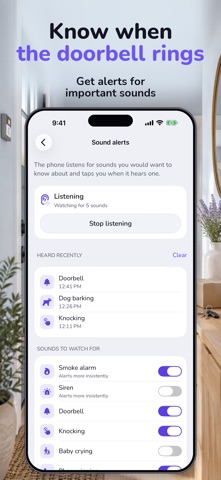
The app has been rebuilt — faster, clearer, with large text everywhere it is needed. SOUND ALERTS The phone listens for a doorbell, knocking, an alarm, a baby crying and a dog barking, and vibrates when it hears one. You choose which sounds to watch for. REPLY TO THE OTHER PERSON Type a reply and show it in large text, or have the app say it aloud — louder than usual. APPLE WATCH Conversation captions and sound alerts on your wrist while the app is open on your iPhone. NOTES A conversation can be saved as a note: a doctor's appointment, a parents' meeting, a call with the bank. Search and filter by language. QUICK START The Action button, Control Centre and Siri start captions straight away. The Lock Screen shows that recognition is running. SMALL THINGS A vibration for each recognised word. A setting to clear the text before recording.
Price & rating history · US
Reconstructed from the listing changes AppTracker has observed in this storefront. A field is charted once it has changed more than once, and each line starts at the value it moved from.
Average rating · ★ 5.00 now · 4 changes on record
In-app purchases · US
What this app sells inside itself, grouped by kind and priced for this storefront.
Screenshots


About
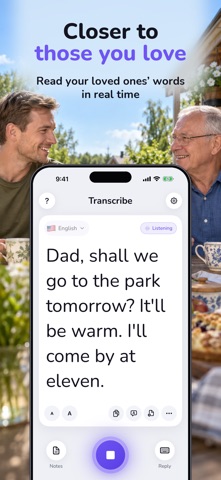
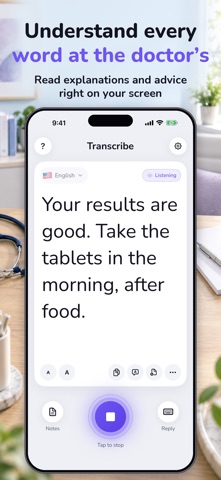
Transcribe converts voice to text and shows live captions for face-to-face conversations. Read what someone says in large text on your iPhone. Built for people who are deaf or hard of hearing, and for families looking for a way to communicate with a parent who has hearing loss. LIVE TRANSCRIPTION AND DICTATION Follow conversations at home, at a doctor's appointment or at a service desk. Use voice dictation to turn spoken words into text, and save a conversation transcript as a note to read later. Adjust the font size to make reading easier. TYPE A REPLY OR HAVE IT SPOKEN Write your response on the keyboard and show it to the other person, or have the app read your message aloud. Keep a conversation going when listening is difficult. SOUND ALERTS AND APPLE WATCH Receive vibration alerts for selected sounds, including a doorbell, knocking, a baby crying or a dog barking. Read captions and receive alerts on an Apple Watch paired with your iPhone. DOES SPEECH TO TEXT WORK OFFLINE? Transcribe supports speech recognition in more than 60 languages. Offline recognition is available for selected languages and compatible devices; it is not available for every language. Choose the speaker's language and start recognition. A subscription is required. A free trial is available under the offer's eligibility conditions. See the app for pricing and renewal terms. Subscription: $3.99 per month or $39.99 per year in the United States. The price where you are is shown in the app before you subscribe. Terms of Use: https://sites.google.com/view/livetranscribe/terms-of-use Privacy Policy: https://sites.google.com/view/livetranscribe/privacy-policy Support: developer.support.team@gmail.com
What's new · 1.8
The app has been rebuilt — faster, clearer, with large text everywhere it is needed. SOUND ALERTS The phone listens for a doorbell, knocking, an alarm, a baby crying and a dog barking, and vibrates when it hears one. You choose which sounds to watch for. REPLY TO THE OTHER PERSON Type a reply and show it in large text, or have the app say it aloud — louder than usual. APPLE WATCH Conversation captions and sound alerts on your wrist while the app is open on your iPhone. NOTES A conversation can be saved as a note: a doctor's appointment, a parents' meeting, a call with the bank. Search and filter by language. QUICK START The Action button, Control Centre and Siri start captions straight away. The Lock Screen shows that recognition is running. SMALL THINGS A vibration for each recognised word. A setting to clear the text before recording.
Details