

PDF Photos & PDF Converter
Techgear Inc · Business
Independent analytics for this App Store listing. AppTracker is not affiliated with Techgear Inc.
Chart standing · US
What changed · US
Listing changes AppTracker has observed for this app in this storefront — new versions, price moves, rating shifts, and store copy.
• Updated Home Screen UI for a cleaner and more intuitive experience. • Redesigned Tools UI for improved accessibility and easier navigation. • Performance improvements and bug fixes to enhance app stability.
Price & rating history · US
Reconstructed from the listing changes AppTracker has observed in this storefront. A field is charted once it has changed more than once, and each line starts at the value it moved from.
Average rating · ★ 4.67 now · 2 changes on record
Screenshots



About
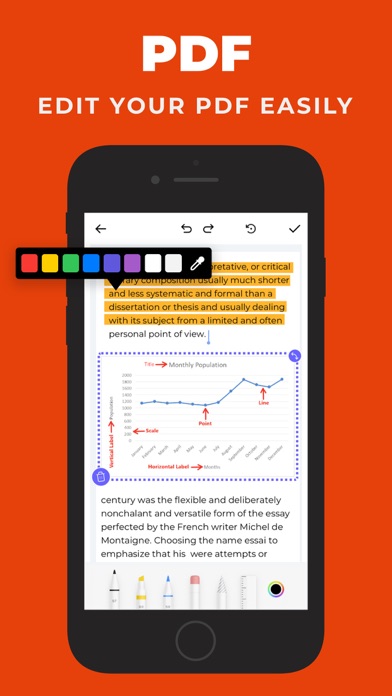
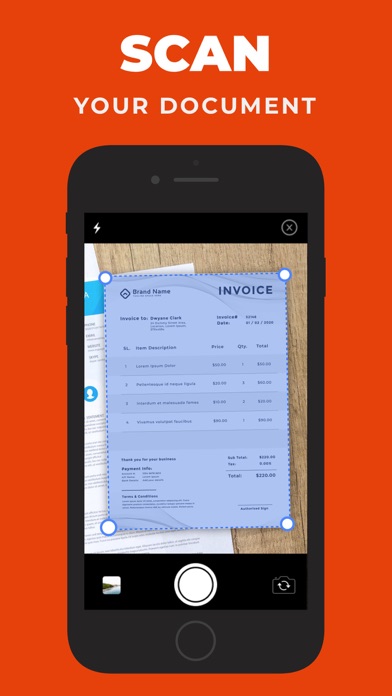
Business-Centric PDF Editor & Scanner App All-in-one PDF editor and scanner tool to convert any files such as images and documents into PDF and vice-versa. The application comes pre-loaded with a rich feature-set and tools such as signing, annotating, etc. With the PDF Editor and Scanner, you can convert your documents into PDFs, PDFs into photos, and vice-versa. Easily import your files from the Drive, Files, and Phone Gallery. The user interface of PDF Converter is very friendly and easy to navigate through. It is an ultimate converter, annotator, scanner, and editor application for iPhone. Exclusive Features You Get in the App Document to PDF Converter Quickly convert any documents into PDFs. Add your signature to created PDFs. Browse from a collection of stamps and add to your PDfs. Convert PDFs as PNG, JPEG, GIF, TIFF, ICO, or WEBP. Photo to Text Converter Scan documents with the phone’s camera and convert them into PDFs. Extract text from PDFs. Convert PDFs to text Photos to PDF Converter Transform your photos to PDFs. Set the margin and layout of your PDFs Orientate PDFs to Landscape, Portrait, etc. PDF to Image Converter Convert PDF to images in different formats. Set the margin and layout of your PDFs Orientate PDFs to Landscape, Portrait, etc.
What's new · 1.56
• Updated Home Screen UI for a cleaner and more intuitive experience. • Redesigned Tools UI for improved accessibility and easier navigation. • Performance improvements and bug fixes to enhance app stability.
Details