

Afterlight Video Editor
Afterlight Collective, Inc · Photo & Video
Independent analytics for this App Store listing. AppTracker is not affiliated with Afterlight Collective, Inc.
Chart standing · US
What changed · US
Listing changes AppTracker has observed for this app in this storefront — new versions, price moves, rating shifts, and store copy.
· Bug fixes & improvements. —— Thank you for using & supporting Afterlight Video! Have a question? Contact us at https://afterlight.co/
Price & rating history · US
Reconstructed from the listing changes AppTracker has observed in this storefront. A field is charted once it has changed more than once, and each line starts at the value it moved from.
Average rating · ★ 4.59 now · 2 changes on record
Screenshots


About
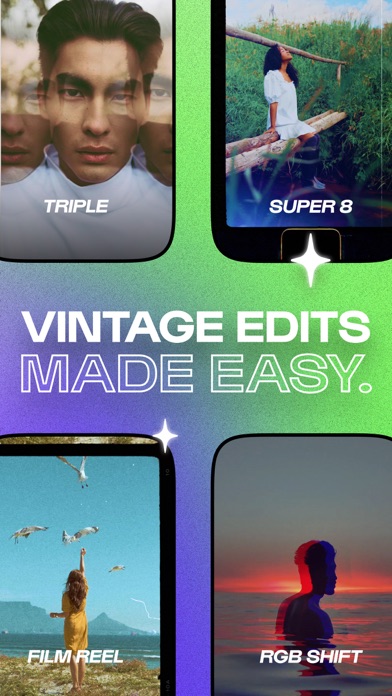
Meet AFTERLIGHT VIDEO — Your new mobile video editing companion. Tell your story by creating film-inspired aesthetics with our one tap Presets, authentic film overlays and wide range of creative tools. — { VINTAGE PRESETS IN ONE TAP } Use our ever growing list of powerful one tap Presets to suit any mood. Quickly and easily add a Preset and fully customize for an original, film-inspired aesthetic. • Keep editing time to a minimum by choosing one of 29+ full-edit Presets, applied in a single tap. • Inspired by a variety of camera and film types and created with old film videography in mind. • Our Presets include a selection of filters, overlays, frames and unique effects. • Tap for a Preset preview, tap again to edit. • Love one aspect but aren’t keen on another in your chosen Preset? Remove it! You’re in control. • More Presets to come in each update! — { AUTHENTIC FILM OVERLAYS } Experiment with authentic overlays created from real film scans. Choose from Dust, Light Leak, and Glitch overlays to enhance your video, with more overlays added in future updates. — { SEAMLESS CLIP TRANSITIONS } Upload multiple clips, then use the transition button in your video timeline to experiment with a range of creative transition styles. More transition styles to come in future updates! — { CLIP EDITING & ADJUSTMENTS } Play around with a selection of 32 Filters and edit to your heart’s content. Use our clip selector for precision editing: Trim, Flip/Rotate, Speed up and lower FPS for a visually stunning, cinematic feel. Finalize your edits with powerful adjustment tools like: Brightness, Contrast, Vibrance, Chroma, Grain, Clarify, Glow, Exposure, Highlights, Shadows, Temp, Tint. — { AFTERLIGHT VIDEO MEMBERSHIP TERMS } Subscribe now for full access to all features and future content within Afterlight Video. Subscriptions can be billed monthly, OR annually with a 7-day free trial ( for first time users ). Once the trial period is over, your Apple ID account will be charged the annual subscription fee. Subscriptions automatically renew unless auto-renew is turned off at least 24 hours before the end of the current period. Your Afterlight Video Membership can be managed in your account settings on the App Store under your Account > Subscriptions. Privacy & Terms — https://afterlight.co/privacy Have a question? — https://afterlight.co/support Follow us — Instagram @afterlight TikTok @afterlightapp
What's new · 2.0
· Bug fixes & improvements. —— Thank you for using & supporting Afterlight Video! Have a question? Contact us at https://afterlight.co/
Details