

FlowSavvy: AI Schedule Planner
Schezzy LLC · Productivity
Independent analytics for this App Store listing. AppTracker is not affiliated with Schezzy LLC.
Chart standing · US
What changed · US
Listing changes AppTracker has observed for this app in this storefront — new versions, price moves, rating shifts, and store copy.
- Added integrations with Google Tasks, Microsoft To Do, and Apple Reminders - Bug fixes & performance improvements Thanks for using FlowSavvy! If you're enjoying the app, please give us a rating!
Price & rating history · US
Reconstructed from the listing changes AppTracker has observed in this storefront. A field is charted once it has changed more than once, and each line starts at the value it moved from.
Average rating · ★ 4.82 now · 2 changes on record
Ratings breakdown · US
The star breakdown behind this app's rating in this storefront.
In-app purchases · US
What this app sells inside itself, grouped by kind and priced for this storefront.
Screenshots




About
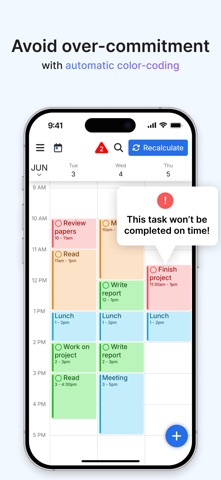
FlowSavvy is an AI Schedule that intelligently plans tasks from your to-do list into your calendar so you can see exactly what needs to get done and when. Advanced Auto-Scheduling: • Automatically split tasks when they don’t fit in your schedule • Automatically balance your workload over multiple days • Automatically rebuild your schedule whenever you make a change • 1-click recalculate your entire schedule when you get behind • Generate your perfect schedule from your to do list up to 8 weeks ahead • Customizable auto-scheduling settings • Customizable scheduling hours (Work hours, Personal hours, etc.) Task/Event Features: • Set due dates and durations and have FlowSavvy decide where to schedule them or fix them to a specific time • Repeating events and tasks • Partial completes and progress tracking • Complete tasks directly from the calendar • All day events and busy/free events • Organize tasks in lists Other features: • Push notification reminders • Sync with Google Calendar, iCloud, and Outlook • Integrations with Todoist, Zapier, AI assistants (MCP), and API access • Multiple calendar views and to-do list views • Unlimited events, tasks, and calendars • Capture tasks in the inbox, schedule them later • Dark mode and custom colors for events and tasks • Home screen widgets that show your schedule offline for a week Terms of Use: https://www.apple.com/legal/internet-services/itunes/dev/stdeula/
What's new · 3.18
- Added integrations with Google Tasks, Microsoft To Do, and Apple Reminders - Bug fixes & performance improvements Thanks for using FlowSavvy! If you're enjoying the app, please give us a rating!
Details