

Onlynote:memo,check list,notes
APPS BAY LIMITED · Productivity
Independent analytics for this App Store listing. AppTracker is not affiliated with APPS BAY LIMITED.
Chart standing · US
What changed · US
Listing changes AppTracker has observed for this app in this storefront — new versions, price moves, rating shifts, and store copy.
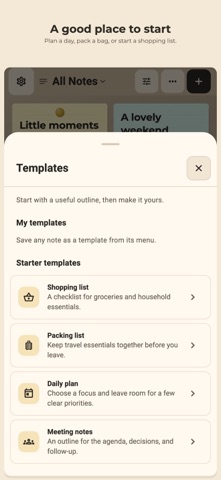
- New stationery-inspired note themes, including Premium styles. - Simpler style controls and search for folders, templates and saved views. - Copy note text and checklist items, with clearer note history. - Clearer search results, reminder details and backup feedback.
Ratings breakdown · US
The star breakdown behind this app's rating in this storefront.
In-app purchases · US
What this app sells inside itself, grouped by kind and priced for this storefront.
Screenshots



About
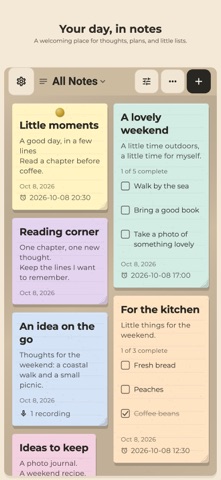
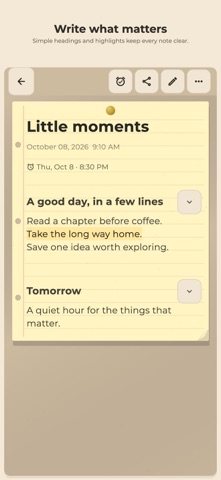
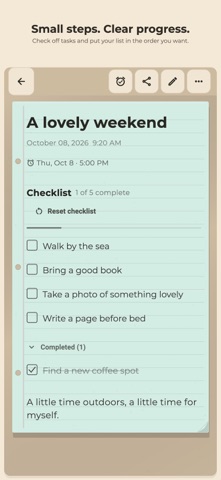
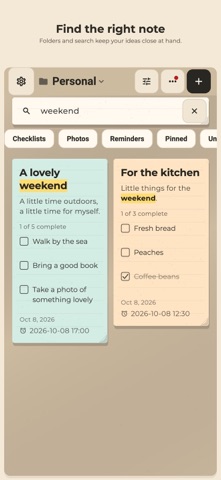
Onlynote is a simple, free note-taking and to-do list app. No account or sign-up required — everything is stored privately on your device. FEATURES - Home Screen widget: see pinned and recent notes without opening the app, and tap New to start writing - Folders: organize notes into folders, switch between them from the title bar, and manage them in Settings - Search: quickly find notes by title or content - Trash: recover deleted notes or delete them forever - Notes & checklists: write free-form notes or create to-do/checklist items - Photos: attach photos to any note - Reminders: set a reminder with a local notification so you never forget - Swipe to delete: swipe any checklist item to delete it, in any order - Auto-sort: checked items automatically move to the bottom of the list - Drag to reorder: long-press and drag notes on the home screen to reorder them - Share as image: export and share any note as an image - Customize: choose note colors, font style, font size, and card size in Settings - Privacy controls: read the privacy policy and change ad personalization any time in Settings - Fast & offline: works fully offline, with no internet connection required Whether you need a shopping list, a daily task manager, a quick memo, or a place to keep photos with notes, Onlynote keeps it simple and private.
What's new · 1.7.0
- New stationery-inspired note themes, including Premium styles. - Simpler style controls and search for folders, templates and saved views. - Copy note text and checklist items, with clearer note history. - Clearer search results, reminder details and backup feedback.
Details