

Expert Sign: eSign PDF Docs
Julien meyer · Utilities
Independent analytics for this App Store listing. AppTracker is not affiliated with Julien meyer.
Chart standing · US
What changed · US
Listing changes AppTracker has observed for this app in this storefront — new versions, price moves, rating shifts, and store copy.
A completely redesigned Expert Sign. • Keep several signatures and choose one in a tap • Import a photo of your handwritten signature • Resize a signature by pulling its corner, duplicate it to initial every page • Sharper signatures and dates on the final PDF • A brand-new look, now in 11 languages
Ratings breakdown · US
The star breakdown behind this app's rating in this storefront.
Screenshots

About
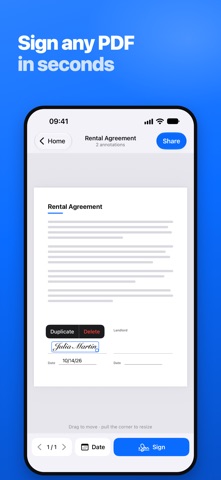
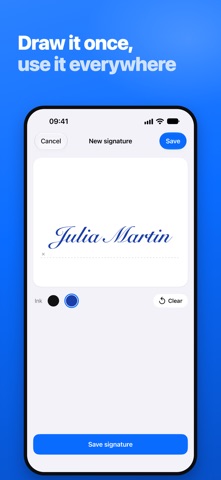
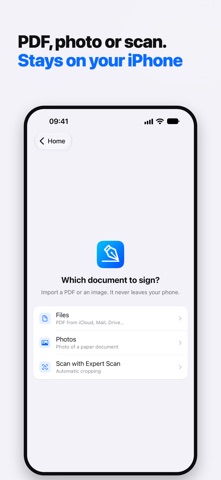
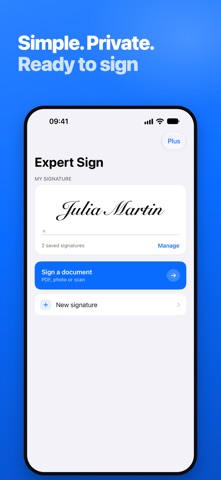
Sign any document in seconds. Expert Sign turns your iPhone into a pocket signature pad: save your signature once, drop it on any PDF or photo of a document, and send it straight back. Open the file, sign it, share it. That is the whole app. WHAT YOU CAN DO • Draw your signature with your finger, in black or blue ink • Keep several signatures and initials, and pick the right one in a tap • Import a photo of your handwritten signature: the paper background is removed automatically • Sign PDF documents and photos of paper documents • Add today's date in one tap • Drag to place each signature exactly where it belongs, pull the corner to resize it • Duplicate a signature to initial every page • Import from Files, Photos, Mail, iCloud Drive or any cloud service • Import straight from Expert Scan to sign what you just scanned • Export by email, by message, or into any other app BUILT FOR PAPERWORK THAT WILL NOT WAIT Rental agreements, NDAs, school forms, delivery notes, invoices, consent forms, employment contracts: anything that arrives as a PDF and has to go back signed today. PRIVATE BY DESIGN Your documents are signed right on your iPhone. They are never uploaded to our servers. FREE TO TRY Sign your first 10 documents for free. Expert Sign Plus, a one-time purchase, unlocks unlimited signing and removes ads. Part of the Expert suite, alongside Expert Scan. Questions or ideas: https://jmapp.com
What's new · 1.8
A completely redesigned Expert Sign. • Keep several signatures and choose one in a tap • Import a photo of your handwritten signature • Resize a signature by pulling its corner, duplicate it to initial every page • Sharper signatures and dates on the final PDF • A brand-new look, now in 11 languages
Details