

FireStick Universal TV Remote
PIRON APPS · Utilities
Independent analytics for this App Store listing. AppTracker is not affiliated with PIRON APPS.
Chart standing · US
What changed · US
Listing changes AppTracker has observed for this app in this storefront — new versions, price moves, rating shifts, and store copy.
-Minor Bug Fixes -UI Improvements -Functionality Improvements
Price & rating history · US
Reconstructed from the listing changes AppTracker has observed in this storefront. A field is charted once it has changed more than once, and each line starts at the value it moved from.
Average rating · ★ 3.92 now · 5 changes on record
Ratings breakdown · US
The star breakdown behind this app's rating in this storefront.
In-app purchases · US
What this app sells inside itself, grouped by kind and priced for this storefront.
Screenshots
About
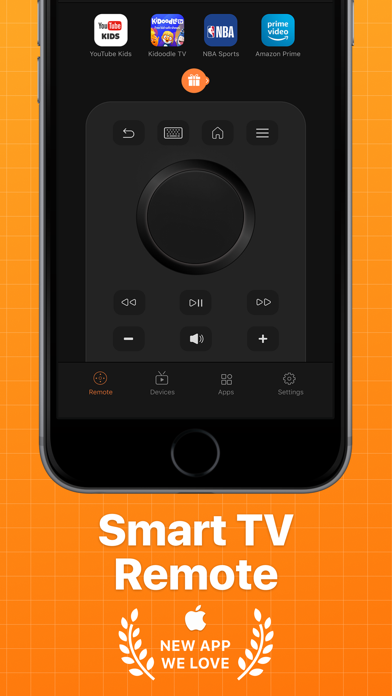
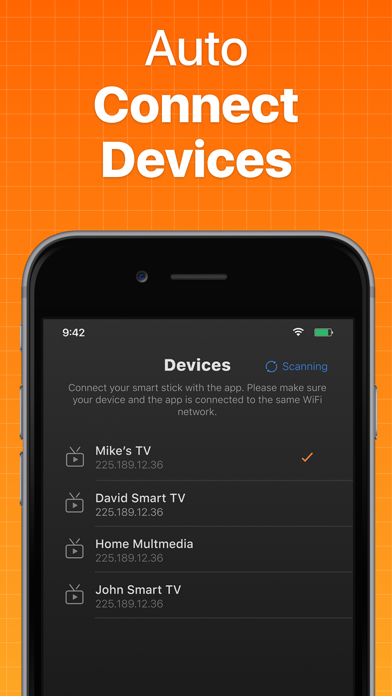
Smart TV Remote Control is specifically designed to bring an easy remote to control your TV. Just connect your remote control app to your TV and start controlling it.. Smart TV Remote control provides you with many useful features such as: Fully Functional TV Remote Control Stable Device Connection Mechanism Fast Keyboard for Quick Search Channel Shortcuts for easy access Automatic Connection to Devices Please make sure that your phone is connected to the same Wi-Fi network as your TV. Here is how the app works with your TV: Install this app on your phone. Launch and tap on the device connection screen. Wait for a few seconds for the app to find and connect with your TV. Start using the remote control.It is that simple. Premium Screen: You can be a premium user through an auto-renewing subscription: 1-Month Plan, first 3 days free and then $1.99/Month- Payment will be charged to iTunes Account at confirmation of purchase- Subscription automatically renews unless auto-renew is turned off at least 24-hours before the end of the current period- Account will be charged for renewal within 24-hours prior to the end of the current period, and identify the cost of the renewal – Subscriptions may be managed by the user and auto-renewal may be turned off by going to the user’s Account Settings after purchase - You may cancel a subscription during its free trial period via the subscription setting through your iTunes account. This must be done 24 hours before the end of the subscription period to avoid being charged. Please visit http://support.apple.com/kb/ht4098 for more information - You may turn off the auto-renewal of your subscription via your iTunes Account Settings. However, you are not able to cancel the current subscription during its active period- Any unused portion of a free-trial period, will be forfeited when the user purchases a subscription Privacy Policy: https://1drv.ms/t/s!AhFqsfV6n6ePbZ-D1y5mhg_VWxg Terms of Usage: https://1drv.ms/t/s!AhFqsfV6n6ePblD397_rLo_cfV4?e=BauqUz If you have any query, feel free to contact us at contactus@pironapps.com
What's new · 1.6
-Minor Bug Fixes -UI Improvements -Functionality Improvements
Details