

BCC Text: Private Mass Texting
One Step LLC · Utilities
Independent analytics for this App Store listing. AppTracker is not affiliated with One Step LLC.
Chart standing · US
What changed · US
Listing changes AppTracker has observed for this app in this storefront — new versions, price moves, rating shifts, and store copy.
A fresh new look, a friendlier first-run walkthrough, and helpful tips that show you the fastest way to send. You'll now get an alert if a photo fails to load from iCloud.
Price & rating history · US
Reconstructed from the listing changes AppTracker has observed in this storefront. A field is charted once it has changed more than once, and each line starts at the value it moved from.
Average rating · ★ 4.26 now · 12 changes on record
Ratings breakdown · US
The star breakdown behind this app's rating in this storefront.
In-app purchases · US
What this app sells inside itself, grouped by kind and priced for this storefront.
Screenshots



About
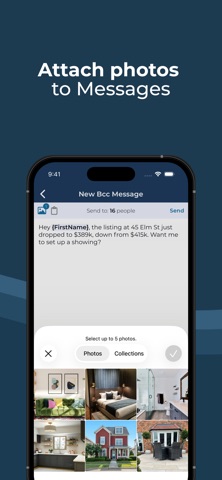
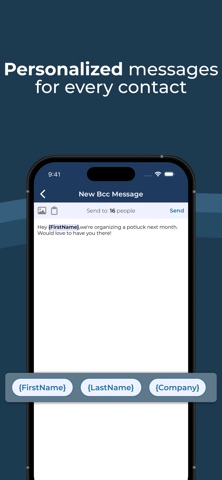
Save time sending group texts, without creating a group chat. BCC Text lets you send individual messages to many people at once, using your own number in the Messages app, Google Voice, or WhatsApp. Each person gets a private text as if you typed it by hand. What you can do • Send private, one-to-one messages to multiple contacts • Automate with Shortcuts to send a whole group message with one tap • Personalize messages automatically with tokens like first names • Create unlimited groups you message often • Save reusable message templates for messages you send often • Import contacts from CSV instantly • Add photos to messages when using the Messages app • Choose how each contact is sent: Messages, Google Voice, or WhatsApp Why people use it Perfect for friends, family, clients, clubs, teams, small businesses, event organizers, and anyone who needs to send the same message to many people, privately. Private by design No personal data is stored or accessed. Temporary photo uploads for Shortcuts are automatically deleted once your message is sent. By using BCC Text, you agree to our Terms of Service (https://bcctext.com/terms) and Privacy Policy (https://bcctext.com/privacy).
What's new · 3.7.0
A fresh new look, a friendlier first-run walkthrough, and helpful tips that show you the fastest way to send. You'll now get an alert if a photo fails to load from iCloud.
Details