

Realsee 3D virtual tour
Beike-Realsee-Technology-HK-Limited · Lifestyle
Independent analytics for this App Store listing. AppTracker is not affiliated with Beike-Realsee-Technology-HK-Limited.
Chart standing · US
What changed · US
Listing changes AppTracker has observed for this app in this storefront — new versions, price moves, rating shifts, and store copy.
Galois RTK High-Precision Positioning + Upgraded Lightweight Fusion Capture [Galois RTK High-Precision Positioning] Connect your Galois device to an RTK receiver (RX2/TX2 and other Bluetooth devices) and see live RTK status on the capture page (Fixed / Float / No Signal), so the precision of every point is clear at a glance. A new RTK settings page lets you configure network and Bluetooth connections, and RTK solution data is fully preserved when uploading and downloading projects. [Upgraded Lightweight Fusion Capture] Freely switch between phone capture, gimbal capture, 360° camera capture, and album import within the same project, adjust the number of capture rounds on the capture page, and enjoy a more thoughtful onboarding experience. [Poincare Blind Capture] Import trajectory data from your device and seamlessly continue processing content captured offline. [Performance & Stability] Faster data validation and a more stable connection for Poincare; improved project list caching and refresh behavior, with status updating automatically after uploads finish. [More Improvements] Swipe-back gesture support; fixed Home Screen widgets and Live Activities not updating upload/processing status; Push notifications take you straight to the relevant page; improved image cropping for uploads; refined translations and UI copy across the app. Update now for a more precise and smoother capture experience!
Ratings breakdown · US
The star breakdown behind this app's rating in this storefront.
In-app purchases · US
What this app sells inside itself, grouped by kind and priced for this storefront.
Screenshots


About
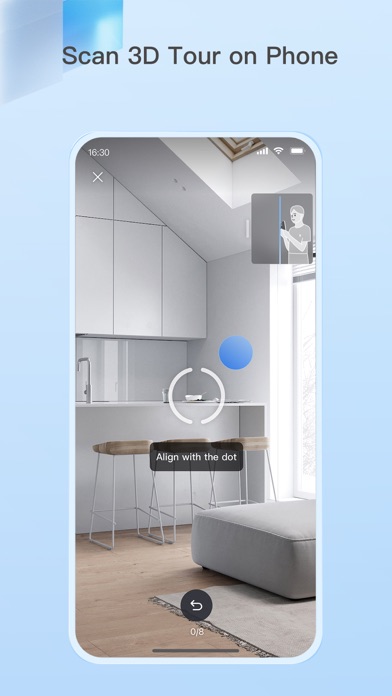
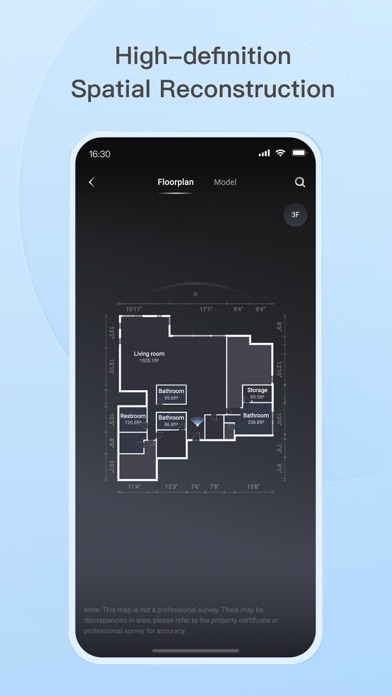
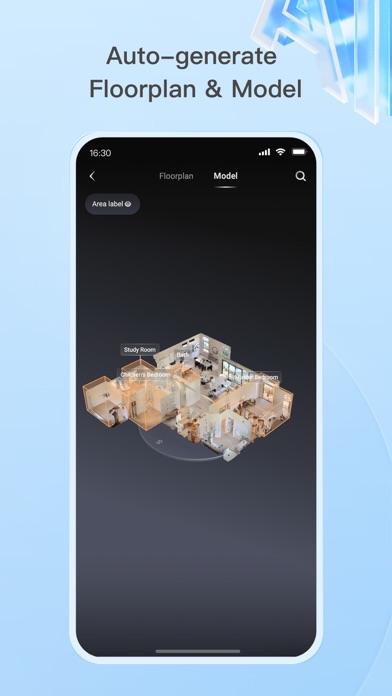
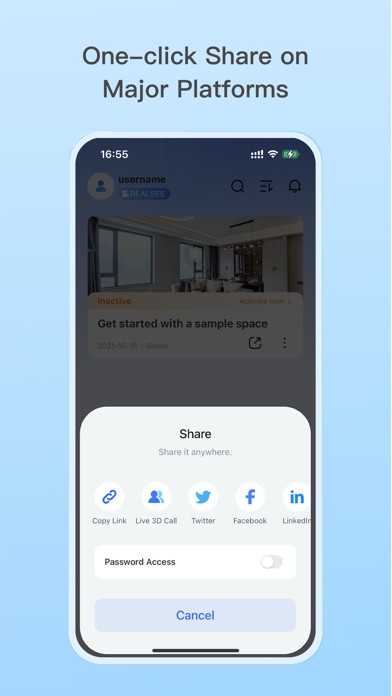
The Realsee app lets you capture 3D virtual tours of real-world spaces using your smartphone, Insta360 camera, Ricoh Theta camera, or a compatible 3D lidar scanner. Here's what you can do: 1. Capture 3D Tours: Simply download the app and scan your space anytime with various device options. Realsee automatically creates a 3D walkthrough (VR tour) for you. 2. Edit and Manage Your Space: Realsee offers basic in-app editing tools like adding guided tours, hotspots, and labels. Additionally, the PC console unlocks powerful features like floor plan creator, custom branding options, route creation, high-resolution downloads (16K panoramas, videos) and point cloud E57 files, obj models, dwg CAD files which can be used in autocad or other 3D modeling softwares. 3. Share and Collaborate: Easily share your 3D virtual tour using a link on your own website, social media, or with clients. This is ideal for showcasing real estate properties, room design, marketing hotels and restaurants, or remotely inspecting facilities and construction sites. Additional Benefits: Realsee offers all in one function like capture, upload, preview, and storage. You can also create DIY floor plans, sync with Google Street View, and add your own marketing materials while clients explore the space. Who Can benefit from Realsee? Realsee's 3D digital twin technology empowers a wide range of professionals and individuals: - Photographers: Expand your services by offering 3D capture and virtual tours alongside traditional photography. Provide a more comprehensive solution by combining stunning visuals with immersive 3D experiences. - Real Estate Professionals: - Realtors and Brokers: Create virtual tours to showcase properties, allowing potential buyers to explore listings remotely, saving time and increasing engagement. - Property Managers: Showcase rental properties virtually, reducing the need for physical tours and attracting a wider audience. - Architects and Home builders: Share 3D models with clients for better visualization and collaboration on design projects. - Construction and Engineering Firms: - Document construction progress with 3D scans for remote monitoring and collaboration, or compare with BIM files. - Create 3D models of existing buildings for renovation or maintenance planning. - Facility Management: Create virtual tours of facilities for training, planning, and remote inspections. - Hospitality: Showcase hotels, resorts, or event spaces with immersive 3D tours, enhancing guest experiences. - Other Industries: - Retailers: Showcase product showrooms or store layouts with virtual tours for a more engaging online shopping experience. - Museums and Educational Institutions: Create virtual tours of exhibits or historical sites for remote access and education. - Insurance and Restoration Companies: Capture 3D scans of damaged properties for faster and more accurate assessments. Even individuals can benefit from Realsee by creating 3D models of their homes for personal documentation, sharing with family and friends far away. Ultimately, Realsee empowers anyone who needs to capture, share, and analyze spatial data for various purposes.
What's new · 3.66.1
Galois RTK High-Precision Positioning + Upgraded Lightweight Fusion Capture [Galois RTK High-Precision Positioning] Connect your Galois device to an RTK receiver (RX2/TX2 and other Bluetooth devices) and see live RTK status on the capture page (Fixed / Float / No Signal), so the precision of every point is clear at a glance. A new RTK settings page lets you configure network and Bluetooth connections, and RTK solution data is fully preserved when uploading and downloading projects. [Upgraded Lightweight Fusion Capture] Freely switch between phone capture, gimbal capture, 360° camera capture, and album import within the same project, adjust the number of capture rounds on the capture page, and enjoy a more thoughtful onboarding experience. [Poincare Blind Capture] Import trajectory data from your device and seamlessly continue processing content captured offline. [Performance & Stability] Faster data validation and a more stable connection for Poincare; improved project list caching and refresh behavior, with status updating automatically after uploads finish. [More Improvements] Swipe-back gesture support; fixed Home Screen widgets and Live Activities not updating upload/processing status; Push notifications take you straight to the relevant page; improved image cropping for uploads; refined translations and UI copy across the app. Update now for a more precise and smoother capture experience!
Details