

BigInt Calculator
Viktor Pobedria · Utilities
Independent analytics for this App Store listing. AppTracker is not affiliated with Viktor Pobedria.
Chart standing · US
What changed · US
Listing changes AppTracker has observed for this app in this storefront — new versions, price moves, rating shifts, and store copy.
Version 4.5 - A new result screen: as many digits as fit, the digit count and the order of magnitude - See every digit of a huge result, jump to any digit, share it as text, a file or an image card - mod with fast modular powers, factorial (!), gcd, lcm, binom, isprime and nextprime - Hexadecimal and binary numbers; choose 10, 50, 100 or 1000 decimal places - Scientific notation (6.022e23) and superscript powers (2¹²⁷) - History of recent calculations - Digits in easy-to-read groups; ≈ marks results that are not exact - Long calculations show their progress and can be canceled - Keyboard bar keys insert at the cursor, plus a new ! key - Better VoiceOver support - On Mac: Edit and View menu commands with keyboard shortcuts - Help with examples of what the calculator understands
Price & rating history · US
Reconstructed from the listing changes AppTracker has observed in this storefront. A field is charted once it has changed more than once, and each line starts at the value it moved from.
Average rating · ★ 4.60 now · 2 changes on record
In-app purchases · US
No in-app purchases.
Screenshots





About
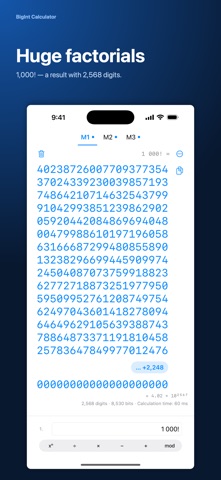
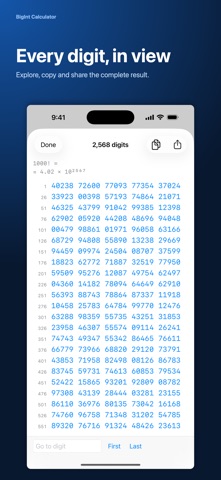
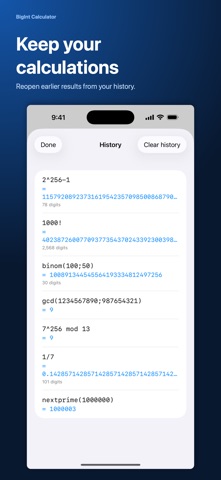
A calculator for those who need more than standard precision. Integers of any size stay exact — no overflow, no lost digits. Fractions and square roots are shown to 10, 50, 100 or 1000 decimal places, as you choose. Multiplying numbers thousands of digits long takes milliseconds, and independent parts of an expression are computed in parallel on all CPU cores. Features - Addition, subtraction, multiplication, division - Powers and square roots (0.5, 1.5, 2.5…) - Parentheses and correct operator precedence - mod with fast modular powers: 3^(2^127-2) mod (2^127-1) takes an instant - Factorial (!) and the functions gcd, lcm, binom, isprime and nextprime - Hexadecimal and binary: integer results in hex, numbers like 0xff and 0b101 - Scientific notation (6.022e23) and superscript powers (2¹²⁷) - Three independent tabs M1, M2, M3 for parallel work - Keyboard bar with ( ) − √ ! on iPhone and iPad - Your tabs are saved between launches; Undo after clearing - History of recent calculations - A result screen with as many digits as fit, the digit count and the order of magnitude; ≈ marks results that are not exact - Every digit of a huge result in numbered rows, with a jump to any digit - Live progress and elapsed time for long calculations, with a Cancel button - Copy the result with one tap and the expression from the menu; share a result as text, a file or an image card - VoiceOver support; on Mac, menu commands and keyboard shortcuts - Built-in help with examples - Alternative symbol support: × ÷ : and a comma as decimal separator How it works Type a power with ^: 2^127-1. An exponent of 0.5 is a square root: 2^0.5. Parentheses work as in mathematics: (2+3)*4. mod has the lowest precedence: 2^255-19 mod 8. Function arguments are separated by a semicolon: gcd(12; 18). On iPhone, functions and 0x numbers are typed on a hardware keyboard or pasted. Who it's for - Students and math teachers - Developers working with cryptography and large primes - Number theory researchers - Anyone hitting the limits of ordinary calculators No ads, no trackers, no accounts. Works on smartphone, tablet, and computer.
What's new · 4.5
Version 4.5 - A new result screen: as many digits as fit, the digit count and the order of magnitude - See every digit of a huge result, jump to any digit, share it as text, a file or an image card - mod with fast modular powers, factorial (!), gcd, lcm, binom, isprime and nextprime - Hexadecimal and binary numbers; choose 10, 50, 100 or 1000 decimal places - Scientific notation (6.022e23) and superscript powers (2¹²⁷) - History of recent calculations - Digits in easy-to-read groups; ≈ marks results that are not exact - Long calculations show their progress and can be canceled - Keyboard bar keys insert at the cursor, plus a new ! key - Better VoiceOver support - On Mac: Edit and View menu commands with keyboard shortcuts - Help with examples of what the calculator understands
Details