

Photo Curves - Color Grading
Illya Sikeryn · Photo & Video
Independent analytics for this App Store listing. AppTracker is not affiliated with Illya Sikeryn.
Chart standing · US
What changed · US
Listing changes AppTracker has observed for this app in this storefront — new versions, price moves, rating shifts, and store copy.
- Video editing is back. - Added support of RAW photos.
Price & rating history · US
Reconstructed from the listing changes AppTracker has observed in this storefront. A field is charted once it has changed more than once, and each line starts at the value it moved from.
Average rating · ★ 4.63 now · 2 changes on record
Ratings breakdown · US
The star breakdown behind this app's rating in this storefront.
In-app purchases · US
What this app sells inside itself, grouped by kind and priced for this storefront.
Screenshots



About
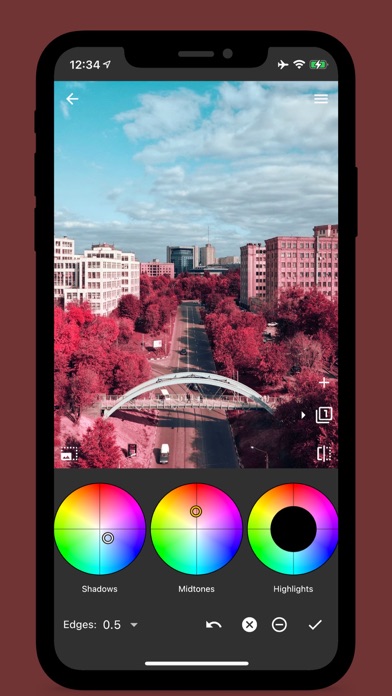
Photo Curves is a color grading app for photos and videos. Correct, enhance or replace colors, shift HUE, fix white balance or create cinematic orange and teal look, create 3D LUTs or presets library, resize images, and more. Create custom filters instead of searching through hundreds of predefined LUTs. Photo Curves comes with example presets, which are fully editable using RGB, CMYK, LAB, HSL curves, color wheels, and other tools. List of tools: - Basic controls (brightness, contrast, shadows, highlights, saturation) - Color wheels (shadows, midtones, highlights) - RGB curves - CMYK curves - Lab curves - Hue vs Saturation curve - Hue vs Hue curve - Hue vs Luma (Lightness) curve - Luma vs Saturation curve - Luma vs Hue curve - Saturation vs Saturation curve - Masking tool with independent adjustment layers Export your color grading presets as 3DLUT (.cube files) or save them to your presets library. You can use build-in presets/filters as is or as a starting point for your color grading experiment. Remember - every preset is fully editable! Presets library: - Create your own presets or edit existing - Export your presets to a file and share or import presets created by others - Export presets as 3DLUT (.cube files) - Built in library includes pre-defined presets, including popular Orange Teal and other artistic filters. Color grading hints: Color wheels - adjust colors of shadows, midtones, and highlights. RGB/CMYK curves - play with Red/Green/Blue or Cyan/Magenta/Yellow/Key color channels. LAB curves - LAB color space gives you yet another level of creative freedom. Hue vs Saturation curve - make one color more vibrant than others, or turn the entire image black and white while preserving one color only. Hue vs Hue curve - selective hue shift; i.e. adjust the color of the blue sky or green grass to dramatically change the mood of your photos. Hue vs Luma curve - selective brightness control of a specific color or color range. Luma vs Saturation curve - adjust saturation of shades, midtones, or highlights. Luma vs Hue curve - shift hue of shades, midtones, or highlights. Saturation vs Saturation curve - boost unsaturated and decrease oversaturated colors to create evenly saturated HDR-like images.
What's new · 1.2.35
- Video editing is back. - Added support of RAW photos.
Details