

Emoticon - Text Faces Keyboard
Swapnanil Dhol · Entertainment
Independent analytics for this App Store listing. AppTracker is not affiliated with Swapnanil Dhol.
Chart standing · US
What changed · US
Listing changes AppTracker has observed for this app in this storefront — new versions, price moves, rating shifts, and store copy.
Thank you for using Text Faces Keyboard. More improvements to the keyboard experience are on the way.
Ratings breakdown · US
The star breakdown behind this app's rating in this storefront.
In-app purchases · US
What this app sells inside itself, grouped by kind and priced for this storefront.
Screenshots




About
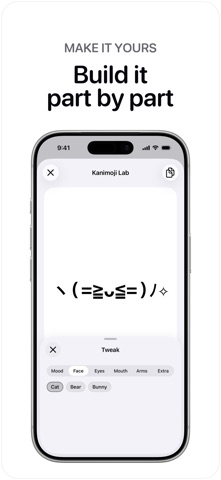
Say more than an emoji. Text Faces Keyboard puts 1,000+ curated kaomoji, ASCII art, and emoticons one tap away. Type expressive faces in Messages, social apps, games, notes, and anywhere third-party keyboards are supported. WHY YOU’LL LOVE IT • 1,000+ text faces across 39 moods and categories • Tap any face to copy it; heart the ones you keep coming back to • Favorites you save in the app are waiting in the keyboard • Built-in backspace—no keyboard switching just to undo • Long-press any face for a full-size preview • No Full Access required for the keyboard • Choose from alternate app icons MAKE A FACE THAT’S YOURS Kanimoji Lab builds faces three ways: • Shuffle until one feels right • Tweak any part—face, eyes, mouth, arms, extras • Describe a moment in your own words and let the Lab write it Save what you make and it joins your keyboard alongside the rest. FREE TO TRY. PRO FOREVER. Explore a generous free collection. Unlock Pro once to get the complete collection, custom face creation, every icon, and no ads. No weekly fee. No yearly subscription. HOW TO START 1. Open the app and choose your vibe 2. Add Text Faces Keyboard in Settings 3. Switch keyboards and tap a face Make every message feel more like you. (^_^)
What's new · 2.0.1
Thank you for using Text Faces Keyboard. More improvements to the keyboard experience are on the way.
Details