

PIP Camera Effects - Photo PIP
Duy Le · Photo & Video
Independent analytics for this App Store listing. AppTracker is not affiliated with Duy Le.
Chart standing · US
Ratings breakdown · US
The star breakdown behind this app's rating in this storefront.
Screenshots


About
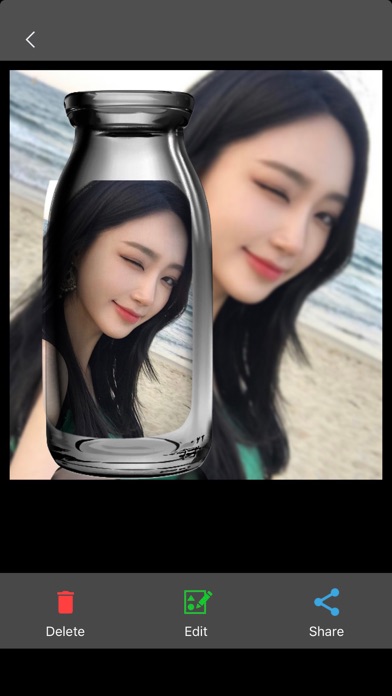
PIP Camera Effects - Photo PIP is a picture-in-picture photo editor that helps you create standout images in minutes. Place your photo inside a second frame, blur the background for depth, and finish with curated filters, stickers, and captions. Ideal for selfies, portraits, product shots, travel memories, and social stories. Key Features • PIP Camera (Pic-in-Pic): Capture or import a photo and place it inside a foreground frame. Rotate, scale, and drag to achieve a natural composition. • Diverse PIP Frames: Crystal bottle, magazine-style, polaroid-style, film frame, minimal, cartoon, and more. • Depth & Background Blur: Make the main subject pop with adjustable blur and frame opacity. • Filters & Tone: Apply hand-picked filters to enhance color and mood. • Stickers & Emoji: Add popular stickers and emoji to personalize your edits—cat face, blush/flush, tattoo, bowknot, “pretty,” and themed packs. • Text & Captions: Add titles, quotes, and captions with adjustable fonts and styles. • Save & Share: Export high-quality PIP photos to your library and share them to your favorite platforms. Why choose PIP Camera Effects • Clean two-layer “picture in picture” layout that focuses attention on your subject. • A rich frame library for different scenarios—travel, food, lifestyle, products, and selfies. • Simple workflow: choose a photo → select a PIP frame → fine-tune blur and layout → add filters, stickers, and text → save and share. Quick Start 1. Open PIP Camera and select a photo from your library or take a new one. 2. Choose a PIP frame and adjust position, scale, and rotation. 3. Enhance with background blur, filters, stickers/emoji, and text. 4. Save in high quality and share wherever you like.
What's new · 1.2.2
Create picture-in-picture photos in minutes with creative frames, background blur, filters, stickers, and text. Save in high quality and share anywhere.
Details