

Moleskine Planner
Moleskine S.r.l. · Productivity
Independent analytics for this App Store listing. AppTracker is not affiliated with Moleskine S.r.l.
Chart standing · US
What changed · US
Listing changes AppTracker has observed for this app in this storefront — new versions, price moves, rating shifts, and store copy.
What's New: - Use Siri, Spotlight, and Apple Intelligence to quickly access and interact with Planner. - Planner now automatically detects dates and times while you type when creating a task, making scheduling faster. - UI fixes and improvements for iOS 27. - Various other fixes and improvements Let us know what you think!
Price & rating history · US
Reconstructed from the listing changes AppTracker has observed in this storefront. A field is charted once it has changed more than once, and each line starts at the value it moved from.
Average rating · ★ 4.52 now · 2 changes on record
Ratings breakdown · US
The star breakdown behind this app's rating in this storefront.
In-app purchases · US
What this app sells inside itself, grouped by kind and priced for this storefront.
Screenshots


About
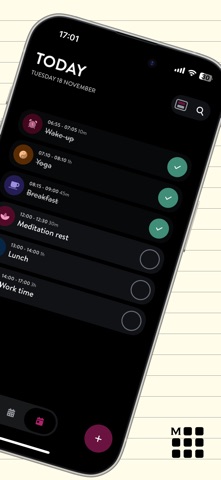
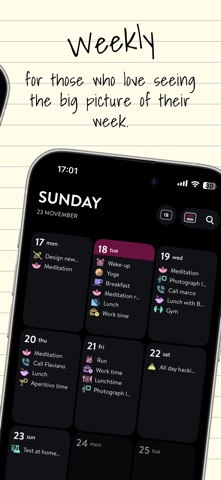
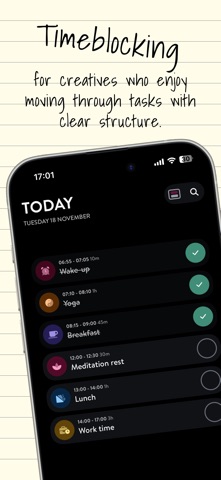
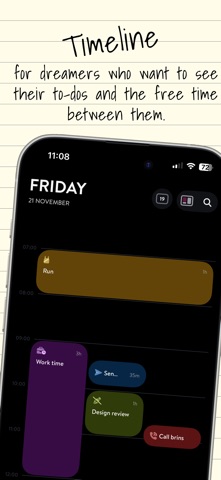
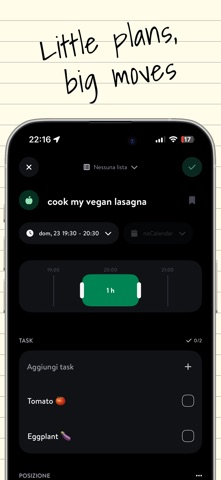
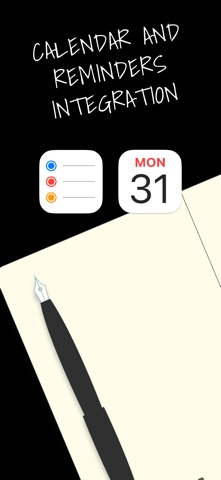
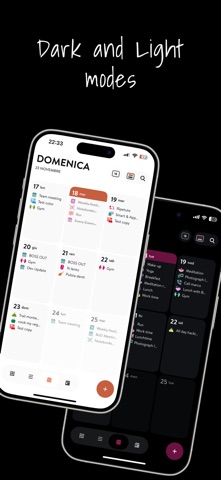
The Moleskine Planner App (previously Moleskine Balance) combines minimalistic design with powerful functionality, offering you a seamless way to manage your calendars and tasks all in one place. Whether you're a student or a professional, Moleskine Planner allows you to visually organize your day with all the details you need to ensure nothing is forgotten. Effortlessly create reminders, to-do lists, and view calendars, all customizable with icons, colors, subtasks, and notes. The Moleskine Planner App is your perfect companion for managing personal and professional activities, ensuring you stay on top of your schedule with style and ease. Features: WEEKLY OVERVIEW Effortlessly capture the big picture with a comprehensive view of all your appointments and tasks for the week. FOCUS ON TODAY Transform your day with a beautifully organized visual timeline. Experience clarity with a seamless view of your schedules and tasks. CALENDAR INTEGRATION AND CUSTOMIZATION Empower your planning by marking tasks as completed and adding a personal touch with customizable icons, colors, subtasks, and notes. THEMATIC LISTS Create stunning thematic lists to beautifully organize your personal and professional tasks with style and ease. Terms of Service: https://www.moleskineeveryday.com/terms
What's new · 3.1.736
What's New: - Use Siri, Spotlight, and Apple Intelligence to quickly access and interact with Planner. - Planner now automatically detects dates and times while you type when creating a task, making scheduling faster. - UI fixes and improvements for iOS 27. - Various other fixes and improvements Let us know what you think!
Details