

Sound Noise Meter+ dB SPL
Kyu-Hee Jang · Utilities
Independent analytics for this App Store listing. AppTracker is not affiliated with Kyu-Hee Jang.
Chart standing · US
What changed · US
Listing changes AppTracker has observed for this app in this storefront — new versions, price moves, rating shifts, and store copy.
• Start with one big button right under the gauge, or simply tap the gauge. • Pause after 30 seconds or more to get a summary card: duration, average, max, dose and 8-hour TWA, with Resume or New session. • Switching between WHO and OSHA now shows that standard's own dose for the whole session. • Cleaner line icons and steady-width numbers.
Ratings breakdown · US
The star breakdown behind this app's rating in this storefront.
Screenshots

About
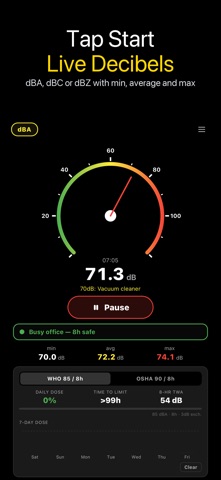
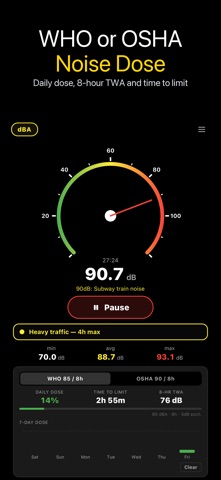
Decibel Meter: Sound Level dB turns your iPhone microphone into a live sound level meter. Press the big Start button under the gauge (or tap the gauge) and see how loud it is in decibels, with the running minimum, average and maximum right below. ▶ Measure • Radial gauge from 0 to 120 dB with a Fast (125 ms) response, so the needle follows the sound instead of flickering • dBA, dBC or dBZ: switch the frequency weighting from the chip at the top • Min, average (energy average, not a plain mean of the numbers) and max for the session • A one-line verdict that puts the level in everyday terms, from quiet library to hearing damage zone • An OVER warning when the microphone is saturated, so a flat ceiling reading is never mistaken for a real value ▶ Pause and see your summary Pause after 30 seconds or more and a summary card shows the duration, average, max, dose and 8-hour TWA of the standard you chose. Resume carries on with the same session; New session files it into your log and starts clean. The card keeps the numbers from the moment you paused, even if you change the weighting or the standard afterwards. ▶ Noise dosimeter • Two standards: WHO (85 dBA, 3 dB exchange, 8 h) and OSHA (90 dBA, 5 dB exchange, 8 h) • Daily dose %, 8-hour TWA and time left until 100 % • The dose always uses the A-weighted level, whatever weighting is on the gauge • Switching the standard shows that standard's own total for the whole session • 7-day dose chart, and an alert with a short vibration when the level stays at or above the criterion for 10 seconds ▶ Logs • Noise events: every stretch above your threshold that lasts 5 seconds or more is logged with its peak and average, and the list can be shared as text • Session log with LAeq, Lmax, L10 and L90 for sessions of 30 seconds or more, exportable as CSV • A summary report across all sessions, unlocked by watching a short video ▶ Calibration Phone microphones differ. Adjust the offset from −20 to +20 dB against a reference meter, or use Quiet Cal for a quick approximate reference in a quiet room. The app tells you when the room was too loud for that reference to be trusted. ▶ Good to know • The screen stays on while measuring, and an optional auto-stop ends a run after 4 hours • Measuring pauses when you leave the app and resumes when you come back; it does not measure in the background • No audio is saved; the app only computes levels from the live microphone signal • A phone is not a certified sound level meter. Use the readings for everyday checks and comparisons, not for legal or compliance measurements. Handy for a noisy workplace, a concert, traffic outside the window, a neighbour's music, a classroom, or checking how loud your own speakers are.
What's new · 3.2.30
• Start with one big button right under the gauge, or simply tap the gauge. • Pause after 30 seconds or more to get a summary card: duration, average, max, dose and 8-hour TWA, with Resume or New session. • Switching between WHO and OSHA now shows that standard's own dose for the whole session. • Cleaner line icons and steady-width numbers.
Details